Hermes - Part 05: Xen Orchestra, Telegram and Obsidian Dependencies
- A Xen Orchestra account
svc-hermes-roger("User" permission) placed in aread-onlygroup: "Viewer" ACL on the pools for the web interface, and an RBAC rolehermes-read-onlycopied from the "Read only" template for the REST API and the MCP server. - An API token valid for six months, tested on the REST API (list of VMs, privileges, expiration) and with a negative test: creating a snapshot is refused with a 403 error. The MCP status endpoint responds.
- A dedicated Telegram bot that will only respond to an authorized identifier, an Obsidian vault
roger-vaultcontaining the repository of virtual machines and their placement rules, and Syncthing on the Mac, limited to the local network. - Roger's seven secrets in Vault, the
secret_idof the AppRole stored with 600 permissions, and the AppRole chain tested end to end, denials included.
Introduction
In the previous part, we gave Roger his two brains: Qwen3.5 9B, served by LM Studio on the Mac, and exposed via HTTPS with a token and a firewall, and GLM through Z.ai's Coding Lite offering. Their keys are stored in Vault.
This article is the equivalent of part 04 of the OpenClaw series, which covers dependencies. However, here, Kubernetes is replaced by Xen Orchestra. Feel free to review my introduction to this French virtualization ecosystem if you are not familiar with it. We will prepare everything that Roger needs to work:
- a dedicated account in Xen Orchestra, with read-only access, and its API token;
- a Telegram bot that will only respond to me;
- an Obsidian vault, its knowledge base shared with me, and Syncthing on the Mac for synchronization;
- the last secrets in Vault, then the
secret_idof the AppRole and a full test of the chain.
At the end of this article, all that will be missing is the assembly of Roger himself.
Xen Orchestra
Check the version
My Xen Orchestra instance is installed from source, on the VM prdxcpxor501, and accessible at the address https://prdxcpxor501.coolcorp.priv:8443. The official Vates MCP server, which Roger will use, requires a recent version of Xen Orchestra. At the time of writing this article, mine is at commit 70b08 (October 9, 2026), which corresponds to xo-server 5.211.1 and includes everything needed on the MCP side.
The version can be found on the "About" page of the interface. For an installation from source, you will see the commit number there.
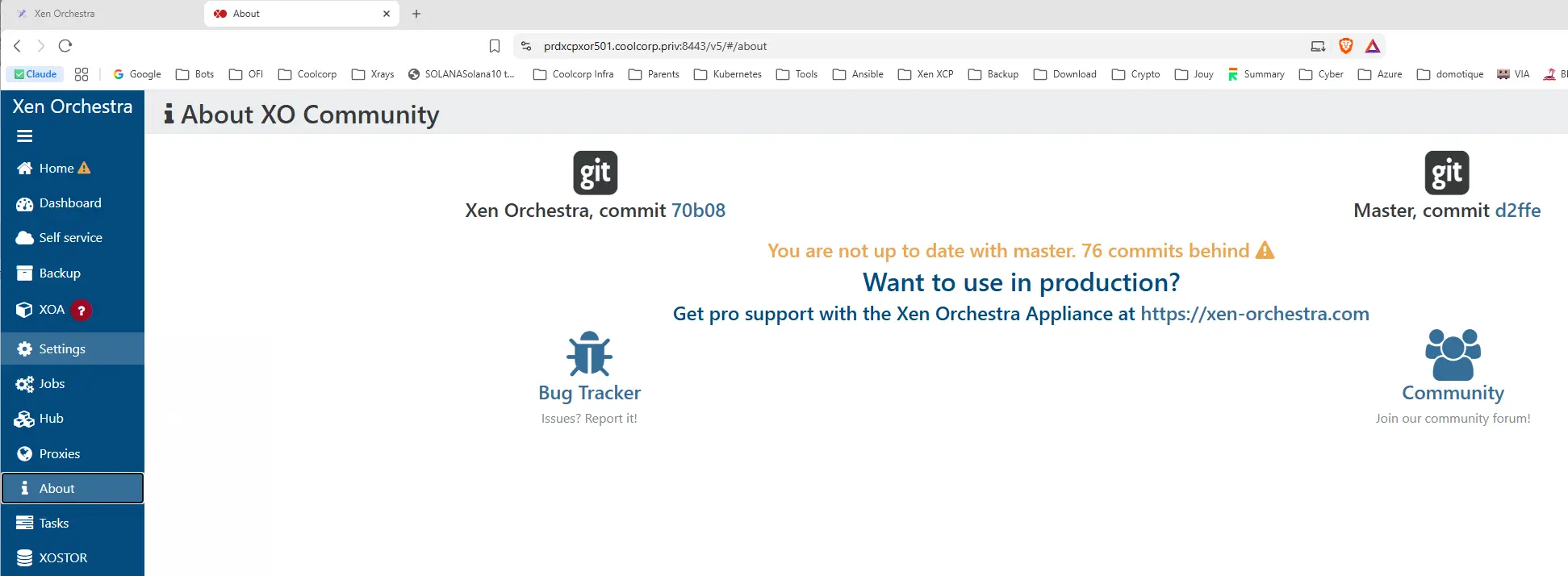
Click the image to enlarge.
If your instance is older, update it before proceeding further. I have described the procedure in my article on updating Xen Orchestra and XCP-ng.
The svc-hermes-roger account
Since it-claw had its own service account on Kubernetes, Roger will have his own account in Xen Orchestra. This is essential for least privilege, but also for traceability: every call made by Roger will appear under his name.
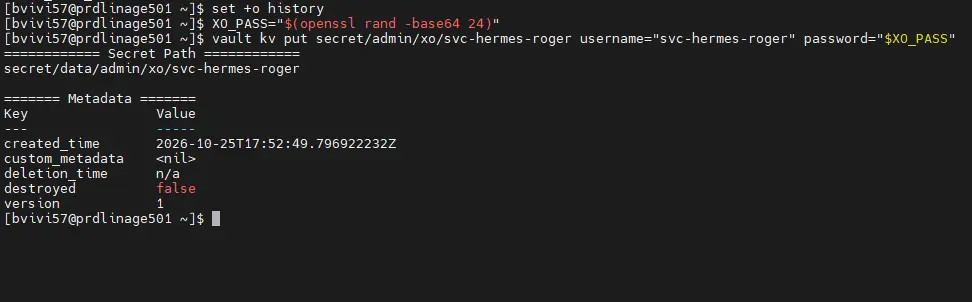
We start by generating a strong password, which we store directly in Vault. It is not under Roger's branch, but under an administration branch: Roger does not need it, only the token is of interest to him.
# VM prdlinage501, compte bvivi57
vault login -method=userpass username=bvivi57
set +o history
XO_PASS="$(openssl rand -base64 24)"
vault kv put secret/admin/xo/svc-hermes-roger username="svc-hermes-roger" password="$XO_PASS"
echo "$XO_PASS"     # à copier pour la création du compte, puis on efface l'écran
unset XO_PASS
set -o history
clear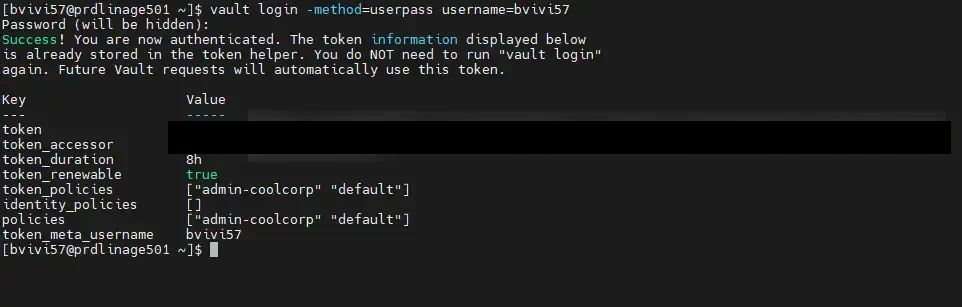

Click the image to enlarge.
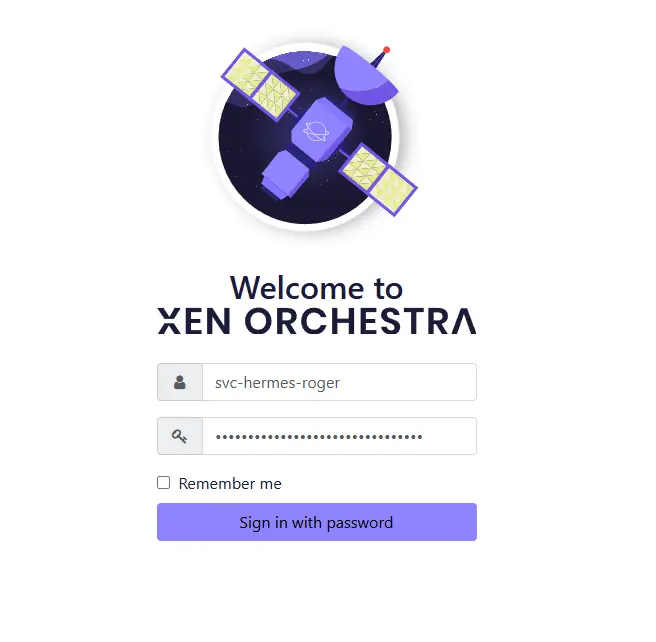
Next, we create the user in Xen Orchestra, from the "Settings" menu, on the "Users" tab: username svc-hermes-roger, the generated password, and the permission "User", definitely not "Admin".
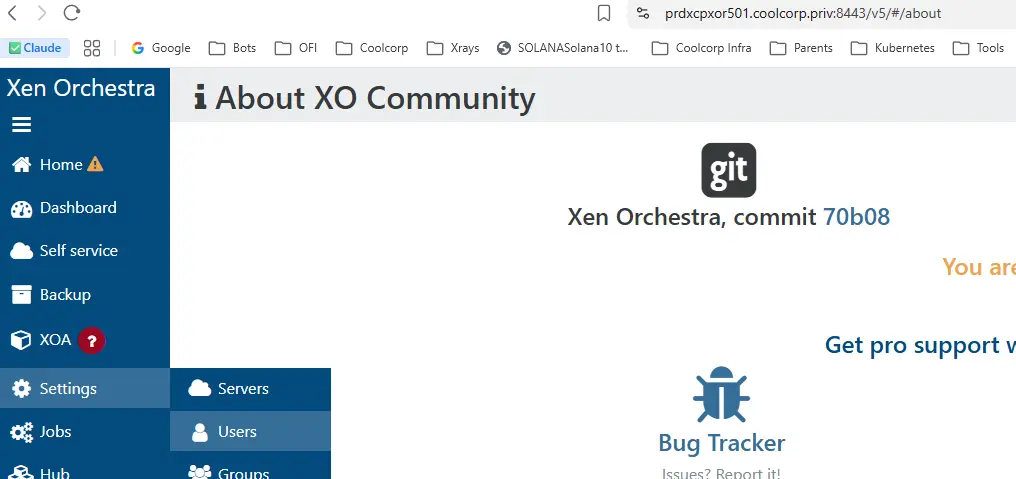


Click the image to enlarge.
Read-only permissions
In Xen Orchestra, a non-administrator user sees nothing by default. To grant them permissions, XO has long offered a simple and proven mechanism: ACLs (Access Control Lists). The principle is well known: we associate a subject (a user or group), an object (a pool, a host, a VM...), and a role. Three roles exist: "Viewer" for read-only access, "Operator" for common operations, and "Admin".
Rather than assigning rights directly to the account, I use a group. This is the same logic as on Kubernetes with it-claw, or in an Active Directory directory: you give rights to a group, and you place accounts in groups. The day a second agent needs the same access, it will only be necessary to add them to the group.
Everything is done from the Xen Orchestra interface, with an administrator account:
- In the Settings menu, on the Groups tab: we create a group
read-only, and then we add the usersvc-hermes-rogerto it. - In the Settings menu, on the ACLs tab: we select the group
read-onlyas the subject, all XCP-ng pools as objects, and the Viewer role, then we validate.
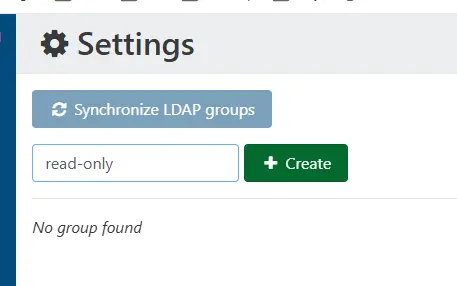

Click the image to enlarge.
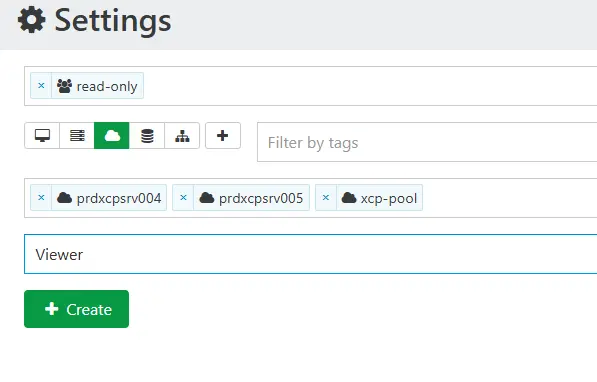

Click the image to enlarge.
With this ACL at the pool level, the account can see everything in the web interface: hosts, VMs, storage, networks. And nothing more: it cannot start, stop, or modify anything.
The same permissions for the API
I thought I was finished, and that's when I had a surprise. When connected to the web interface with Roger's account, I could see my pools and VMs. But the REST API returned an empty list.
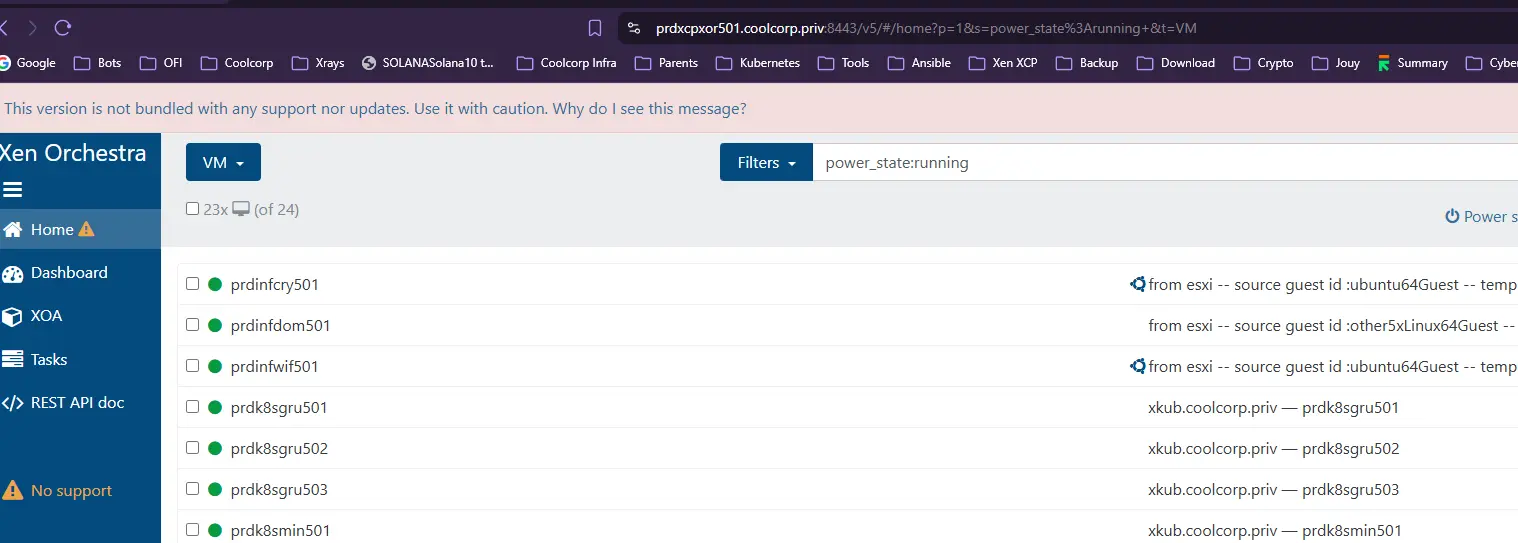
Click the image to enlarge.
The explanation is simple: Xen Orchestra now manages two permission systems. The historical ACLs, which we just configured, apply to the classic web interface. The REST API, and therefore the MCP server that Roger will use, relies on the new role system of Xen Orchestra 6 (RBAC, or "ACL v2"), which ignores the historical ACLs and denies everything by default. Therefore, you have to grant the same permissions a second time, in this new system.
The principle of RBAC is the same as that of ACLs: a role groups specific permissions (read VMs, change their power state, manage backups...), and it is assigned to a user or group. Good news, we can assign it to our group read-only: the logic remains the same.
Xen Orchestra provides role templates, including a "Read only" template. A template cannot be assigned directly; you must copy it, which will also allow you to evolve the permissions without modifying the original template. Everything is done with the REST API and the Xen Orchestra administrator account (curl asks for its password for each command). We start by listing the roles:
XO=https://prdxcpxor501.coolcorp.priv:8443
read -rp "Compte admin XO : " XO_ADMIN
curl -s -u "$XO_ADMIN" "$XO/rest/v0/acl-roles?fields=id,name" | jq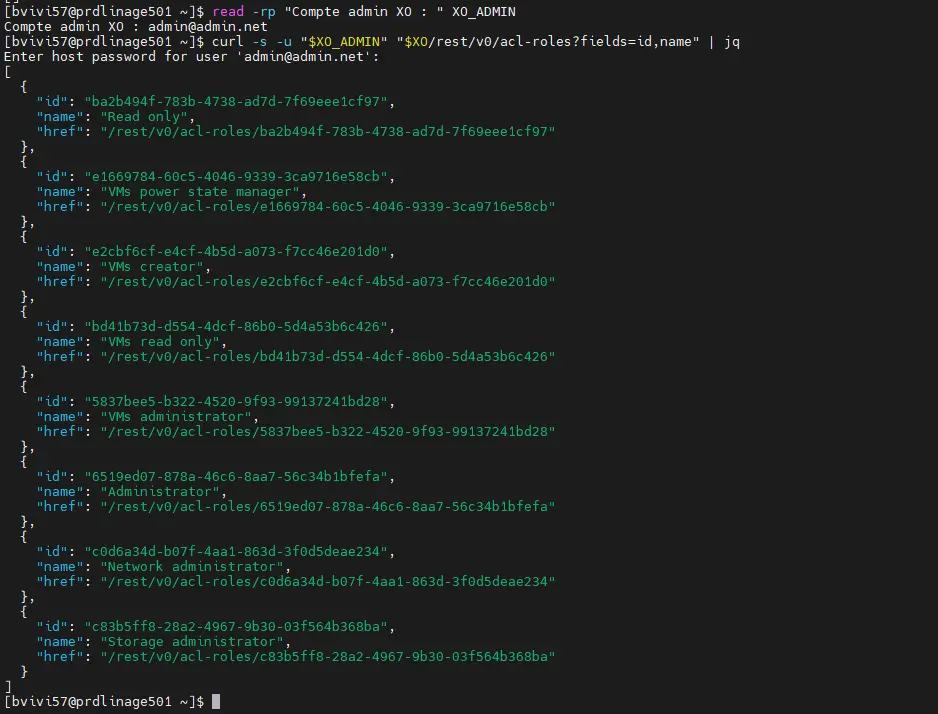
Click the image to enlarge.
We obtain eight models, including "Read only", "VMs read only", "VMs power state manager" or "Administrator". We copy the "Read only" model under the name hermes-read-only, since it will be used by all future agents in the group, and then we note down the identifier of the copy and that of the group:
RO_ID="<id du modèle Read only>"
curl -s -u "$XO_ADMIN" -X POST -H "Content-Type: application/json" \
  -d '{"name":"hermes-read-only","description":"Lecture seule pour les agents Hermes"}' \
  "$XO/rest/v0/acl-roles/$RO_ID/actions/copy?sync=true" -o /dev/null -w "%{http_code}\n"
curl -s -u "$XO_ADMIN" "$XO/rest/v0/acl-roles?fields=id,name" | jq -r '.[] | select(.name=="hermes-read-only") | .id'
curl -s -u "$XO_ADMIN" "$XO/rest/v0/groups?fields=id,name" | jq


Click the image to enlarge.
All that remains is to attach the role to the group. The expected response is a code 204 (a 409 means that the attachment already exists):
ROLE_ID="<id de hermes-read-only>"
GROUP_ID="<id du groupe read-only>"
curl -s -u "$XO_ADMIN" -X PUT -o /dev/null -w "%{http_code}\n" \
  "$XO/rest/v0/acl-roles/$ROLE_ID/groups/$GROUP_ID"
unset XO_ADMIN
Click the image to enlarge.
We will check this in a moment, using Roger's token, to ensure that these permissions are correctly applied.
The API token
As mentioned earlier, Roger will not connect with a password, but with an authentication token created by the user themselves.
Why a token rather than a password? Firstly, because it expires, whereas a password often remains valid as long as it is not changed. Secondly, because it can be revoked individually: if I suspect a leak, I delete this token without affecting the account or other access methods. Finally, because it does not allow you to connect to the web interface with Roger's account. The password, on the other hand, remains securely stored in Vault, on a branch that Roger cannot read.
The simplest thing is to create this token from the web interface, by logging in once with Roger's account. We retrieve his password from Vault:
vault kv get -field=password secret/admin/xo/svc-hermes-rogerThen, preferably in a private browsing window to avoid mixing it with an administrator session, we connect to Xen Orchestra with svc-hermes-roger. We open the user page, using the profile icon at the bottom of the left menu, and in the Authentication tokens section, we click on New. In the "New authentication token" window, we set the expiration date to six months, add a meaningful description, and validate with OK.
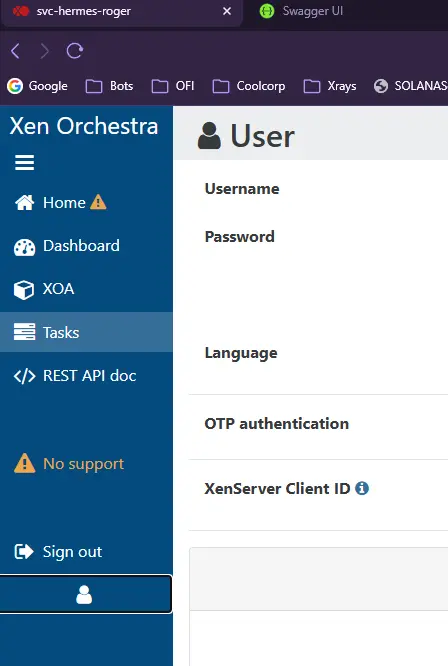
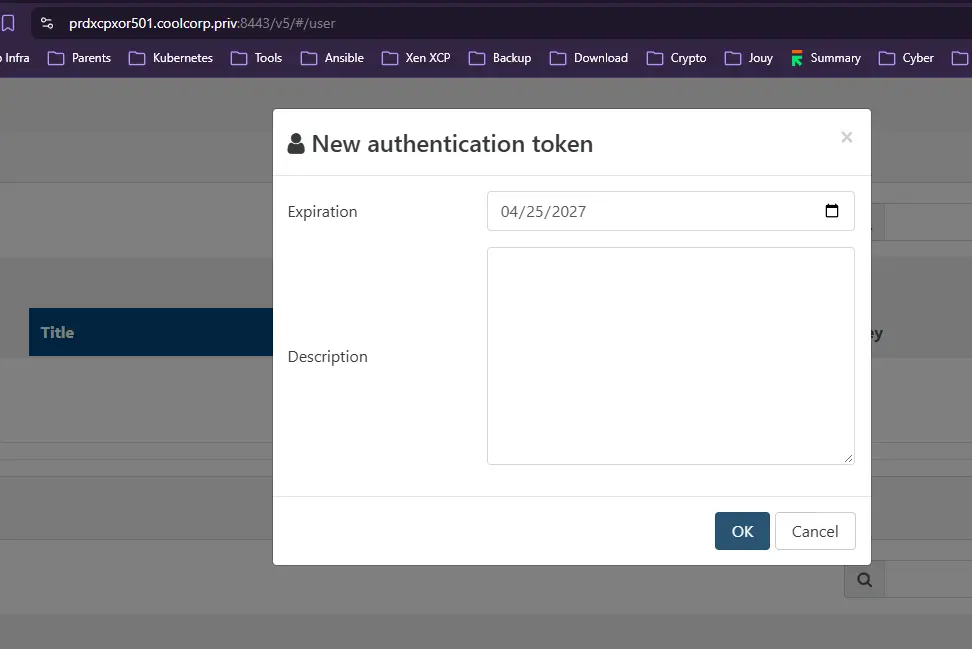
Click the image to enlarge.
The token appears in the list, with its expiration date. Clicking on its value (truncated for display) allows you to copy it. You will also see a second line: this is the token for the current web session, which will expire automatically. Once the token has been copied, we log out.
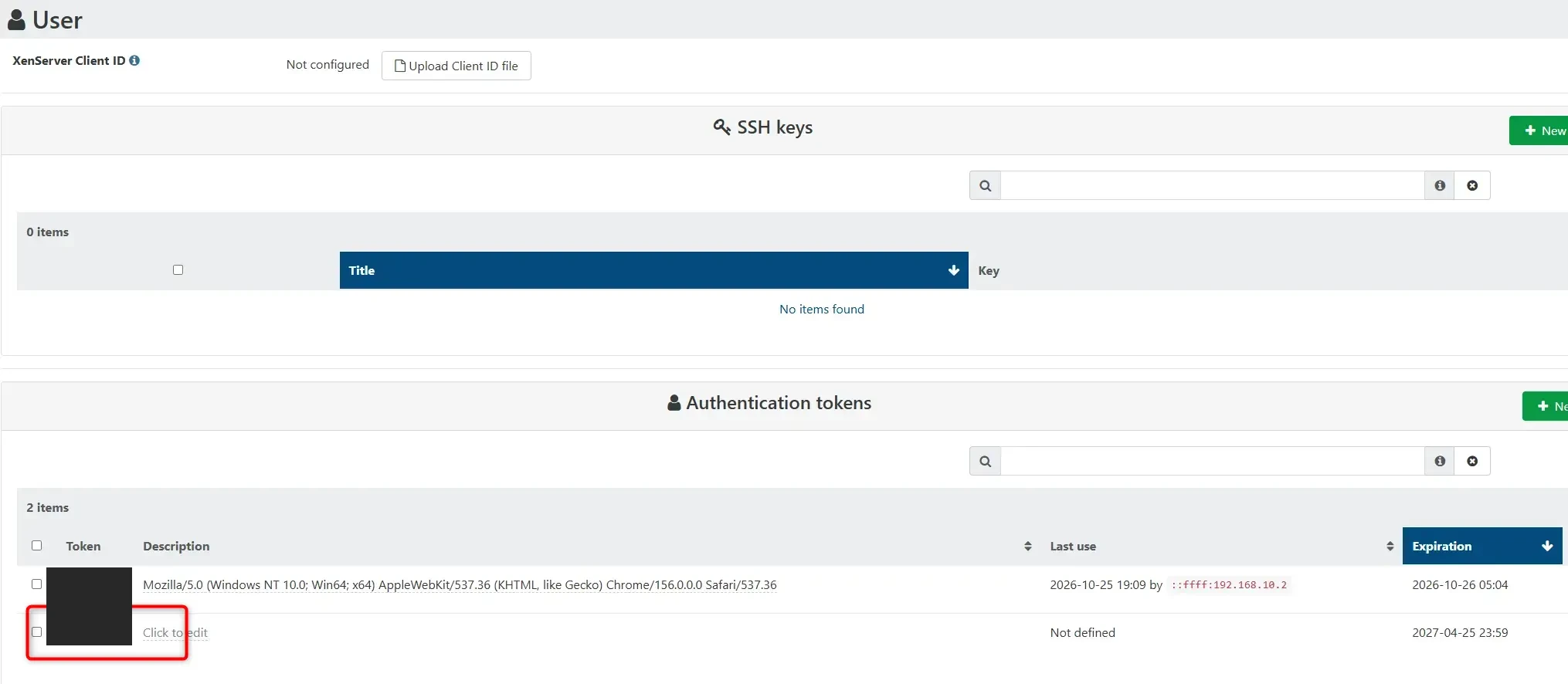
Click the image to enlarge.
Six months is an interesting compromise in my opinion: long enough not to spend all your time renewing the token, but short enough that a forgotten token does not remain valid indefinitely.
From the prdlinage501 server, with a normal session, we store the token in a variable for the duration of the tests, along with the address of Xen Orchestra:
XO=https://prdxcpxor501.coolcorp.priv:8443
set +o history
read -rs XO_TOKEN && export XO_TOKEN
set -o history
Click the image to enlarge.
Testing the REST API
First test: list three VMs with their status, using Roger's token:
curl -s -b "authenticationToken=$XO_TOKEN" \
  "$XO/rest/v0/vms?fields=name_label,power_state&limit=3" | jq
If the list is empty ([]), it means that the RBAC role is not being taken into account. We can verify this by asking Xen Orchestra for the account's privileges: an empty list confirms that no role has been assigned to it. In my case, once the role is attached to the group, the account has 37 of them:
curl -sL -b "authenticationToken=$XO_TOKEN" "$XO/rest/v0/users/me/acl-privileges" | jq length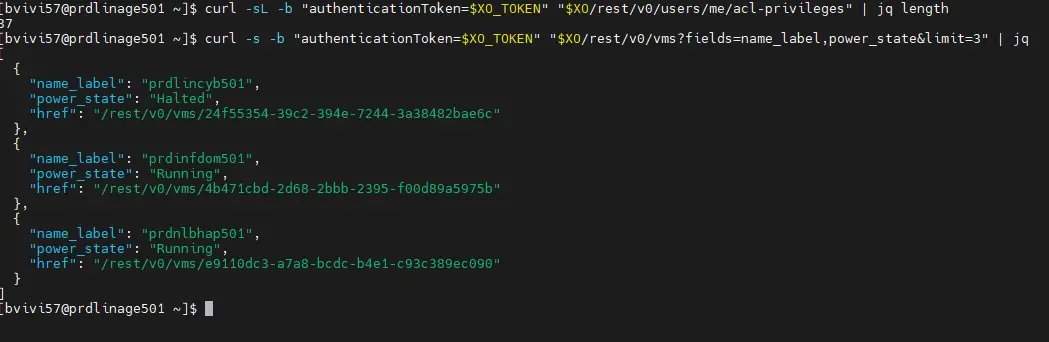
Click the image to enlarge.
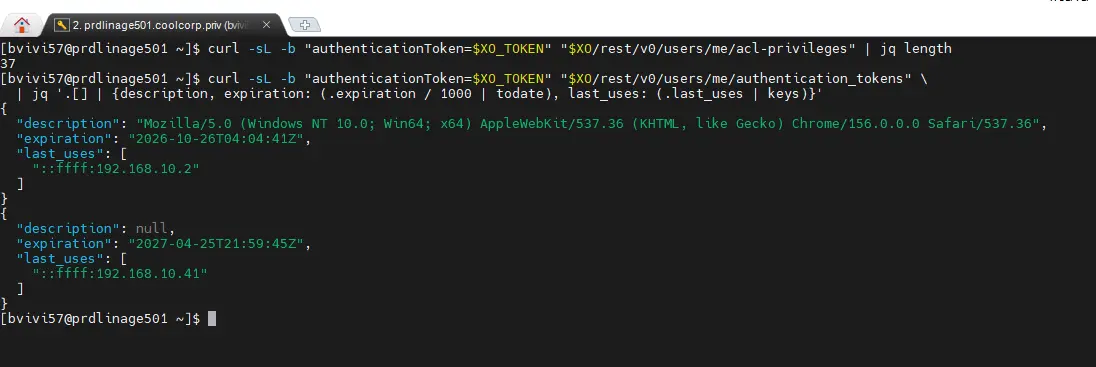
We also check the token expiration date:
curl -sL -b "authenticationToken=$XO_TOKEN" "$XO/rest/v0/users/me/authentication_tokens" \
  | jq '.[] | {description, expiration: (.expiration / 1000 | todate), last_uses: (.last_uses | keys)}'
Be careful, the id field of each entry is not just an identifier; it's the actual value of the token. The jq filter above does not display it, and that's intentional. There are no secrets on screen, so there are no secrets in a screenshot. We should see two entries: Roger's token, which expires in six months, and the web session token used to create it, which expires after a few hours.
The -L option is essential: /users/me is just an alias, and Xen Orchestra responds with a redirection (code 307) to /users/<identifiant du compte>. Without -L, curl stops at this redirection, and jq receives text instead of JSON.
Click the image to enlarge.
Then comes the most important test, the negative test. In the OpenClaw series, we were checking that kubectl get secrets was refused. Here, we attempt an action, creating a snapshot of a VM, which Roger should not be able to do:
VM_UUID=$(curl -s -b "authenticationToken=$XO_TOKEN" "$XO/rest/v0/vms?fields=uuid,name_label&limit=1" | jq -r '.[0].uuid')
curl -s -o /dev/null -w "%{http_code}\n" -X POST \
  -b "authenticationToken=$XO_TOKEN" "$XO/rest/v0/vms/$VM_UUID/actions/snapshot"
We expect a refusal (code 403).

Click the image to enlarge.
The API in the browser
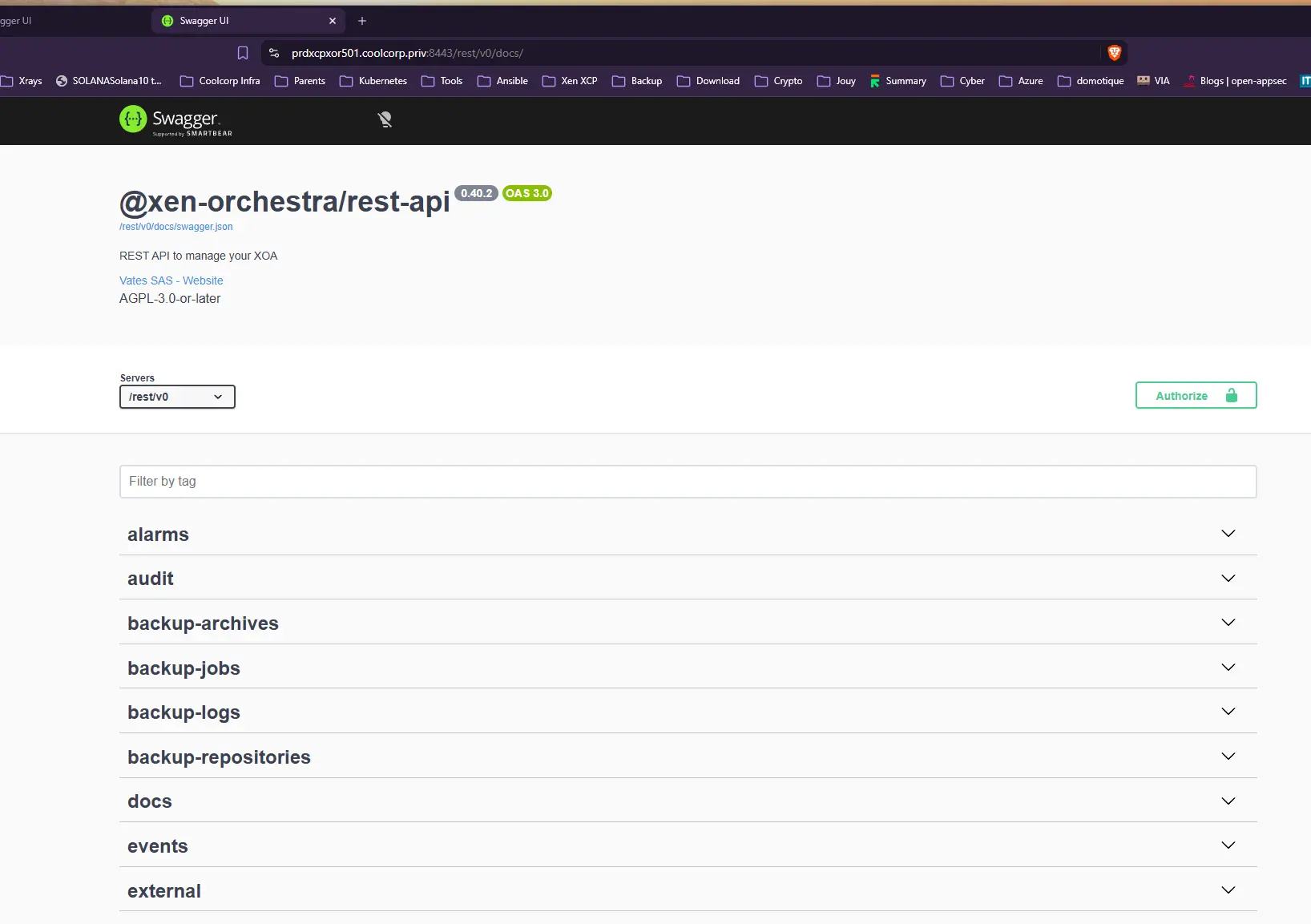
Xen Orchestra includes online documentation for its API via Swagger, accessible at https://prdxcpxor501.coolcorp.priv:8443/rest/v0/docs. This is useful for exploring what Roger will be able to request, especially the metrics (/stats) that we will use in a dedicated skill.
Click the image to enlarge.
The MCP server
If you would like to learn more about MCP (Model Context Protocol) first, feel free to read my dedicated article.
Before integrating the MCP server with Roger, we check that it is available from the Xen Orchestra side. The official MCP server starts by querying a health endpoint, identifying itself with a specific header (thanks to AI for the information 😊). We do the same:
curl -s -H "X-XO-Client: mcp" -b "authenticationToken=$XO_TOKEN" "$XO/rest/v0/mcp/status" | jq
Click the image to enlarge.
A response indicating that MCP is enabled confirms that our version of Xen Orchestra is compatible. A 404 error would indicate an outdated version.
What will this MCP server offer to Roger? It generates its tools from the description of the Xen Orchestra REST API. Specifically, it exposes a consultation tool for each resource type, named after it (vms_query, srs_query, tasks_query, dashboard_query, ping_query...): pools, hosts, VMs, disks, storage, networks, backups and their logs, tasks, alarms, users... A total of about forty tools, the actual list of which will be shown in part 06. It also provides a query template ("prompt") to obtain an overview of the infrastructure. However, as we saw in the first part, performance metrics are not included (but they may be added in future updates): for now, they will go through a dedicated skill.
The tests are conclusive, so we can store Roger's token in Vault, under his own branch this time, then clear the variable:
set +o history
vault kv put secret/hermes/roger/xo_token value="$XO_TOKEN"
unset XO_TOKEN
set -o history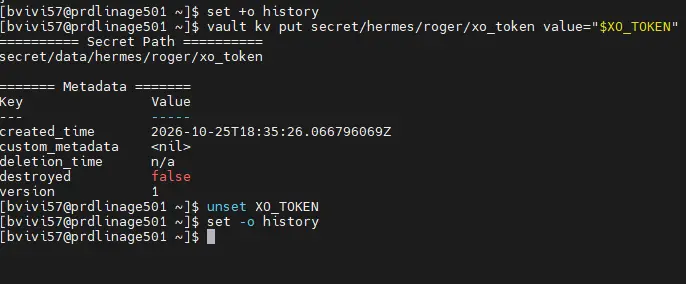
Click the image to enlarge.
Telegram
Creating the bot
As with the OpenClaw series, Telegram remains the communication channel with the agent. With Hermes, one rule is added: a bot can only be used by one agent. Roger will therefore have his own dedicated bot.
One thing to keep in mind that I prefer to reiterate: conversations with a Telegram bot are not end-to-end encrypted. They transit and are stored on Telegram's servers. Specifically, what Roger tells me about the status of my infrastructure (VM names, IP addresses, alarms) passes through a third-party service. For a home lab, I don't have a problem, as I had accepted with it-claw. However, in an enterprise environment, it is likely that your security services and your CISO will not be very keen on using Telegram. It would be preferable to use an internal messaging system; Hermes supports several (Matrix, Mattermost, Teams...). As when I set up OpenClaw, I would have liked to use Signal, which Hermes supports, but this requires a dedicated phone number, which is still a bit too restrictive for me.
The advantage of Telegram, on the other hand, is that the connection starts from Roger to Telegram (long polling): no port is opened to the VM for this channel.
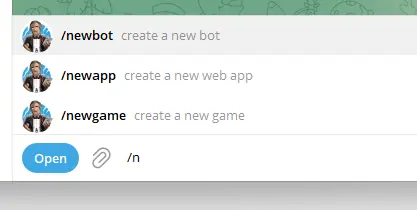
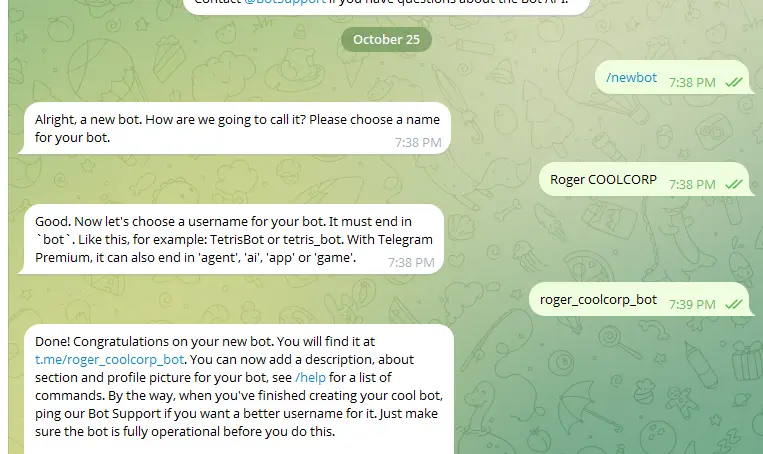
We open a conversation with @BotFather in Telegram, then:
/newbot, displayed nameRoger COOLCORP, usernameroger_coolcorp_bot(it must be unique and end with "bot");- BotFather returns the bot token: we keep it aside for Vault;
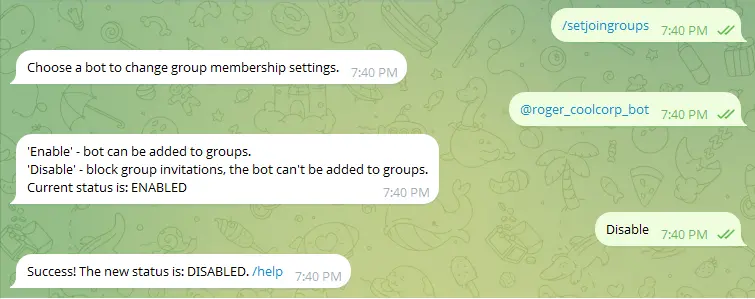
/setjoingroups, we choose the bot and disable adding to groups: Roger should only communicate privately;/setdescription, a short phrase, for example "Assistant Admin OPS & Infra of the COOLCORP home lab (restricted access)".


Click the image to enlarge.
Warning, this token is critical: anyone who possesses it can impersonate the bot. In case of a leak, the /revoke command from BotFather will generate a new one.
The user ID
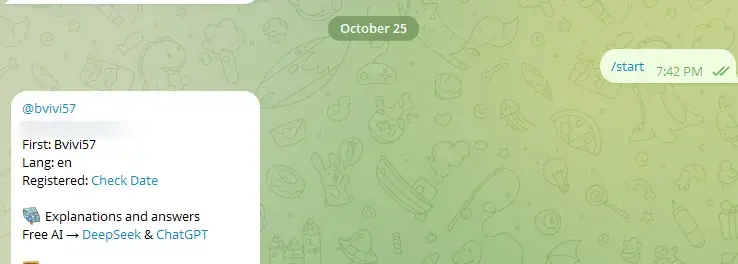
Roger will only respond to a list of authorized users, identified by their Telegram number. To find out mine, I send a message to the @userinfobot bot, which responds with my numeric identifier.

Click the image to enlarge.
We store both values in Vault:
set +o history
read -rsp "Token du bot : " TG_TOKEN && echo
read -rp "Identifiant Telegram autorisé : " TG_ID
vault kv put secret/hermes/roger/telegram_bot_token value="$TG_TOKEN"
vault kv put secret/hermes/roger/telegram_allowed_users value="$TG_ID"
unset TG_TOKEN TG_ID
set -o history
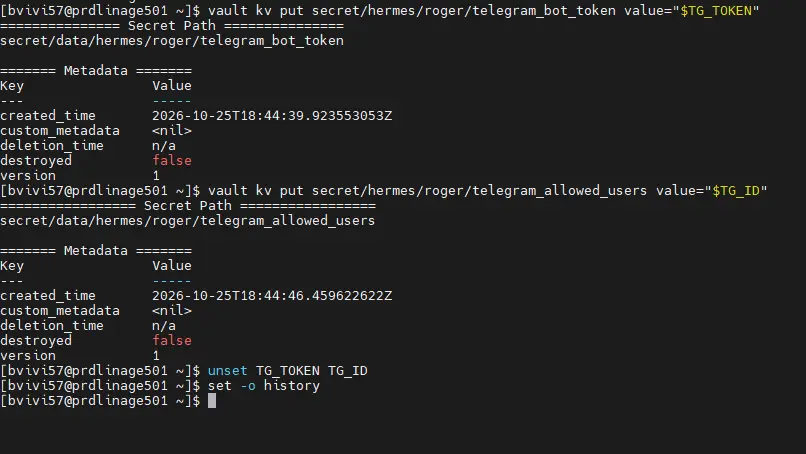
Click the image to enlarge.
Obsidian
What is a vault?
I'll preface this by saying that I am new to Obsidian. For those who are also beginners, here are a few explanations.
Obsidian is a note-taking application. Its particularity is that it works directly on Markdown files stored on your disk, without a proprietary database. An Obsidian "vault" (safe) is nothing more than a folder: each note is a .md file, each subfolder is a category. Obsidian adds a pleasant interface on top of this, links between notes with the [[Nom de la note]] syntax, a search function, metadata at the beginning of the file (the "frontmatter"), and a graphical view of the links.
This is precisely what makes it interesting for an agent. Roger doesn't need Obsidian: he reads and writes simple text files. I have a comfortable interface to read his log and write my procedures. And don't get confused: the Obsidian vault has nothing to do with HashiCorp Vault.
Installation and structure
I install Obsidian 1.14 on the Mac from obsidian.md, then I create a new vault named roger-vault in the folder ~/Obsidian. There is nothing to disable regarding telemetry: Obsidian does not collect usage statistics, which is one of its advantages. I simply check in Settings > Core plugins that the "Daily notes" plugin is enabled (it is by default).
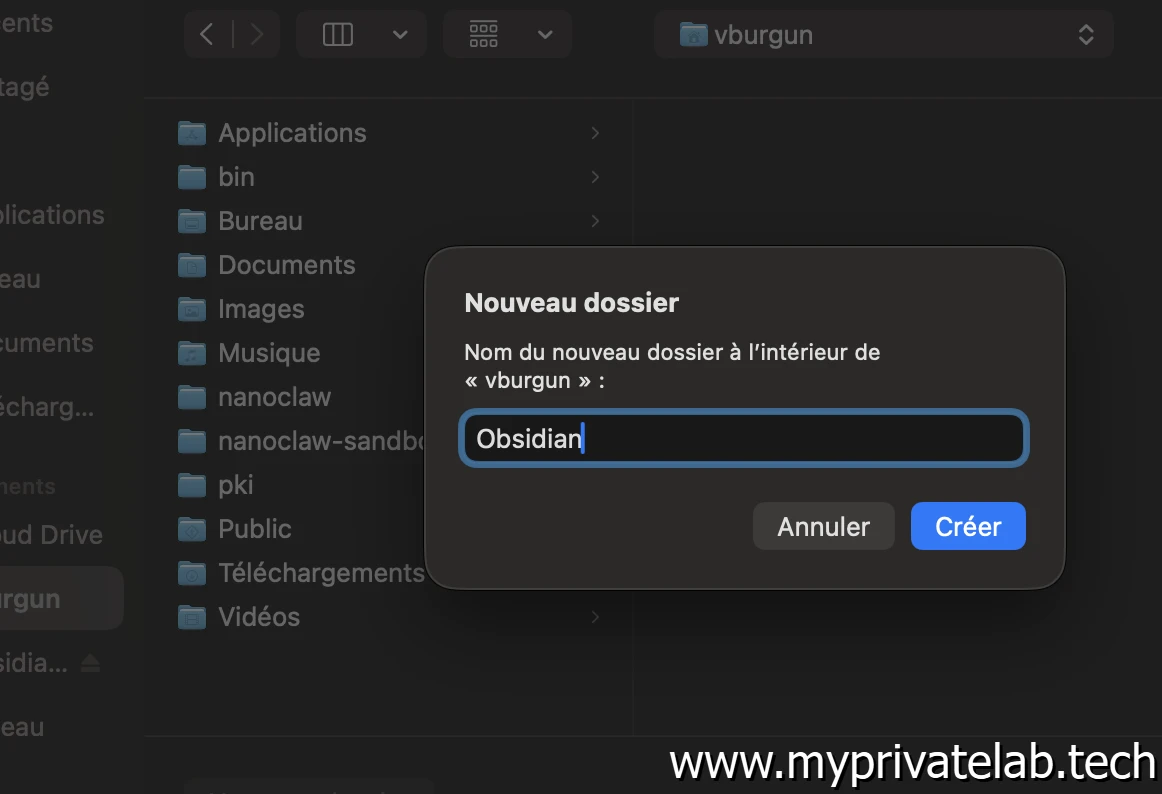
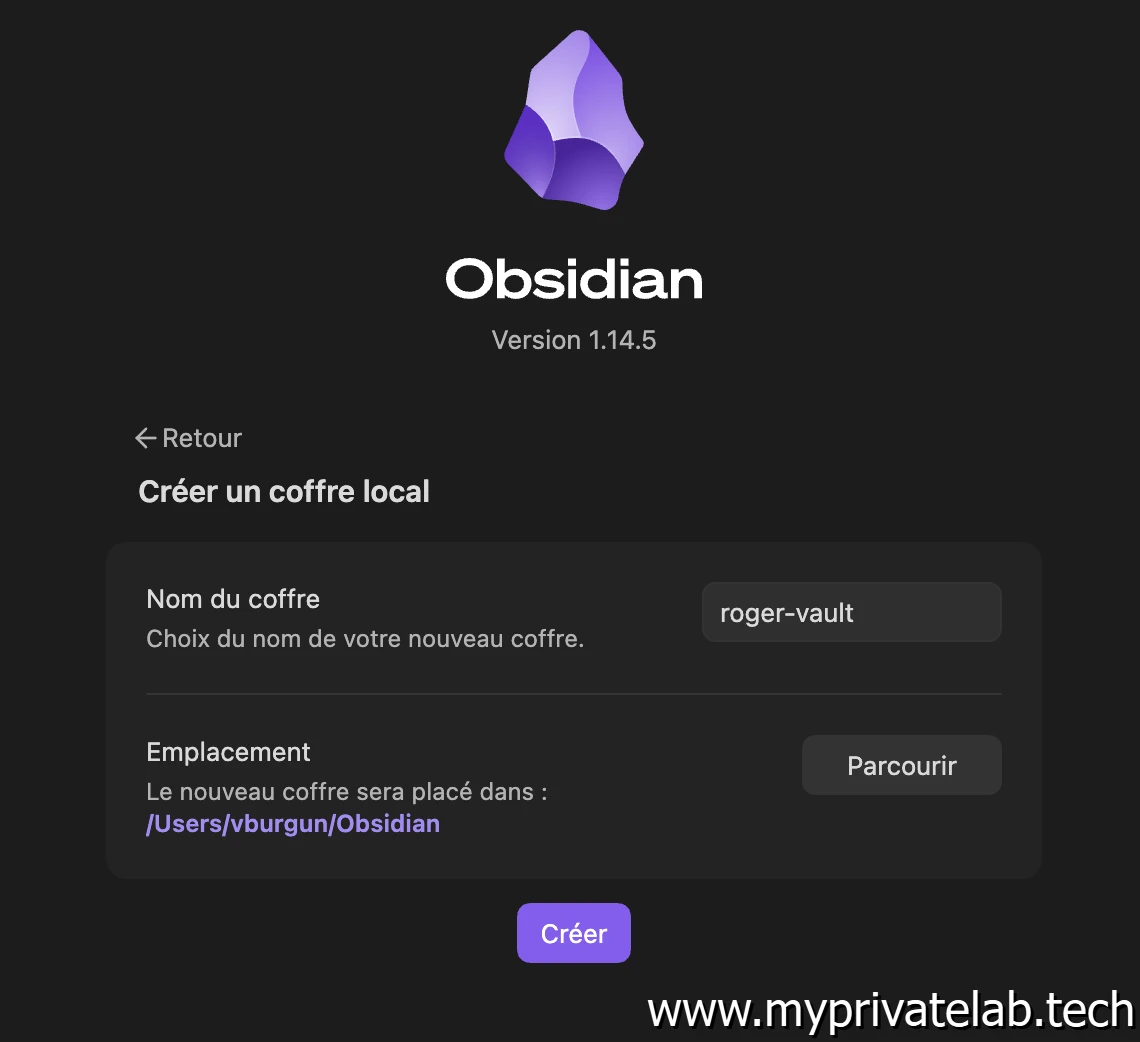
Click the image to enlarge.
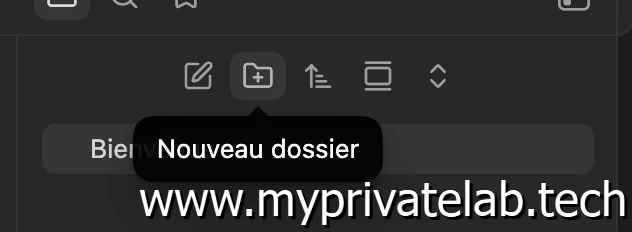
Next, we create the structure that will be shared with Roger. Everything is done from the Obsidian interface: right-click on the root of the vault, "New folder" for folders, "New note" for notes. Obsidian adds the .md extension itself: a note named README in the Roger folder becomes the file Roger/README.md.
Click the image to enlarge.
| Folder or note | Content | Who writes |
|---|---|---|
Infra/referentiel-vms.md |
Role of each VM and placement rules | Me |
Roger/Journal/ |
Log of incidents and observations, one note per day | Roger |
Roger/Rapports/ |
Daily reports generated by scheduled tasks | Roger |
Roger/README.md |
Writing rules for Roger | Me |
The Journal and Reports folders are currently empty; Roger will fill them. I have deliberately avoided accents and spaces in the names: these paths will be manipulated from a Linux container, so there's no point asking for trouble.
The VM repository
Roger is read-only (for now): there is no point writing him procedures for shutting down or restarting that he is not supposed to be able to perform. What he lacks, however, is context. Xen Orchestra tells him that a VM is called prdk8sgru502 and runs on a given host, but not that it is a Kubernetes control plane, nor that it absolutely must not share its host with its two siblings. This knowledge is in my head (and in an old text file lying around on my PC...): now is the time to make this information available.
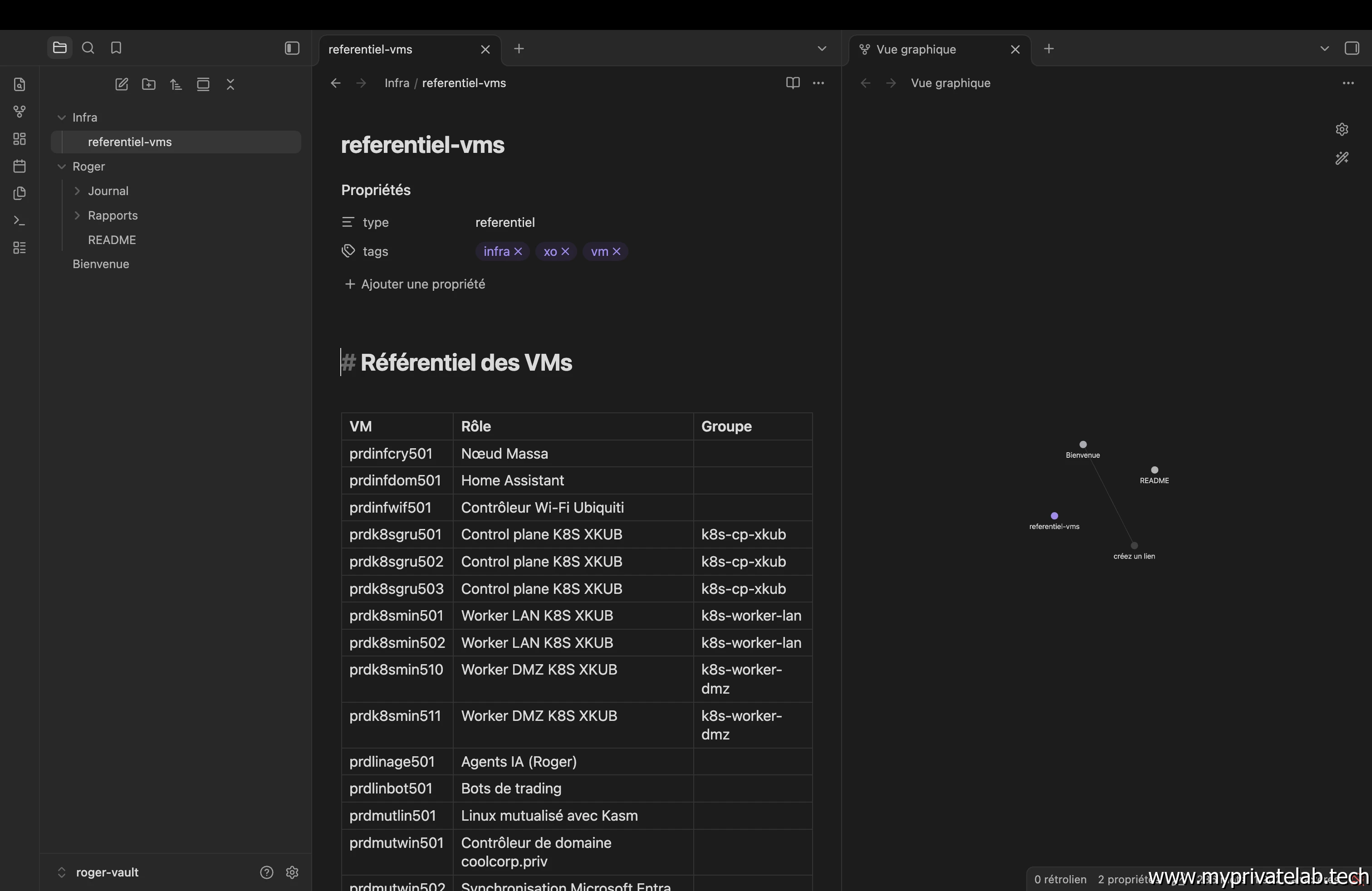
So I create the note referentiel-vms in the Infra folder. The block at the top of the file, between the dashes, is the frontmatter: metadata that Obsidian knows how to use (and Roger too). The "Group" column groups VMs that together provide the same service and therefore must be distributed on different hosts.
---
type: referentiel
tags: [infra, xo, vm]
---
# Référentiel des VMs

| VM | Rôle | Groupe |
|---|---|---|
| prdinfcry501 | Nœud Massa | |
| prdinfdom501 | Home Assistant | |
| prdinfwif501 | Contrôleur Wi-Fi Ubiquiti | |
| prdk8sgru501 | Control plane K8S XKUB | k8s-cp-xkub |
| prdk8sgru502 | Control plane K8S XKUB | k8s-cp-xkub |
| prdk8sgru503 | Control plane K8S XKUB | k8s-cp-xkub |
| prdk8smin501 | Worker LAN K8S XKUB | k8s-worker-lan |
| prdk8smin502 | Worker LAN K8S XKUB | k8s-worker-lan |
| prdk8smin510 | Worker DMZ K8S XKUB | k8s-worker-dmz |
| prdk8smin511 | Worker DMZ K8S XKUB | k8s-worker-dmz |
| prdlinage501 | Agents IA (Roger) | |
| prdlinbot501 | Bots de trading | |
| prdmutlin501 | Linux mutualisé avec Kasm | |
| prdmutwin501 | Contrôleur de domaine coolcorp.priv | |
| prdmutwin502 | Synchronisation Microsoft Entra | |
| prdnetgtw501 | Passerelle OPNsense interne | opnsense |
| prdnetgtw502 | Passerelle OPNsense interne | opnsense |
| prdnlbhap501 | HAProxy primaire K8S XKUB LAN | nlb-lan-xkub |
| prdnlbhap502 | HAProxy secondaire K8S XKUB LAN | nlb-lan-xkub |
| prdnlbhap510 | HAProxy secondaire K8S XKUB DMZ | nlb-dmz-xkub |
| prdnlbhap511 | HAProxy primaire K8S XKUB DMZ | nlb-dmz-xkub |
| prdwkswin501 | Poste Windows (bot Polymarket) | |
| prdxcpxor501 | Xen Orchestra | |

## Règles de placement

- Deux VMs démarrées d'un même groupe ne doivent jamais tourner sur le même hôte XCP-ng.
- Une VM présente dans Xen Orchestra mais absente de ce tableau doit être signalée : soit le référentiel est en retard, soit la VM n'a rien à faire là.
- Une VM de ce tableau introuvable dans Xen Orchestra doit aussi être signalée.

## Comment vérifier

Pour chaque groupe, comparer l'hôte des VMs démarrées (champ `$container` d'une VM dans l'API REST, qui contient l'identifiant de l'hôte) et traduire les identifiants en noms avec la liste des hôtes. En cas d'anomalie, citer le groupe, les VMs et l'hôte concernés.
With this simple file, Roger will be able to answer "what is prdnlbhap510 used for?", but more importantly, detect if a migration (or a somewhat abrupt host restart) has grouped two control planes on the same server. This is typically the kind of problem that goes unnoticed until the day that host fails, and the cluster with it.
The README note in Roger's folder serves only as a reminder about how it works:
# Espace de Roger

Roger écrit uniquement dans ce dossier (Journal/ et Rapports/).
Il lit Infra/ sans le modifier.
Aucun identifiant, token ou mot de passe ne doit apparaître dans ces notes.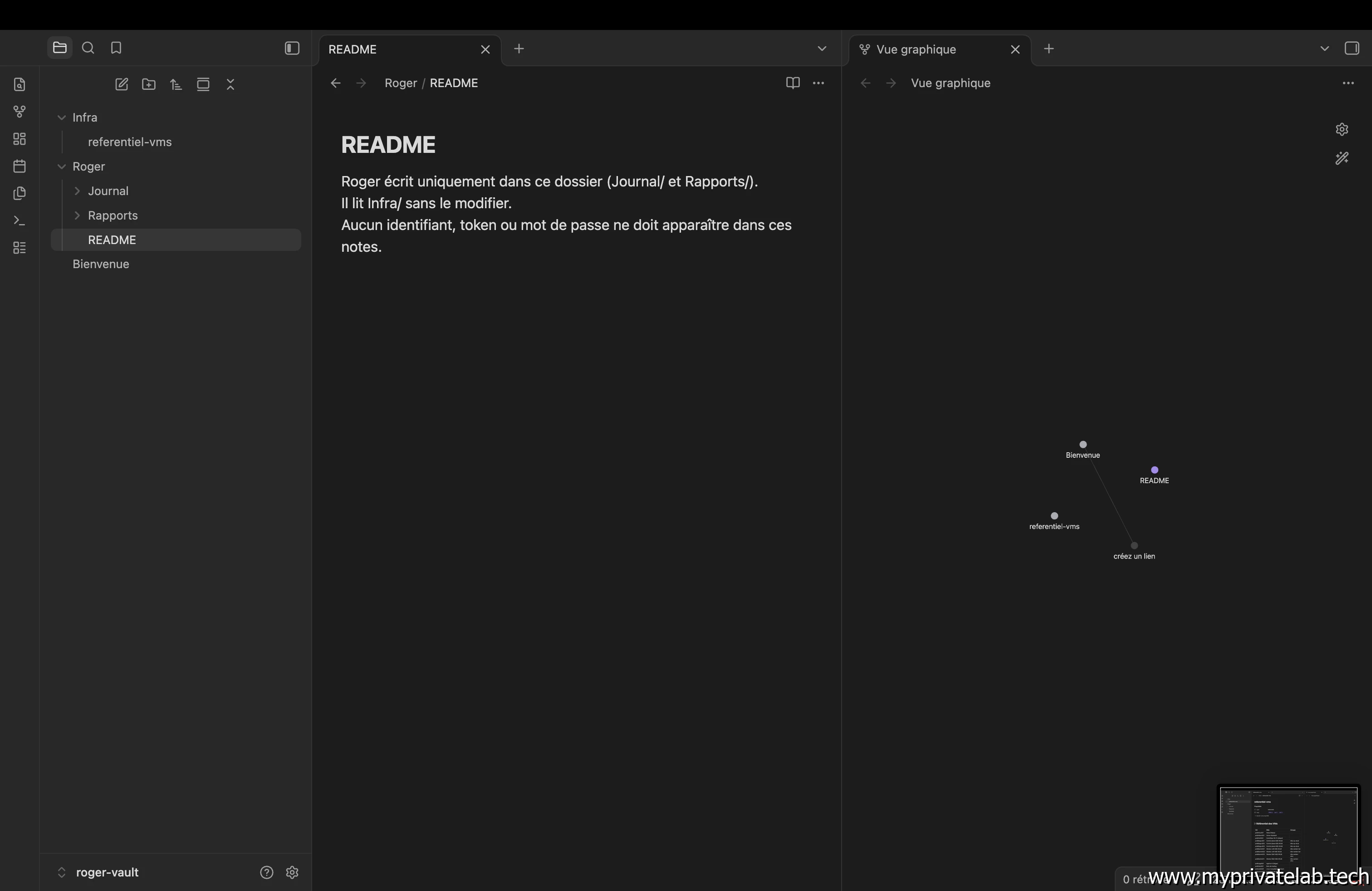
Click the image to enlarge.
Syncthing on the Mac
The reference vault will be stored on the VM and mounted in Roger's container. To make it available in Obsidian on my Mac, both copies will be synchronized using Syncthing: an open-source tool that replicates folders between devices, end-to-end encrypted, without an intermediate server. On the VM side, it will run in a container that we will create in Part 06. On the Mac side, we install it now:
brew install syncthing
brew services start syncthing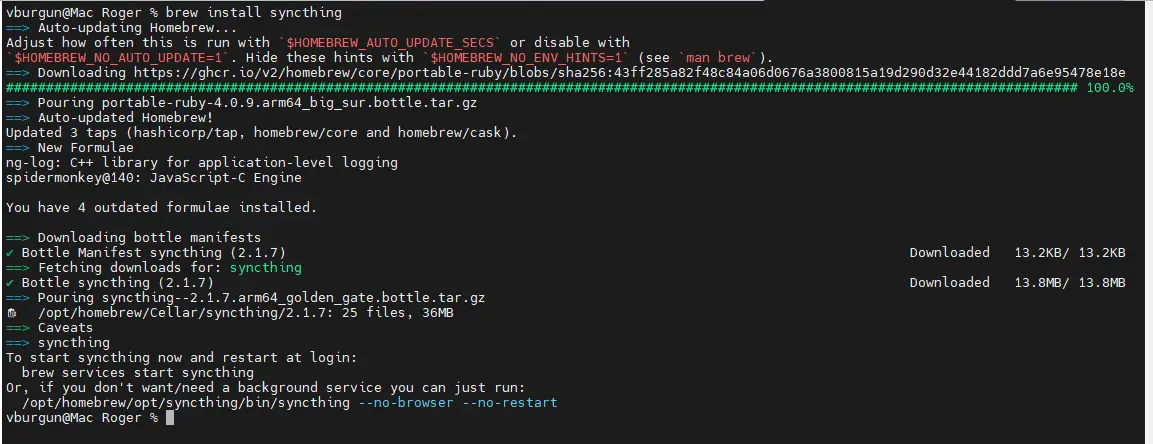

Click the image to enlarge.
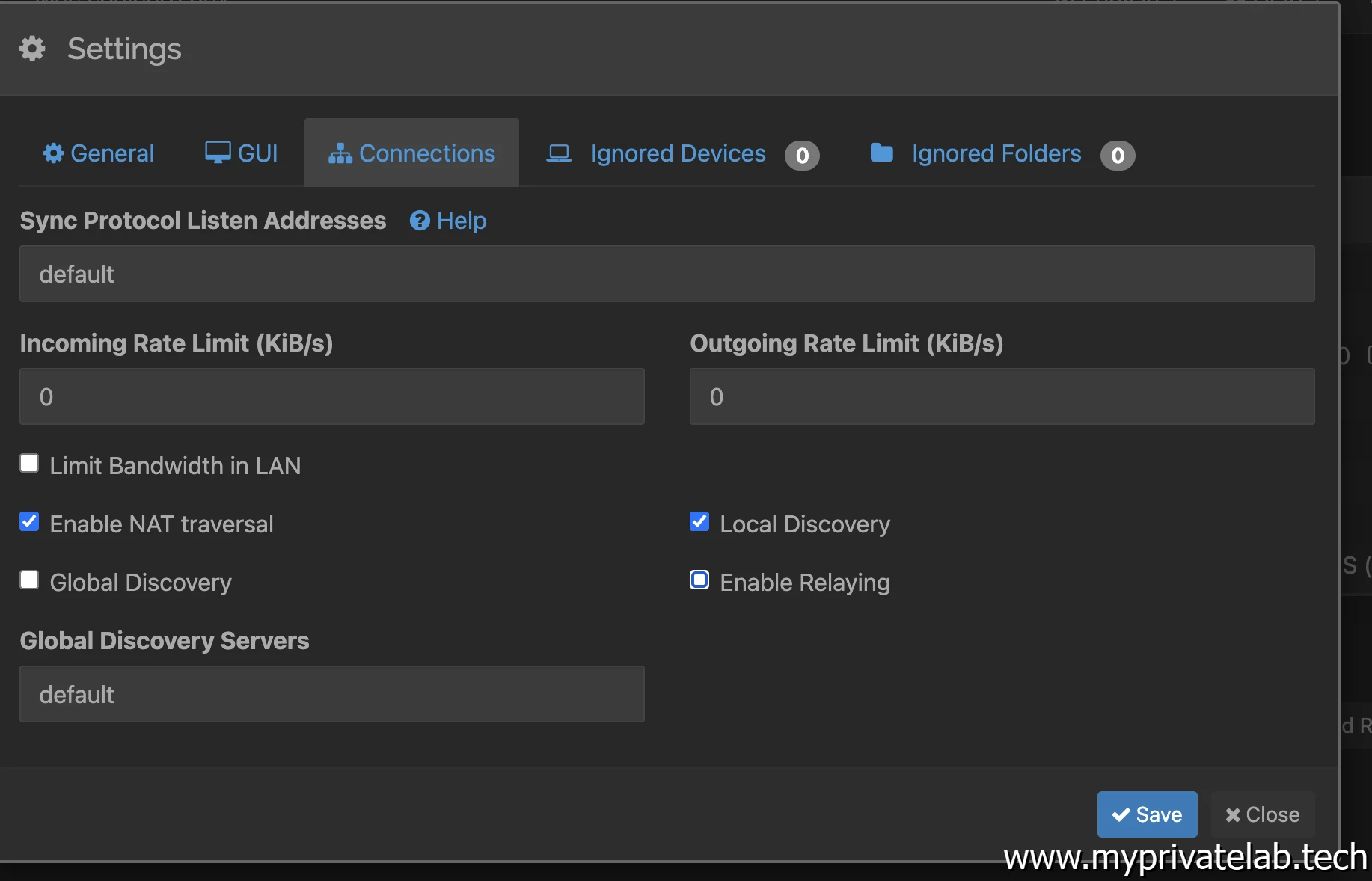
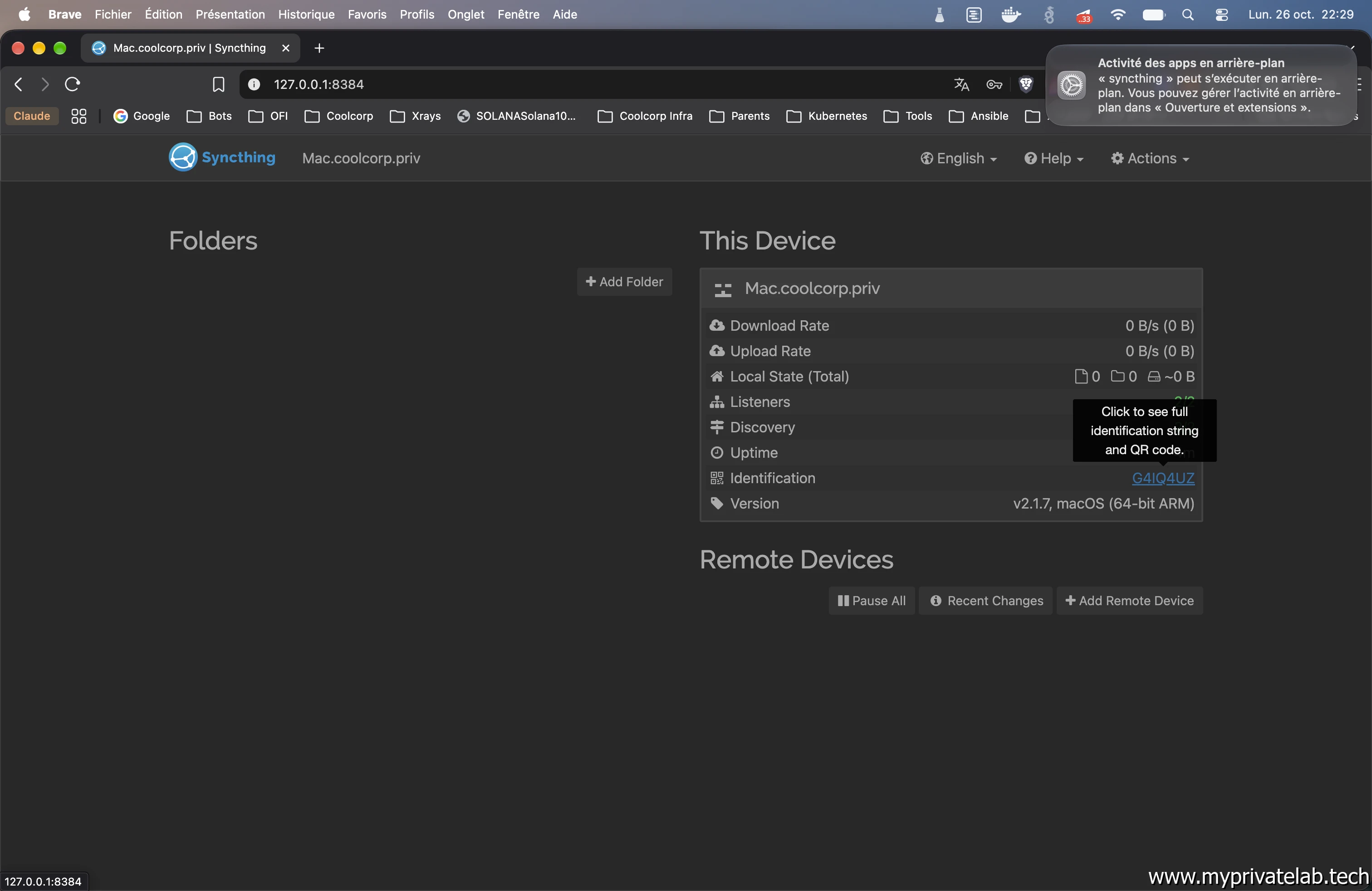
The Syncthing interface is accessible at http://127.0.0.1:8384. In the settings:
- define an identifier and password for the interface;
- disable global discovery ("Global Discovery") and relays ("Enable Relaying"): synchronization must remain on my LAN;
- note the device ID, a long string that serves as a pairing key.
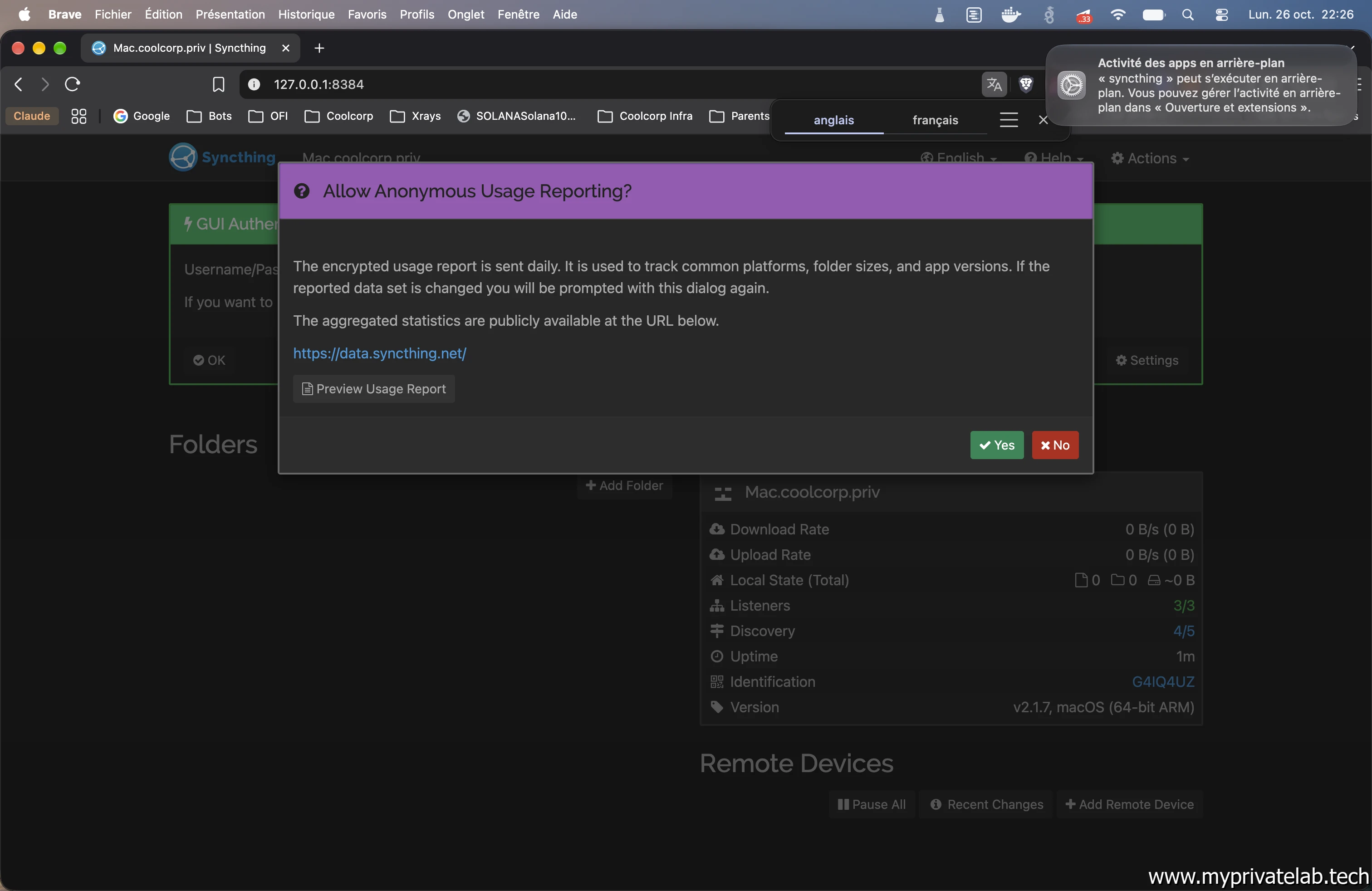
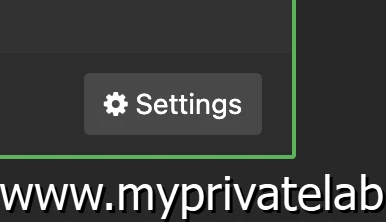
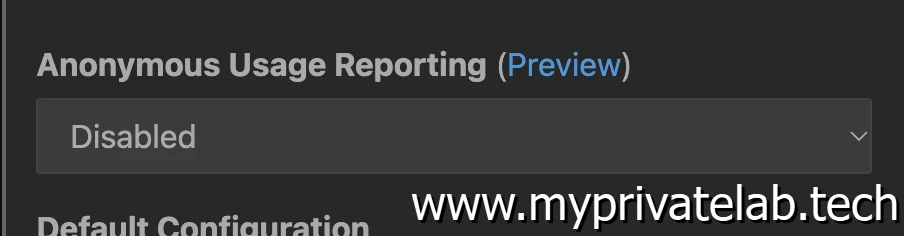
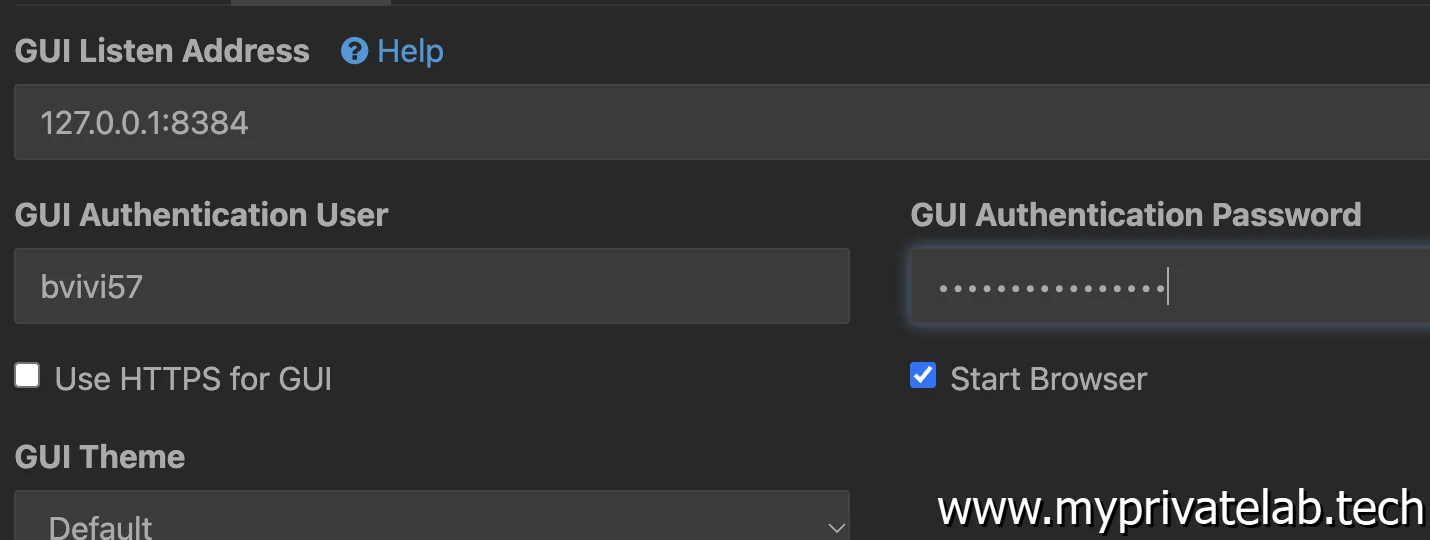
Click the image to enlarge.
For now, we are not sharing anything: the folder will be shared in Part 06, once the VM's Syncthing is started.
A word about how Syncthing works, to avoid any surprises. Each device has a cryptographic identity, the Device ID. Two devices do not synchronize anything until each has explicitly accepted the other, and then each folder must be shared explicitly. The exchanges are encrypted. If the same file is modified at the same time on both sides, Syncthing does not choose: it keeps both versions, the second one with a name containing sync-conflict. In theory, this should not happen often for our use case.
The last secrets and the AppRole
The dashboard secrets
The Hermes dashboard requires authentication. It needs a password and a secret key that is used to sign the sessions. These are generated directly in Vault:
set +o history
DASH_PASS="$(openssl rand -base64 24)"
vault kv put secret/hermes/roger/dashboard_password value="$DASH_PASS"
vault kv put secret/hermes/roger/dashboard_secret value="$(openssl rand -hex 32)"
echo "$DASH_PASS"   # à ranger dans votre gestionnaire de mots de passe (compte admin du dashboard)
unset DASH_PASS
set -o history
clear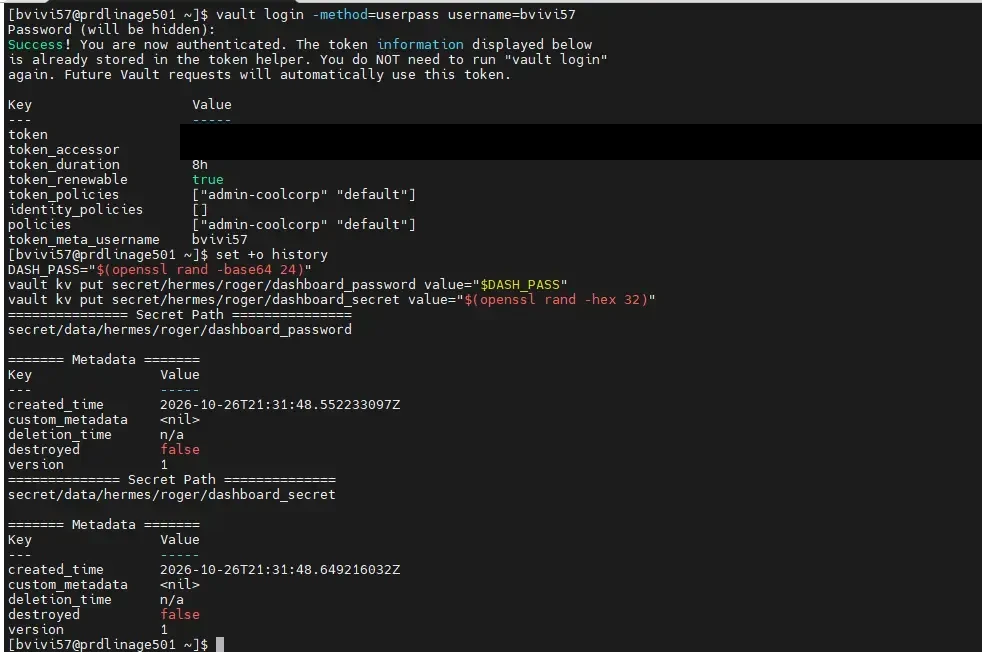
Click the image to enlarge.
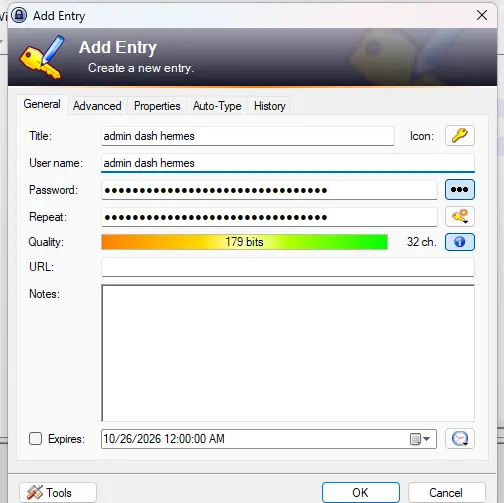
Don't forget to secure this password in your password management tool; in my case, the classic Keepass.
Click the image to enlarge.
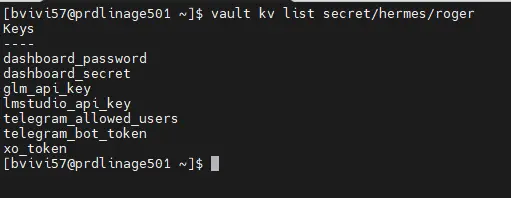
We check the complete list of Roger's secrets:
vault kv list secret/hermes/roger
Keys
----
dashboard_password
dashboard_secret
glm_api_key
lmstudio_api_key
telegram_allowed_users
telegram_bot_token
xo_token
Seven secrets, all under the Roger branch.
Click the image to enlarge.
The secret_id and the chain test
All that is missing now is the secret_id of the AppRole, the second identifier of the Vault Agent sidecar. We generate it and drop it directly into the hermes directory tree, with 600 permissions, without ever displaying it:
vault write -f -field=secret_id auth/approle/role/hermes-roger/secret-id | \
  sudo install -o hermes -g hermes -m 600 /dev/stdin /var/lib/hermes/vault/roger-secret-id
sudo restorecon -v /var/lib/hermes/vault/roger-secret-id
sudo ls -lZ /var/lib/hermes/vault/
-rw-------. 1 hermes hermes unconfined_u:object_r:container_file_t:s0 37 roger-role-id
-rw-------. 1 hermes hermes unconfined_u:object_r:container_file_t:s0 37 roger-secret-id
drwxr-xr-x. 2 hermes hermes unconfined_u:object_r:container_file_t:s0 20 tls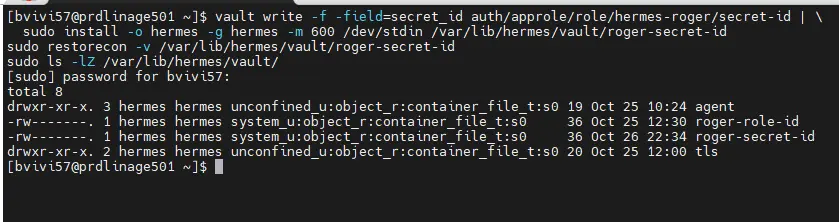
Click the image to enlarge.
Note the permissions: 600, owner hermes. In the OpenClaw series, these files were required to remain at 644. Thanks to the keep-id mapping, this is no longer necessary.
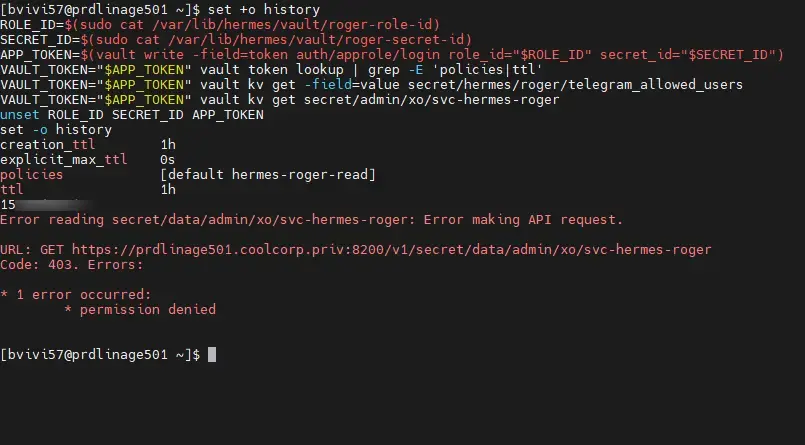
From prdlinage501, we now test the complete chain, as the sidecar will: AppRole login, reading an authorized secret, then reading a forbidden secret.
set +o history
ROLE_ID=$(sudo cat /var/lib/hermes/vault/roger-role-id)
SECRET_ID=$(sudo cat /var/lib/hermes/vault/roger-secret-id)
APP_TOKEN=$(vault write -field=token auth/approle/login role_id="$ROLE_ID" secret_id="$SECRET_ID")
VAULT_TOKEN="$APP_TOKEN" vault token lookup | grep -E 'policies|ttl'
VAULT_TOKEN="$APP_TOKEN" vault kv get -field=value secret/hermes/roger/telegram_allowed_users
VAULT_TOKEN="$APP_TOKEN" vault kv get secret/admin/xo/svc-hermes-roger
unset ROLE_ID SECRET_ID APP_TOKEN
set -o history
We expect:
- the
hermes-roger-readpolicy and a TTL of one hour; - the Telegram identifier;
- a
permission deniederror on the Xen Orchestra password: Roger only has access to its own branch.
Click the image to enlarge.
A quick recap before continuing
We have included quite a few different tools in this article. Perhaps it is time to take stock and check that everything is in place:
- Xen Orchestra is at commit
70b08or a later version, and the MCP status endpoint is responding. - The
svc-hermes-rogeraccount exists, with the "User" permission, and it belongs to theread-onlygroup, which has the "Viewer" ACL on the XCP-ng pools (web interface) and the RBAC rolehermes-read-only(REST API and MCP). - Its token allows listing the virtual machines, but the "snapshot" action is refused.
- The Telegram bot
roger_coolcorp_bothas been created. - The Obsidian vault
roger-vaultexists on the Mac with its structure, and Syncthing is running on the Mac with global discovery and relays disabled. - Vault contains Roger's seven secrets, plus the
svc-hermes-rogerpassword undersecret/admin/. - The
roger-role-idandroger-secret-idfiles have 600 permissions, owned by hermes, and the AppRole test is conclusive, including the denial.
From now on, the Xen Orchestra token and the secret_id have started their countdown. Six months for one, a year for the other.
We archive
There's nothing new to collect from the VM in this article, except for the Obsidian vault notes that will be synchronized later. However, we can verify that the repository is clean; it doesn't hurt to check:
cd ~/roger.coolcorp.priv
sudo ./scripts/collect.sh
git status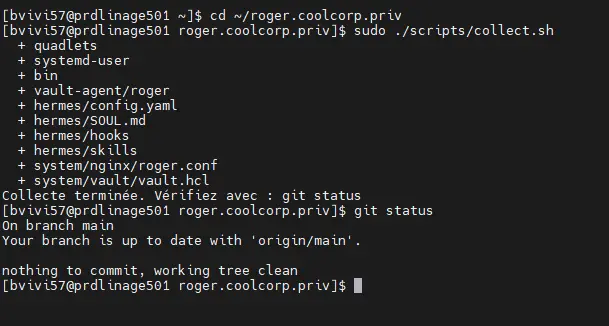
Click the image to enlarge.
Conclusion
All of Roger's dependencies are ready. He has a read-only Xen Orchestra account and its token, a Telegram bot dedicated to him, and an Obsidian knowledge base. His seven secrets are in Vault, and the AppRole chain has been tested end-to-end, including its refusal to access things that don't concern it.
When creating an agent (and even for other things), you shouldn't be stingy with tests. As explained in the first article, I rely on AI to assist me in my work. It doesn't hesitate to give me ideas for validation at each stage of the project... and it is right to do so. Testing that a token gives access to the desired data is good, but testing that it does not actually allow you to do what you don't want is just as important.
Remember that once an agent is online and has its "brains", the only guarantee we can have that it cannot act where it should not is to limit its scope of action as much as possible through properly validated authentication information and network access. Simply indicating in a markdown file "do not do this or do not do that" is not enough.
Security works in layers, and each of them should be neglected as little as possible.
In the next article, we will finally assemble Roger: building the image, Vault Agent sidecar, configuring Hermes, personality, Quadlets, and initial conversations on Telegram: article to come.