Windows: A perfectly acceptable environment for administration
- Windows remains a perfectly valid workstation for administration, provided you use its tools effectively.
- Windows Terminal: Multiple tabs and profiles (CMD, PowerShell, WSL, Python...).
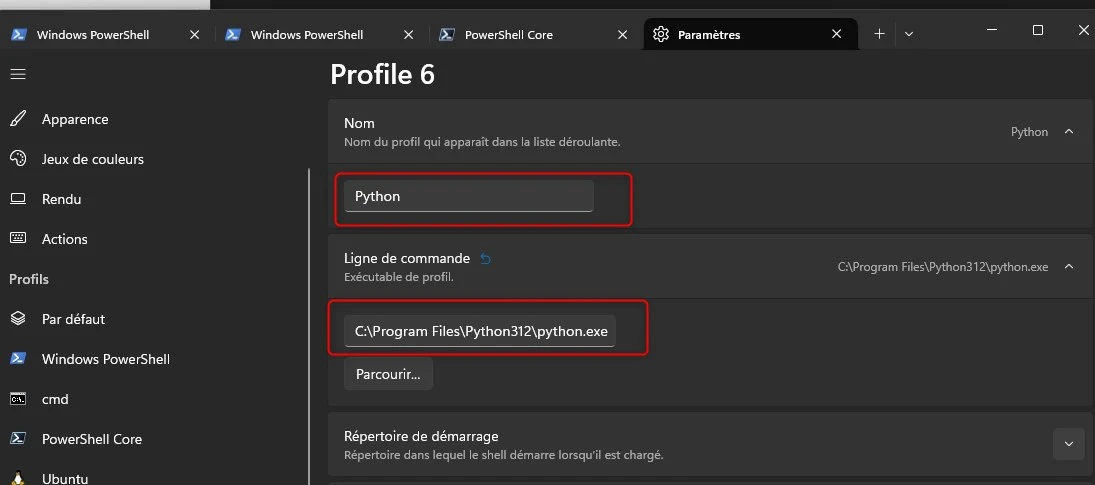
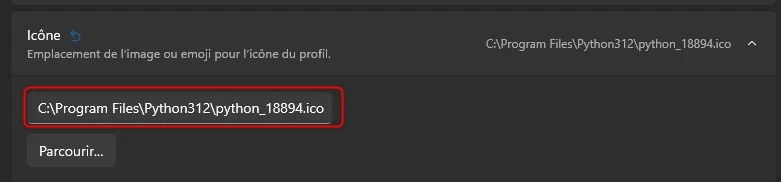
- Adding a custom profile that points to the executable of your choice.
- This is the starting point of the "Basics" series for workstations.
It's not uncommon in my professional environment to encounter people who are allergic to the company from Redmond.
"It's slow," "it crashes," "there aren't my tools," "Linux is best," "God created Steve, and Steve created the Mac..."
While it's true that Windows isn't perfect, Microsoft still has a powerful ecosystem with some very useful tools if you take the time to learn about them. Some will say they are just copying what works for others... And so what? If it ultimately works and allows you to use an average user's computer to manage their infrastructure, what's the harm?
The Windows Terminal
A terminal worthy of the name that took MS a long time to offer. Nothing revolutionary compared to other systems, but still very useful.
Installation
Its installation is done through the store or via GitHub
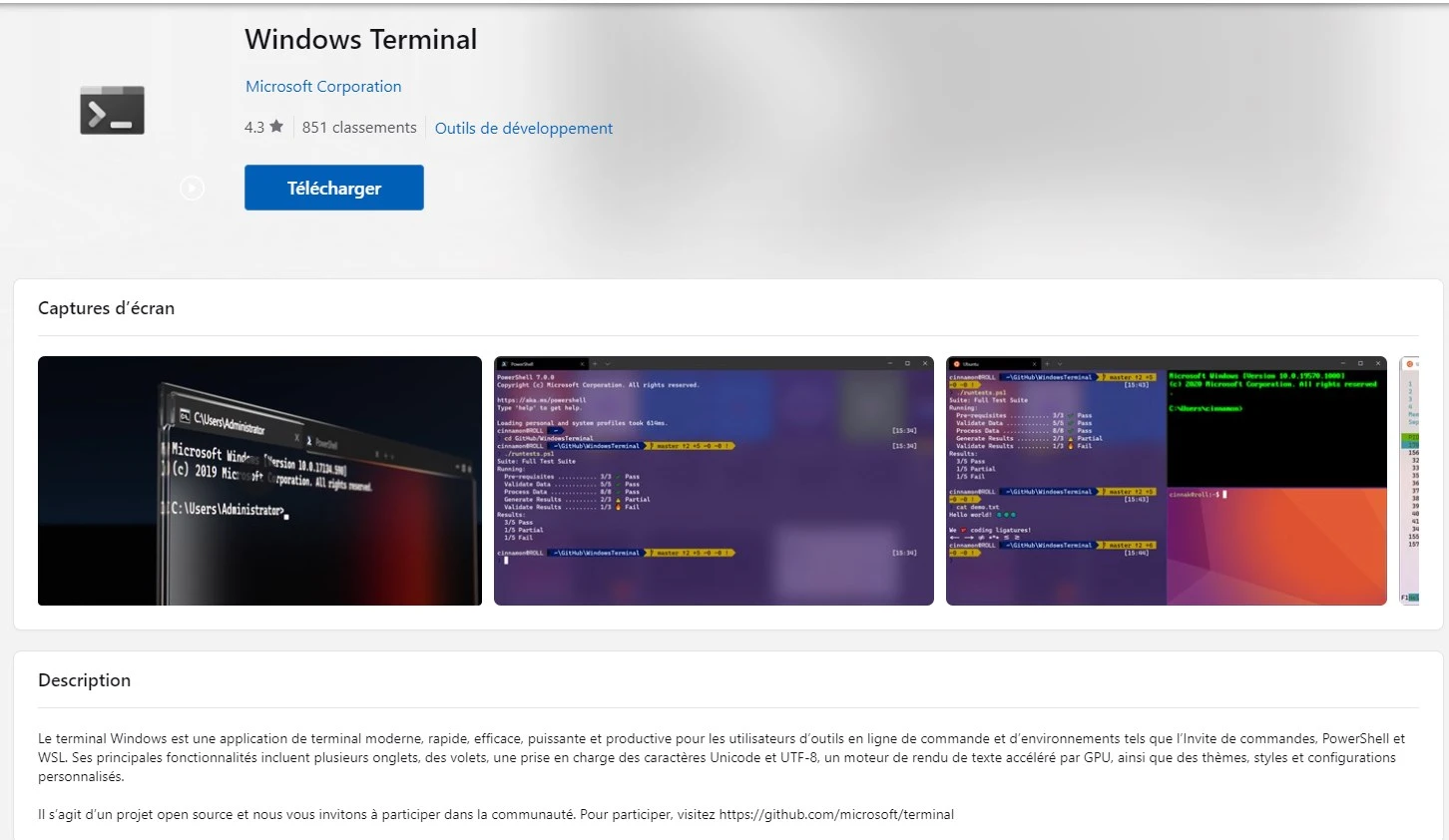
Click the image to enlarge.
Usage
Once deployed, it supports tabbed browsing and allows you to have multiple instances of different languages, starting with the good old CMD and especially PowerShell (which I find really great).
But in addition, other functions may appear as you install options.
For example, if you install WSL (as you can do by following this article), you will have a Linux shell and all the advantages and tools that come with it.
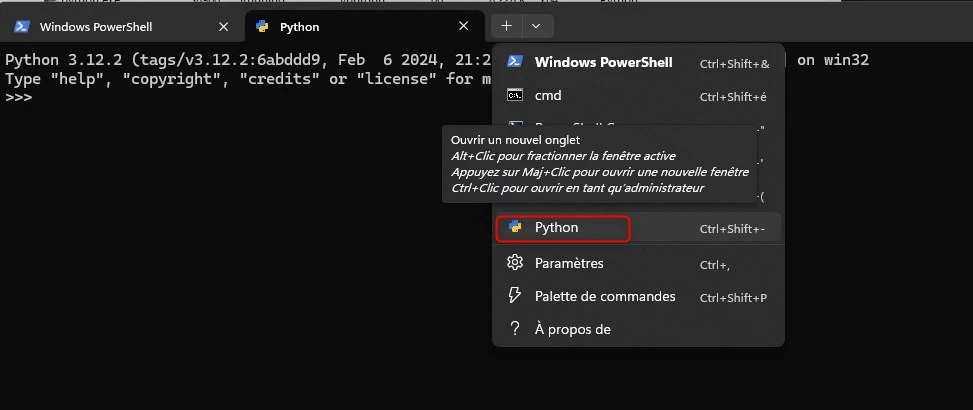
But that's not all; you can also customize the possible instances. For example, if you install Python, you can add it to the terminal.
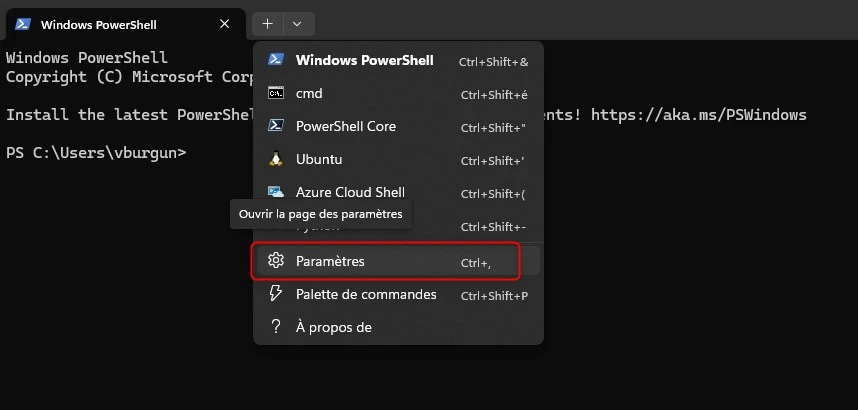
Click the image to enlarge.
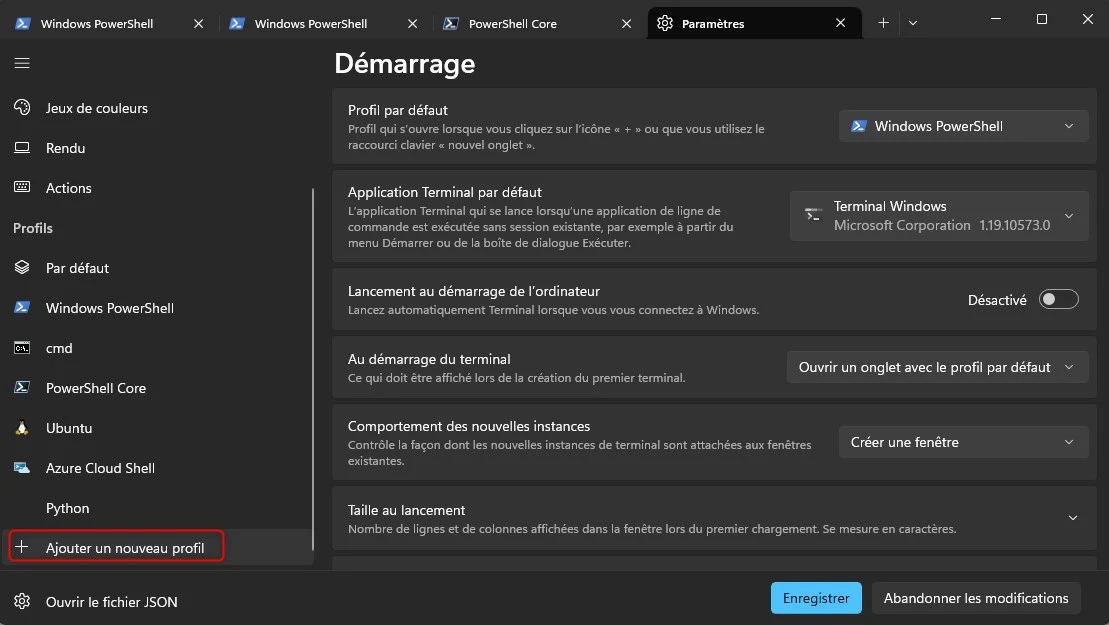
Click the image to enlarge.
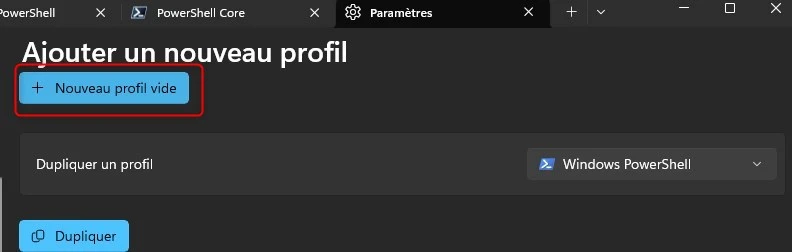
Click the image to enlarge.
Click the image to enlarge.
Click the image to enlarge.
And that's it! You have a modern terminal from which you can launch different environments and interact with your system and thousands of others 😊
Click the image to enlarge.