Docker Desktop
- Docker is no longer the only container engine, but its CLI remains the standard.
- Installing Docker Desktop on Windows is ideal for building and testing your containers.
- Docker Compose allows you to describe your containers in YAML; Hyper-V and WSL formats; enterprise license.
- Performance: place files and data in the WSL filesystem.
The container has become the new "MSI" or deployment package! After a meteoric rise, Docker hasn't always managed its transitions well, to the point where it is now often replaced by alternatives considered more secure or more performant.
Be careful, the Docker ecosystem can be misleading: Docker is not just a container engine, and although it has lost that battle, its CLI remains the standard for many. That's why it continues to be used, even if behind the scenes it is no longer necessarily the one operating (we will have the opportunity to come back to this).

Click the image to enlarge.
Installation
On Windows, "Docker Desktop" is perfect for building your containers and testing them on your machine. It is very well integrated, and I highly recommend installing it. There's no need to try to access a Linux VM to experience the benefits of containers.
I advise you to enable WSL v2 support for better performance (explanations about WSL are available here)
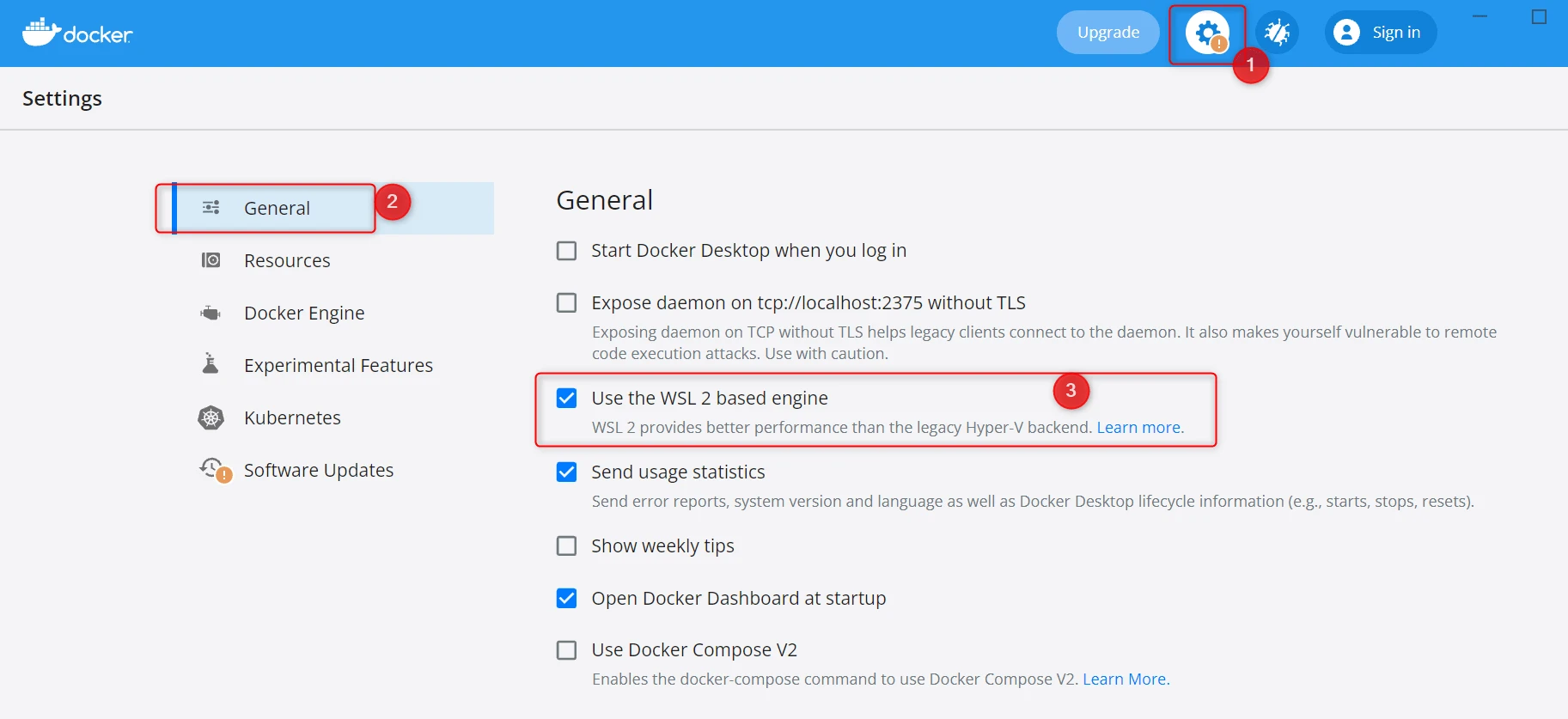
Click the image to enlarge.
Docker Compose
Docker Compose is a complementary tool that allows you to describe your container(s) and their parameters in a YAML file. It's much more efficient than the command line. Note that Docker Compose is installed by default with Docker Desktop.
Notes
In the Microsoft world, there are two container formats.
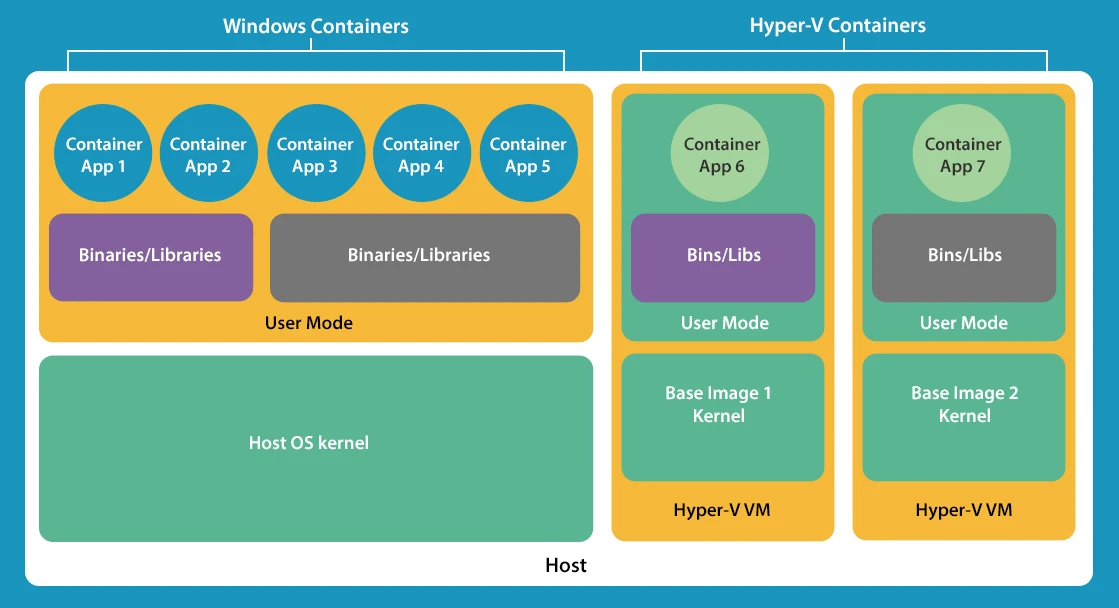
Click the image to enlarge.
Other information: Docker Desktop is free for personal use, but for business use, a license must be purchased from the vendor based on the number of users.
For those who might be discouraged by this information, alternatives exist such as:
Performance optimization
Some users may experience poor performance when using Docker Desktop on Windows.
Significant improvements can be achieved by following these best practices:
- Associate Docker Desktop with your WSL instance.
- Place your Docker files and the data you want to associate with them in the WSL filesystem.
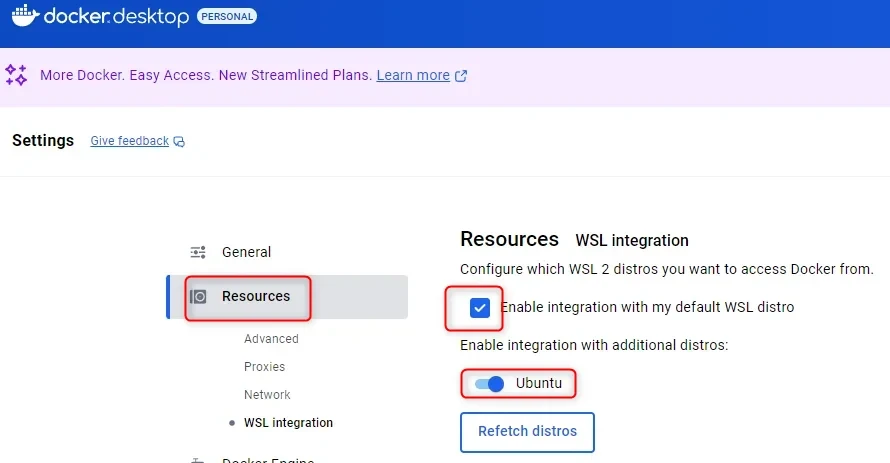
Click the image to enlarge.
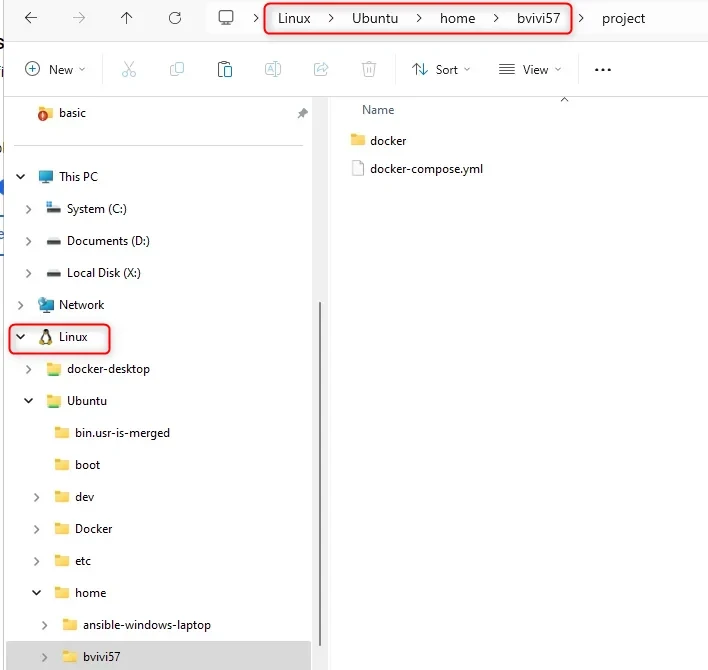
Click the image to enlarge.
You will then observe improved performance, especially when using volumes while working within the WSL filesystem.