K8S Definition: The Pod
- The pod is the basic object in Kubernetes: one or more containers.
- The containers within a pod share replication, networking, and lifecycle.
- There is nothing that requires you to put multiple containers in a pod.
- Example of manifest and init containers.
Explanations
This is the basic object in Kubernetes. While other orchestrators directly manage the execution of containers, Kubernetes interacts with pods. Its short name is po
A pod groups one or more containers. Once containers are declared within a pod, they inherit the following characteristics:
- An identical level of replication. If your application requires multiple containers, but not all require the same level of replication, you cannot associate them within the same pod.
- Direct communication. All containers that are part of a pod communicate directly with each other; there is no filtering possible.
- A shared internal IP address and port space. Therefore, two containers in a pod cannot expose the same port.
These three points should be considered when you are wondering whether to associate multiple containers within a pod.
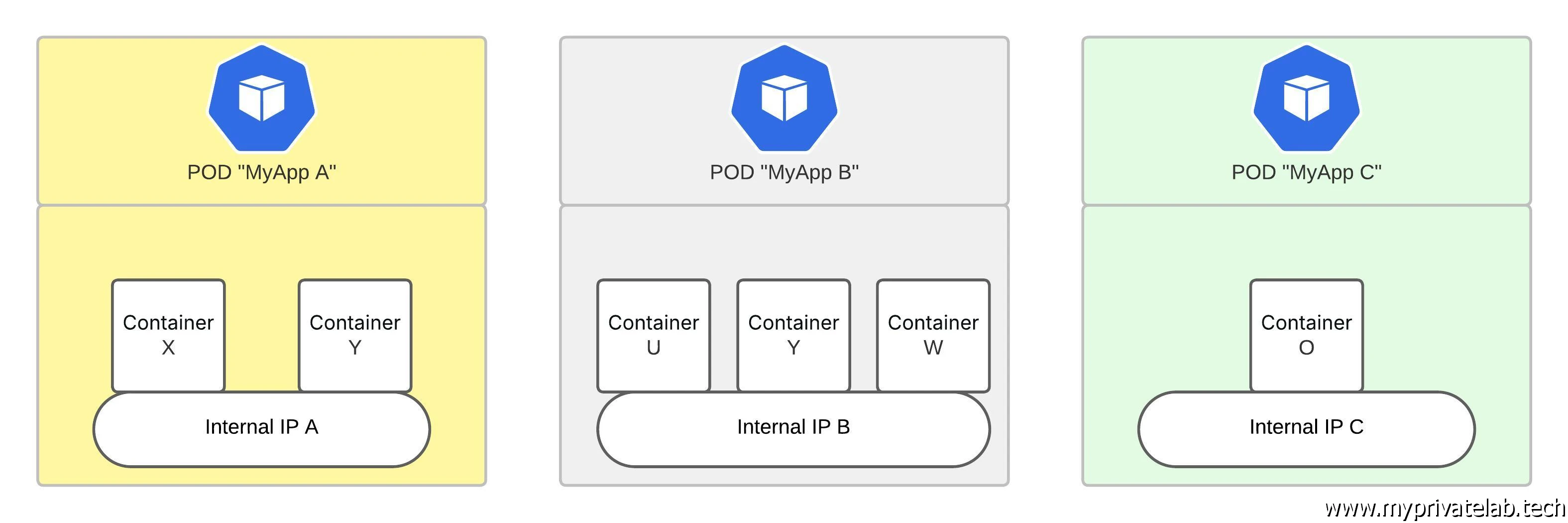
Click the image to enlarge.
Generally, when you start with K8S, the concept of a pod can be quite confusing, but it is important to remember that there is nothing that requires you to put multiple containers in a pod. Initially, and if you do not have any specific needs, you can very well adopt a logic where one pod equals one container
Nevertheless, you may quickly find an advantage to using pods, especially when you realize that some of your containers are so closely related that running them in different contexts is not beneficial. For example, an application container and its monitoring container. If you know that for every container A, its container B is indispensable with a 1-to-1 relationship, then it makes sense to declare them within the same pod.
This need arises in certain application patterns.
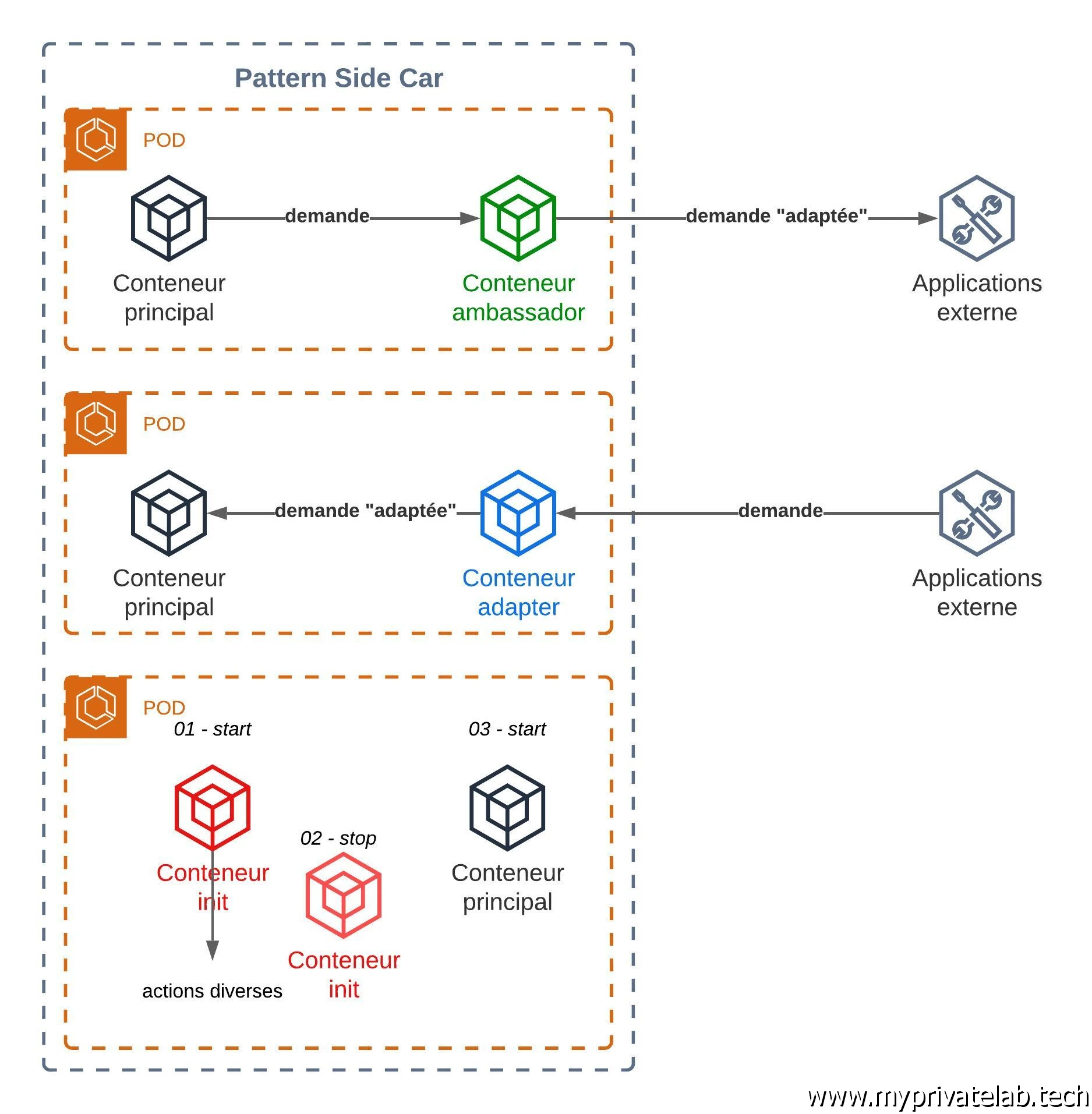
Click the image to enlarge.
Example
Here is an example of a file describing a pod:
---
apiVersion: v1
kind: Pod
metadata:
  name: exemple-pod
spec:
  containers:
  - name: conteneur-app-a
    image: app-a
  - name: conteneur-app-b
    image: app-b
The pod can have many other options.
Each container can have additional parameters, which are often the same as those used for direct execution (port, volume, argument, command, etc.). (Be careful, as some keywords may seem identical to basic uses like docker-compose, while others may be specific to Kubernetes or have a different impact).
You can view all the characteristics of a POD through its definition in the K8S API.