Kasm (VDI/DaaS/RBI) - Part 1
- VMware/Broadcom context: looking for alternatives, including for VDI/DaaS.
- Kasm Workspace: streamed desktops and applications from containers, isolated browsing (RBI).
- Defining the target architecture and installing the server.
- First part of two; configuration follows.
Introduction
It has now been more than 3 years since Broadcom's acquisition of VMware was completed. During this time, we have been able to assess the damage caused by this change.
Explosion of pricing, changes to licensing models, disappearance of certain offers, and non-compliance with contracts signed before the acquisition.
Even today, companies continue to seek solutions for themselves, adapt their architecture to Broadcom's new commercial offering, or do something they had never imagined: find alternatives.
While the market for hypervisors and virtualization solutions is rich in products, including open-source options, this is less true for VDI (Virtual Desktop Infrastructure) or DaaS (Desktop As A Service) solutions.
This type of solution allows users to run a variety of work environments, ranging from a simple published application to a full Windows desktop (or equivalent), temporary or permanent, depending on the needs.
With VMware, you could find the "Horizon" offering. A solid VDI platform with many features and integrated into the company's EUC (End User Computing) division.
However, Broadcom decided to divest this EUC division by selling it in February 2024 to the private equity firm KKR (Kohlberg Kravis Roberts). The transaction was valued at between $3.8 and $4 billion.
Horizon is therefore no longer part of the VMware catalog and is now called Omissa. It's difficult to know why Broadcom made this choice... Perhaps because the rise of VDI never fully materialized with the promise of replacing all workstations with VMs.
Perhaps because the cloud market offers too much competition in this area. Perhaps because Broadcom has managed to milk its existing customer base using vCenter/ESXi, making it unnecessary to sell other products...
Today, we don't really know what will happen to this Horizon rebranding with this change of ownership.
Even though this issue doesn't affect as many companies as the traditional virtualization market, it remains a thorn in the side for some Horizon customers who have lost confidence in the product.
Finding an alternative is not so simple; it's a smaller sector, and open source is less prevalent there.
Fortunately, we can still find some great solutions, including Kasm Workspaces. This tool was unknown to me until an excellent colleague sent me an article about it (thank you, Aurelien).
Click the image to enlarge.
Kasm Workspace
Origins
Founded in 2017 in the United States, Kasm Technologies initially aimed to meet security and isolation needs in sensitive environments (cybersecurity, intelligence, government, healthcare, etc.).
The central idea: to use containerization to provide isolated, disposable desktop, application, or web browsing sessions accessible via a browser.
The first version of the product was distributed as an open-source solution (Kasm Workspaces Community Edition), allowing remote access to Linux environments.
Subsequently, the offering evolved with support for Windows environments and then highlighted the concept of Remote Browser Isolation (RBI) to counter web threats. (Running a web browser in a remote container, preventing malware from spreading to the original client machine and network).
Now, Kasm is recognized as an actor in cloud-native virtualization, competing with heavier VDI/DAAS (Desktop As A Service) solutions like VMware Horizon, Citrix, or Azure Virtual Desktop, but with a stronger focus on cybersecurity and containers.
Today, Kasm Workspaces exists through two models:
- A free version under the Apache2 license, which is limited in certain functions but perfect for testing, proof-of-concepts, or small infrastructures.
- A paid enterprise version with a per-user or per-session license.
Comparison with competitors
Thanks to my very intelligent friend, here is a comparison table between Horizon (Omnissa), its long-standing competitor Citrix, and Kasm Workspace.
| Criteria | VMware Horizon (Omnissa) | Citrix DaaS / Virtual Apps & Desktops | Kasm Workspaces |
|---|---|---|---|
| Underlying technology | VDI based on VMware vSphere, complete Windows/Linux VMs | Traditional VDI + application streaming, persistent/non-persistent VMs | Docker/K8s containers, ephemeral sessions |
| Main target audience | Large enterprises, banks, healthcare, regulated environments | Large accounts, sensitive sectors (finance, industry) | Cloud-native companies, cybersecurity, dev/test, education |
| Types of access | Windows/Linux workstations + published applications | Windows/Linux workstations + applications + hybrid DaaS | Containerized Linux/Windows desktops + applications + Remote Browser Isolation |
| User experience | Heavy client + HTML5, high fidelity (Blast Extreme, PCoIP) | Heavy client + HTML5, multimedia optimization (HDX) | 100% browser (HTML5/WebRTC), optional client |
| Resource consumption | High (complete VMs, heavy storage) | High (traditional VDI, optimized but resource-intensive) | Lightweight (ephemeral containers, less RAM/CPU) |
| Security | AD integration, MFA, Zero Trust via partners | Advanced integration with IAM, MFA, fine-grained control | Containerized sessions, secure sandboxes, native RBI |
| Scalability | Good, but tied to VMware (vSphere, vSAN, NSX) | Very mature, multi-cloud (Azure, AWS, GCP, on-prem) | Native cloud/K8s, microservices, rapid scaling |
| Economic model | Per-user license, dependency on Broadcom/Omnissa | Per-user/concurrent license, often perceived as expensive | Open source (Community) + enterprise license (support, integrations, HA) |
| Typical use cases | Mass remote work, call centers, legacy business applications | Critical applications, secure remote work, ultra-regulated sectors | Dev/test, ephemeral access, web security (RBI), training, secure access to applications |
| Deployment | On-premise or cloud (VMware Cloud on AWS, Azure VMware Solution) | On-premise, public cloud, hybrid | On-premise, cloud, MSP, container-native |
| Implementation complexity | High (requires complete VMware infrastructure) | High (requires Citrix stack) | Medium (Docker/K8s installation, API-first) |
| Positioning | Historical leader in VDI on VMware | Historical leader in VDI | Modern challenger, cloud-native, agile |
It's clear that there are differences, but from a certain perspective, Kasm presents itself as a more modern and elegant solution, even though, for some uses, Citrix/Horizon remains ahead in this area.
Now, if we had to choose between the paid and free offerings, AI will also help us form an opinion:
| Criteria | Community Edition (free) | Enterprise (paid) |
|---|---|---|
| Cost | Free, open source (Apache 2.0) | Paid (annual license or cloud subscription) |
| Target audience / uses | Individual use, personal server, testing, non-profit organizations, and evaluation | Organizations looking to go beyond testing, up to a professional deployment, managed cloud, or large-scale use |
| Limitation | Limited to 5 concurrent sessions | No similar fixed limit. Starter covers up to ~25 self-hosted users; Enterprise offers much greater scalability |
| Support | Community support via public tracker (GitHub, forums). | Commercial support available: customer service, SLA, personalized assistance, Customer Success services/professionals |
| Advanced features | Almost all the features of the enterprise version, but without guaranteed support or scalability | Access to additional features: high availability, APIs, clustering, Kubernetes scalability, managed cloud deployment options |
| Deployment | Self-hosting on-premises; free use | Self-hosting (Starter / Enterprise Server) or managed cloud solution (Enterprise Cloud / WaaS). |
| Licensing and pricing | No license required | Two licensing models depending on usage: per named user or per concurrent session. Starter / Enterprise editions adapt to fixed or flexible access needs |
Note that integration of Kasm with vCenter or Proxmox for self-provisioning of VMs is possible in the paid offering.
Target architecture
I, of course, will opt for the free offering to get a better idea of the features offered by Kasm. This way, I can evaluate its relevance compared to Horizon, given that I had the (or not) opportunity to administer VMware's VDI solution for several years.
To be completely independent of VMware, I will leverage the part of my lab connected to XCP-ng.
The idea is to host a Rocky Linux 9.5 server as a VM and deploy the Kasm Workspace solution in its community version.
I want to evaluate remote access to my physical PC running Windows 11 via an RDP tunnel, temporary desktop access, and the deployment of an isolated Chrome browser.
Since this is a lab environment, we'll try to keep things basic and leverage Kasm's simplified architecture by installing all features on a single server. The first choice in a Kasm Workspace deployment is whether to use a Single Server setup (my choice).
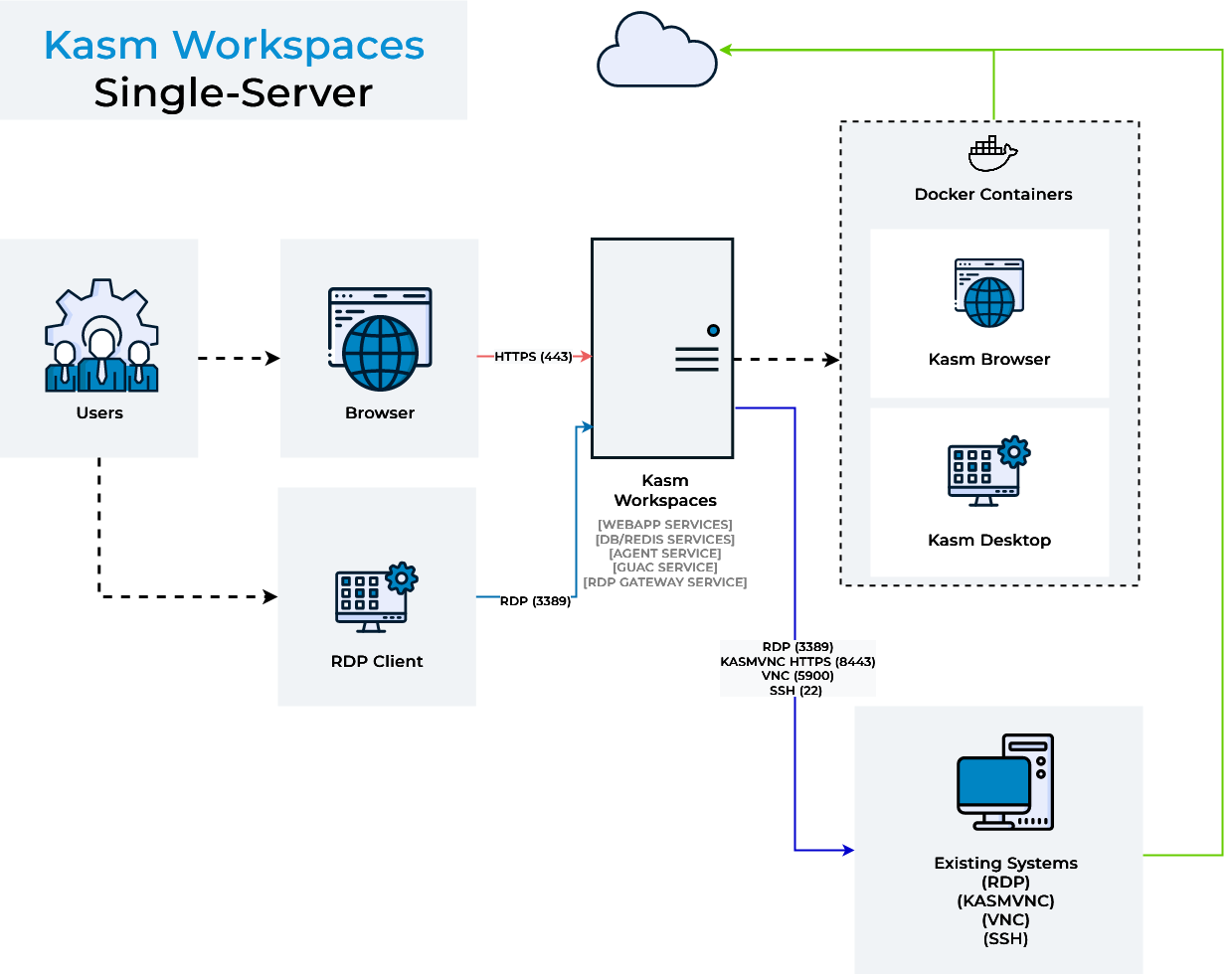
Click the image to enlarge.
or
Multi-Server (more suitable for production environments).
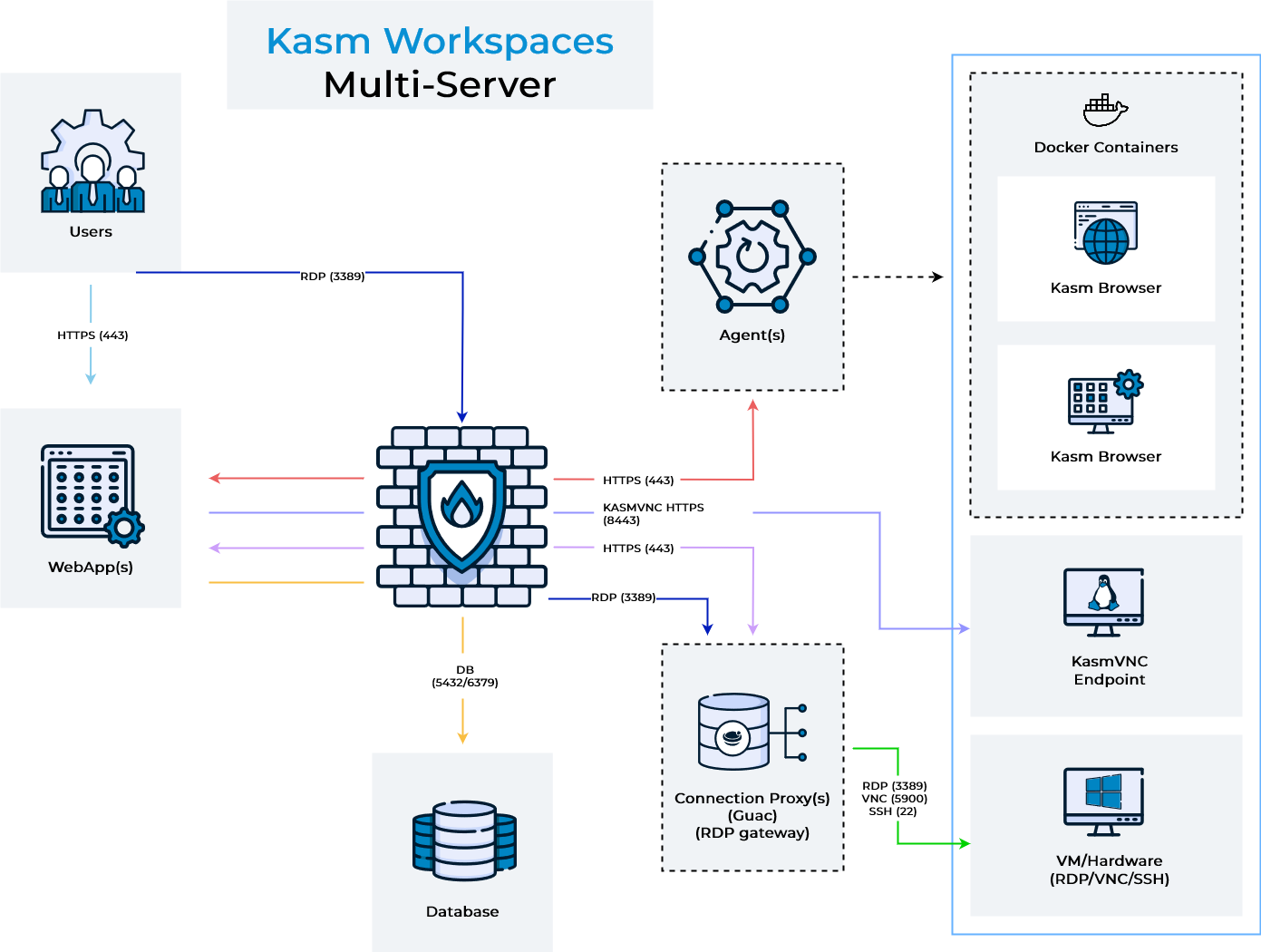
Click the image to enlarge.
In any case, the following components will be deployed.
| Role | Description |
|---|---|
| WebApp Servers | User interface (web UI, administration console). They handle user authentication and access to sessions. They redirect requests to other components (API, streaming). |
| Database Server | Stores the system configuration and state. By default, Kasm uses PostgreSQL. It contains information about users, groups, images, sessions, roles, etc |
| Agent Servers | Responsible for launching and managing containers/sessions (desktops, applications, isolated browsers). They communicate with Docker/Kubernetes to provision and destroy workspaces. They also provide the streaming service (WebRTC / HTML5) to the end user. |
| Redis Server | Serves as a cache and queue. It is used for internal messaging between components (WebApp ↔ Manager ↔ Agents). |
| Proxy / Load Balancer (optional) | Allows you to manage high availability and load balancing. |
As mentioned earlier, in this tutorial, I will use a single server that I will call prdmutlin501, because it may also be used for other purposes (mut = mutualized).
But where should I place it?
The goal is to make it accessible from the outside, since my ultimate aim is to be able to access all my resources (RDP, browser, Desktop, SSH) from anywhere using a simple internet browser.
If you are not familiar with my network architecture, I invite you to take a quick look here.
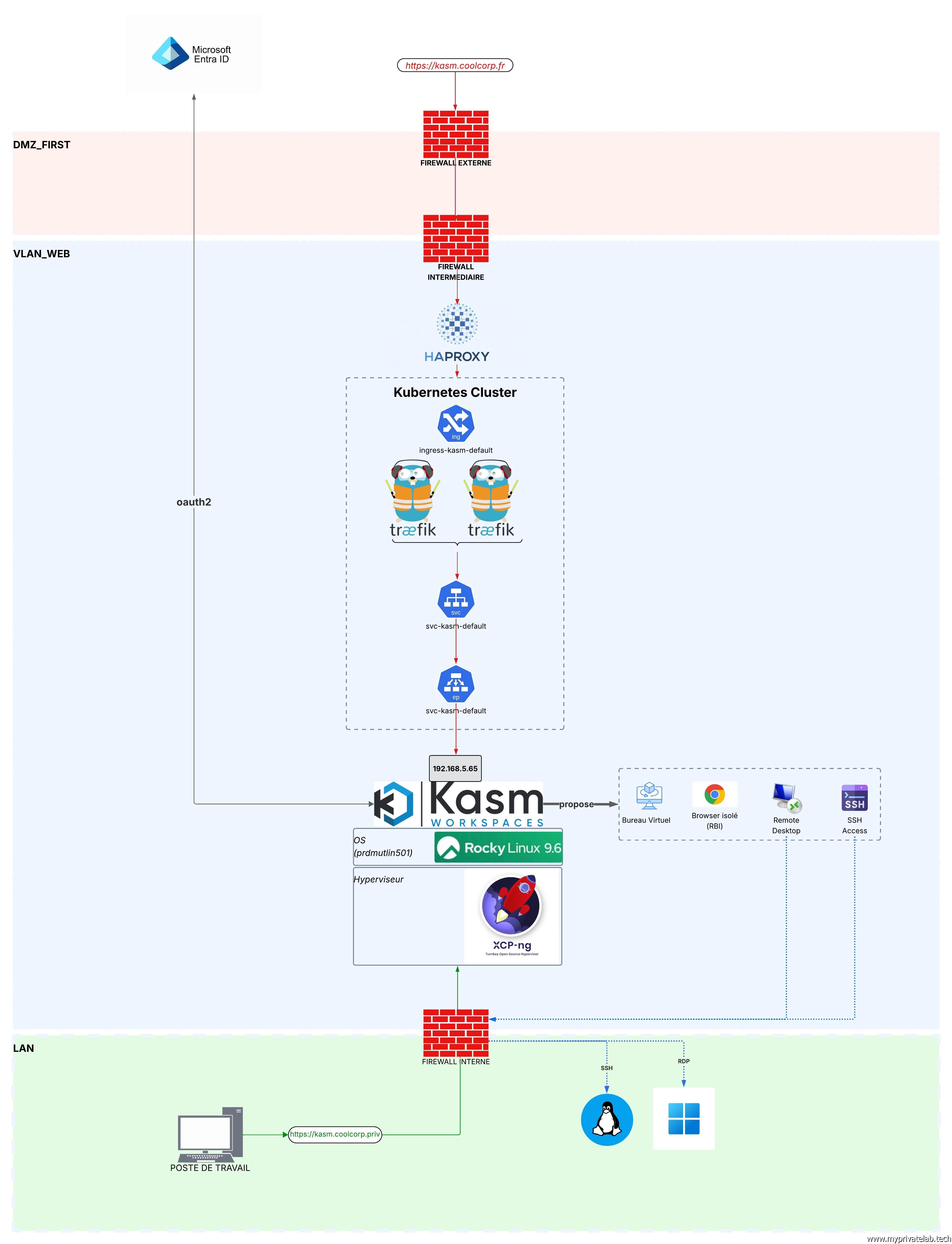
Therefore, I will choose to place the server in my DMZ VLAN_WEB.
Now, I won't expose Kasm directly. I will secure access by adding some components, such as my OpenSense firewalls, my HAproxy instance, and… Traefik!
Traefik is the ingress controller that I use for my Kubernetes clusters. If you are interested in this topic, feel free to read this article.
Its main objective is to provide a point of access to my applications hosted on K8S by offering a range of reverse proxy and load balancing features.
However, it is possible to use Traefik to protect domains other than Kubernetes. Even though it runs on a K8S cluster, it can redirect requests to external resources. This makes it possible to leverage its functions for other applications.
Here is the final target architecture that I have chosen.
Click the image to enlarge.
As you can see, this deployment choice will allow me to expose my Kasm instance via two URLs.
- An internal URL https://kasm.coolcorp.priv: used for administrative purposes and accessible only from my internal network.
- An external URL https://kasm.coolcorp.fr: used to provide access to Kasm publications via the web, with Azure Entra authentication.
- Creating a private key
- Creating a CSR (Certificate Signing Request SSL) that contains the configuration data for the certificate you want to obtain and is linked to the private key
- Submitting the CSR to a recognized authority.
- Validation of the request by the authority (via various possible mechanisms).
- Generation of the certificate by the authority
- Retrieval of the certificate.
- Declaration of the private key and the certificate (which can sometimes be grouped in a file) within the solution that will use them.
Using Azure Entra will allow me to use accounts from my Active Directory directory, which is synchronized in my Azure tenant. It will then be possible to implement OAUTH2 authentication with a Multi-Factor Authentication (MFA) layer.
This will bring us quite close to an enterprise configuration.
Installation
Now we can move on to the installation. I won't detail the deployment of Rocky Linux in a VM. I simply took the basic ISO and configured the basics to obtain a ready-to-use Linux server with an IP address on my VLAN in the DMZ.
I used my XCP-ng infrastructure by declaring a VM with 2 vCPUs, 6GB of RAM, 90 GB of disk space, and a network card.
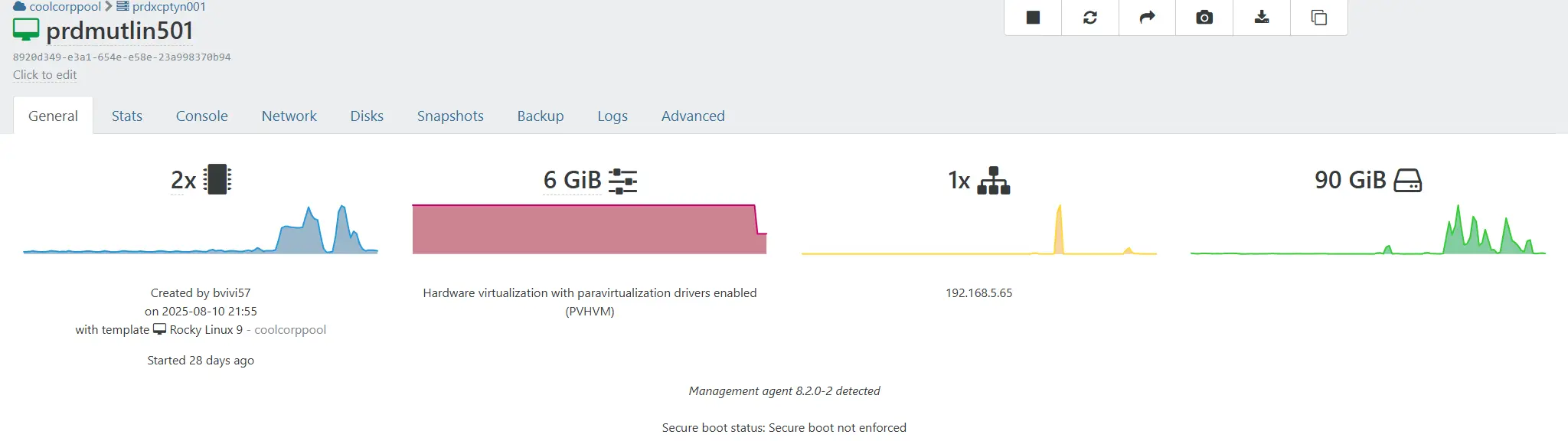
Click the image to enlarge.
Once on the OS, the only prerequisite I install is the tar package.
sudo dnf install tar
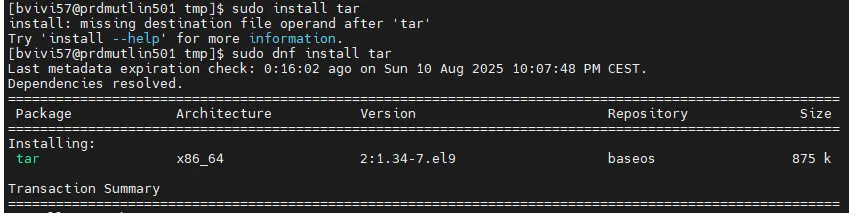
Click the image to enlarge.
For everything else, it is managed via the Kasm installation script.
First, you need to retrieve the archive corresponding to the version of Kasm that you want to deploy. At the time of writing this article, it is 1.17.
cd /tmp
curl -O https://kasm-static-content.s3.amazonaws.com/kasm_release_1.17.0.7f020d.tar.gz

Click the image to enlarge.
Then, decompress the archive
tar -xf kasm_release_1.7.0.7f020d.tar.gz
Next, execute the provided script kasm_release/install.sh.
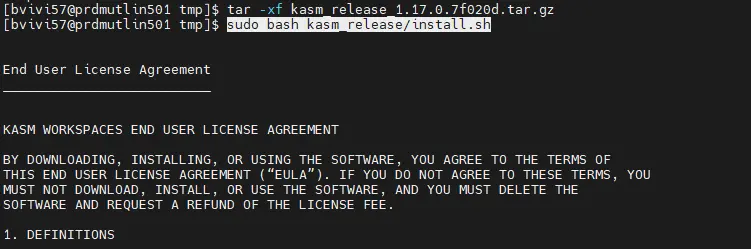
Click the image to enlarge.
Everything (or almost everything) will be handled automatically.
At the end of execution, you obtain the various credentials needed for the tool. Most importantly, make sure to note these elements so that you can secure them and protect access to them.
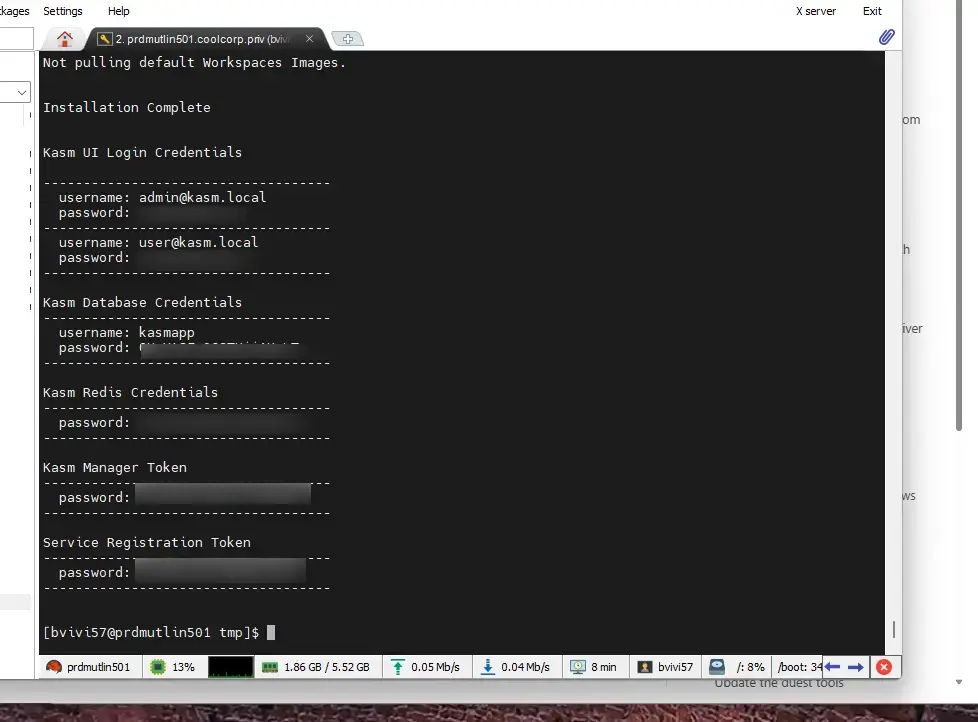
Click the image to enlarge.
Once the installation procedure is complete, there are only a few more things to finalize.
Open the firewall port for access to the GUI:
sudo firewall-cmd --permanent --add-service=https
sudo firewall-cmd –reload

Click the image to enlarge.
Start the Docker daemon and ensure that it is active at startup:
sudo systemctl enable docker
sudo systemctl start docker
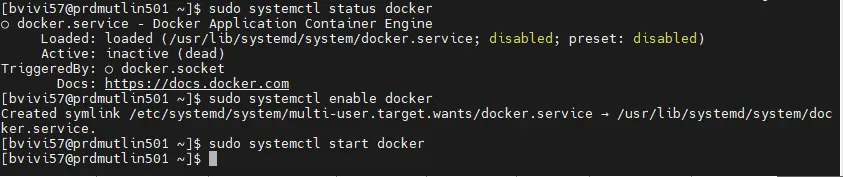
Click the image to enlarge.
Very quickly, you should see many containers appear using the command sudo docker ps
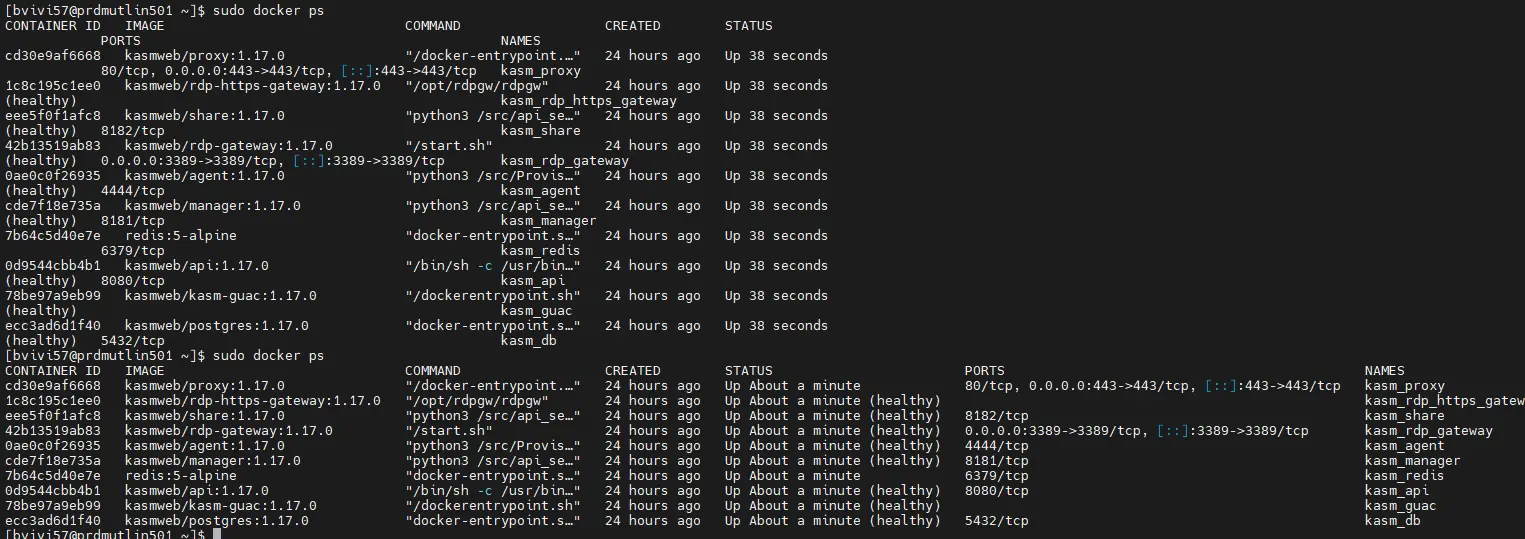
Click the image to enlarge.
Internal certificate management
Before proceeding, we will address the certificate directly.
By default, Kasm exposes its URL via HTTPS with a self-generated certificate. This is not very practical for subsequent steps if you want to avoid errors in browsers.
I won't go into the details of creating a certificate, as there are many different configurations in enterprise environments, but the principle is always:
In my case, I use a Microsoft certification authority declared on my AD domain.
I start by creating my private key and CSR using a single openssl command.
openssl req -new -nodes -sha256 -keyout kasm_nginx.key -out kasm_nginx.csr -newkey rsa:4096 -subj "/C=FR/ST=Ile-de-France/L=Paris/O=OFI/OU=Infrastructure/CN=prdmutlin501.coolcorp.priv" -reqexts SAN -config <(printf "[req]\ndistinguished_name = req_distinguished_name\n[req_distinguished_name]\n[SAN]\nsubjectAltName=DNS:kasm.coolcorp.priv")

Click the image to enlarge.
I obtain my private key kasm_nginx.key with a complexity of 4096 bits, and an associated CSR with the name prdmutlin501.coolcorp.priv and for kasm.coolcorp.priv as an additional DNS name.
Note that I do not declare kasm.coolcorp.fr because this is the certificate reserved for the internal exposure of Kasm. I will use Traefik and Let's Encrypt to handle the external part later.
Once I have obtained my CSR, I submit it to my Microsoft PKI, requesting that they apply my certificate template dedicated to the web.
certreq -attrib "CertificateTemplate:TPL-SRV-WEB-DEFAULT" -submit .\kasm_nginx.csr

Click the image to enlarge.
I retrieve my certificate kasm_nginx.crt as output.
To continue, you simply need to place the files kasm_nginx.key and kasm_nginx.crt in the directory /opt/kasm/current/certs/ of the Linux operating system (the directory is created during Kasm installation).

Click the image to enlarge.
I encourage you to back up the default certificate and key beforehand:
mv kasm_nginx.crt kasm_nginx.crt.bck
mv kasm_nginx.key kasm_nginx.key.bck

Click the image to enlarge.
At this stage, performing a small reboot of the server is not a bad idea. This ensures that everything is OK and ready to function in case the server needs to restart.
You can also choose to simply restart Kasm. To do this, you can go to /opt/kasm/current/bin and run the command ./restart
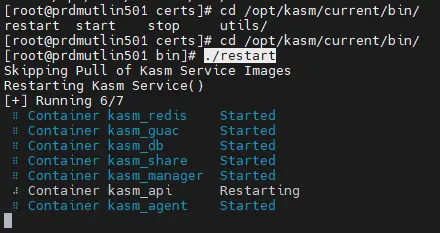
Click the image to enlarge.
Once the server is up and running, and you have configured its DNS to point kasm.coolcorp.priv to the server's IP address in the DMZ (remembering to open the HTTPS stream if necessary on the firewall filtering LAN/DMZ access), you can access the Kasm administration URL.
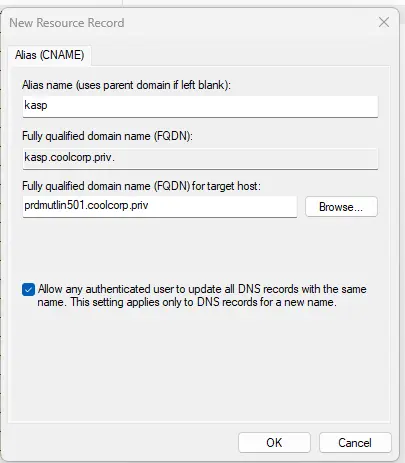
Click the image to enlarge.
You authenticate using the default admin password returned by the installation script.
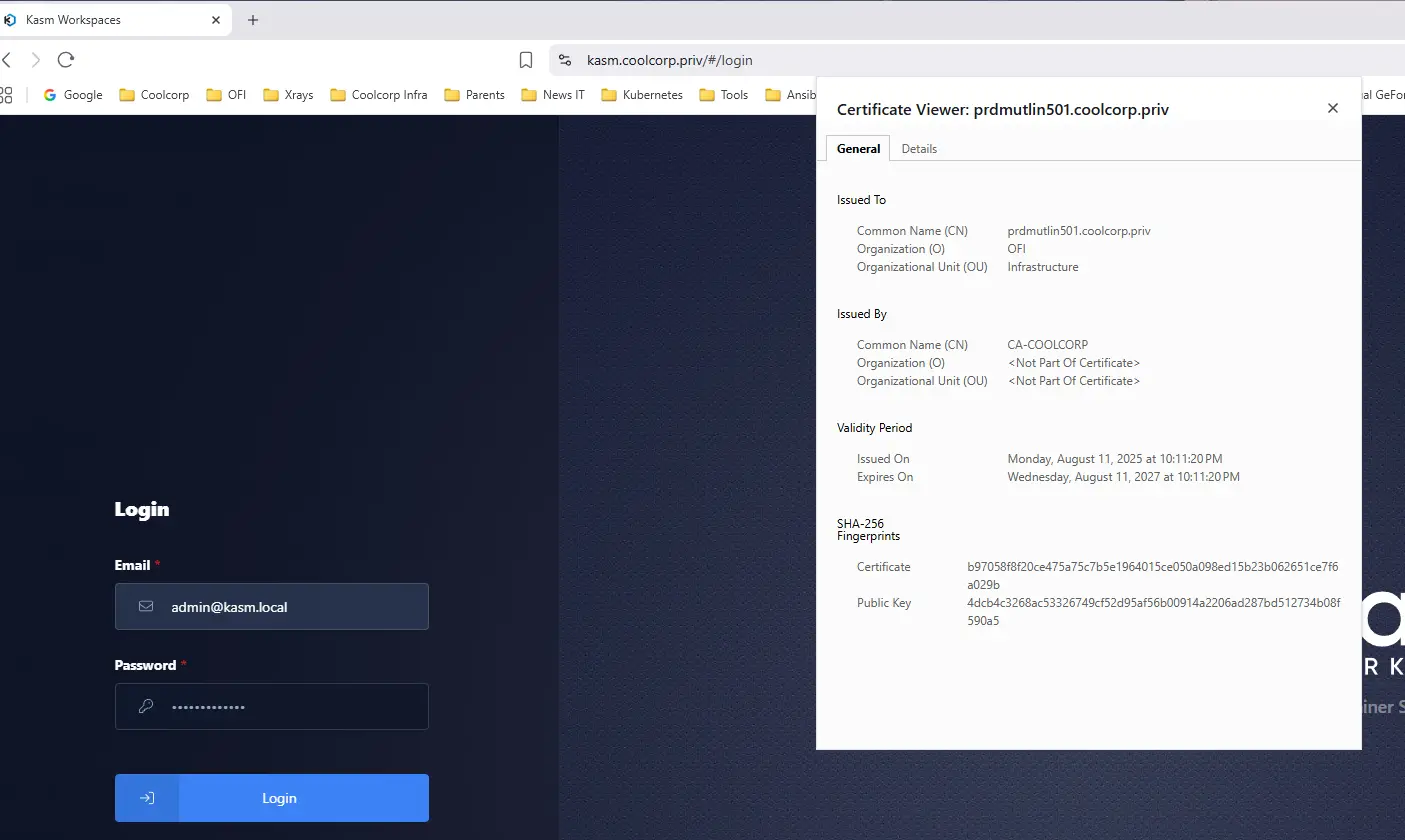
Click the image to enlarge.
And here we are, at the Kasm GUI.
I find this GUI well-designed and modern.
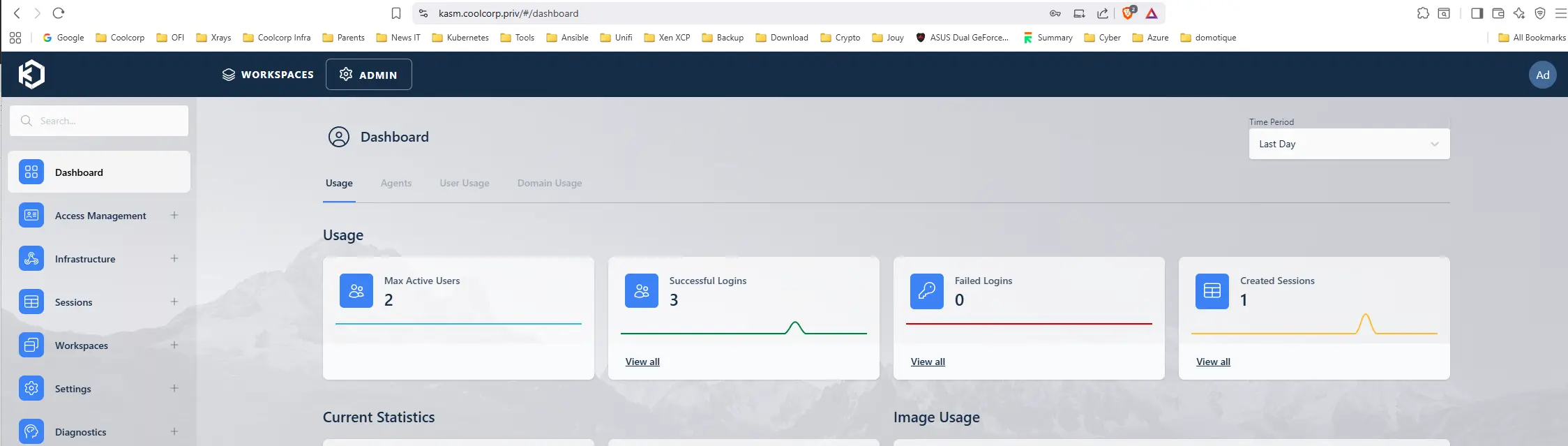
Click the image to enlarge.
External exposure case (Traefik)
Before we start configuring the Kasm deployments themselves, there's still the issue of external access.
To address this, as explained previously, I suggest using Traefik, even though Kasm is outside the scope of Kubernetes.
So, we switch to my main K8S cluster.
Feel free to follow my cookbook (which I need to remember to update) to learn more about my K8S configuration.
For those who are not interested in this part, you can simply consider that you will need to set up a solution to expose your Kasm instance publicly. In the simplest mode, you could choose to use only one URL and make it available directly on the web, without any other elements... But this is probably not the most secure way... it all depends on your needs and your existing architecture.
Regarding Traefik, the first thing to do is to dedicate a namespace to it. This is a simple way to "organize" objects related to exposing Kasm through Traefik.
I'm sticking with my usual naming conventions:
kubectl create ns prd-exposekasm-dmz

Click the image to enlarge.
Within this namespace, we create several objects using the following files:
01-issuer-exposekasm-letsencrypt.yml
---
apiVersion: cert-manager.io/v1
kind: Issuer
metadata:
  name: issuer-kasm-letsencrypt
  namespace: prd-exposekasm-dmz
  labels:
    environment: prd
    network: dmz
    application: kasm
    tier: default
spec:
  acme:
    email: [email protected]
    server: https://acme-v02.api.letsencrypt.org/directory
    privateKeySecretRef:
      name: sec-clusterissuer-kasm-prd
    solvers:
      - http01:
          ingress:
            class: traefik-dmz
            podTemplate:
              metadata:
                labels:
                  network: dmz
              spec:
                nodeSelector:
                  network: dmz
                tolerations:
                  - key: "node-role.kubernetes.io/worker-dmz"
                    operator: "Exists"
                    effect: "NoSchedule"
            ingressTemplate:
              metadata:
                labels:
                  network: dmz
An object of type Issuer, specific to Certmanager. Feel free to browse my article on the subject. This object will allow us to communicate with the free and well-known certification authority Let's Encrypt in order to automate all certificate obtaining and renewal procedures.
02-svc-exposekasm-default.yml
---
apiVersion: v1
kind: Service
metadata:
  namespace: prd-exposekasm-dmz
  name: svc-kasm-default
  labels:
    application: kasm
spec:
  ports:
    - name: https
      port: 443
      targetPort: 443
  # Pas de selector : on fournit les endpoints à la main
---
apiVersion: v1
kind: Endpoints
metadata:
  name: svc-kasm-default  # Même nom que le service
  namespace: prd-exposekasm-dmz
  labels:
    application: kasm
subsets:
  - addresses:
      - ip: 192.168.5.65
    ports:
      - name: https
        port: 443
        protocol: TCP
Two objects in this file: one of type service and one of type Endpoints
This is where the subtlety lies: the service does not have any "selector" parameters, which prevents it from automatically associating with the pods hosting the called functions. This is actually quite good, since Kasm is not executed as pods and is not on the Kubernetes cluster.
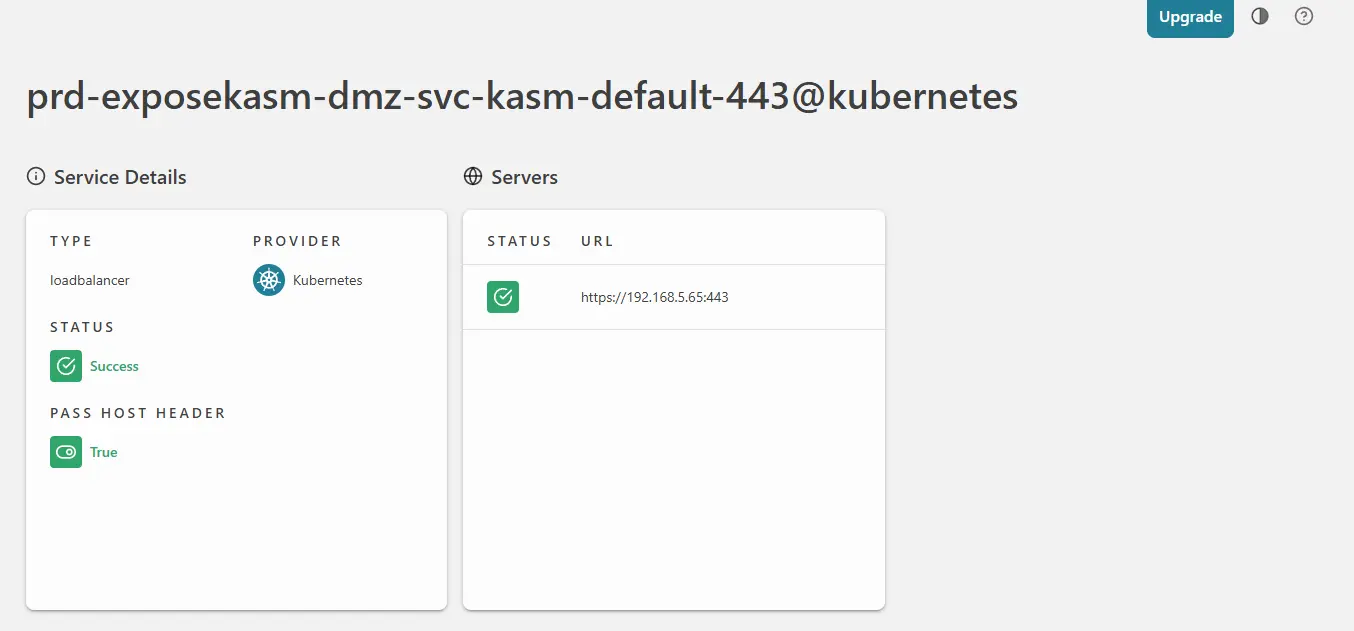
We force the service to use its endpoint by configuring it to redirect to the IP address of the Kasm server. Using the same name for both objects allows them to be associated, and the service will route requests to the external IP address declared in the endpoint.
03-ingress-exposekasm-default.yml
These are also two objects. The first is a certificate that will be generated using the issuer and Let's Encrypt. Its content will be placed in a secret that can be retrieved by the second object, which is an Ingress responsible for providing an external entry point to the cluster for the URL https://kasm.coolcorp.fr. The ingress will redirect requests to the service created previously, which in turn will redirect them to the endpoint…which is none other than the Kasm server.
Note that my ingress is associated with the traefik-dmz ingress controller class so that it can be supported by my Traefik instances in the DMZ. As always, feel free to review my tutorial on Kubernetes and the architecture of my cluster to better understand this point.
We can deploy all the objects with a single command that points to the folder containing the files presented.
kubectl apply -f prd-exposekasm-dmz

Click the image to enlarge.
We can list the certificate objects in the namespace to verify that we have found the one generated by Let's Encrypt.
kubectl get certificate -n prd-exposekasm-dmz
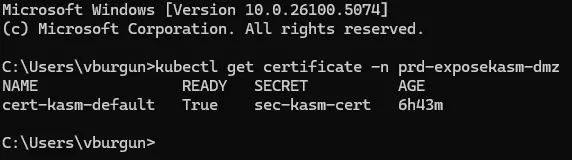
Click the image to enlarge.
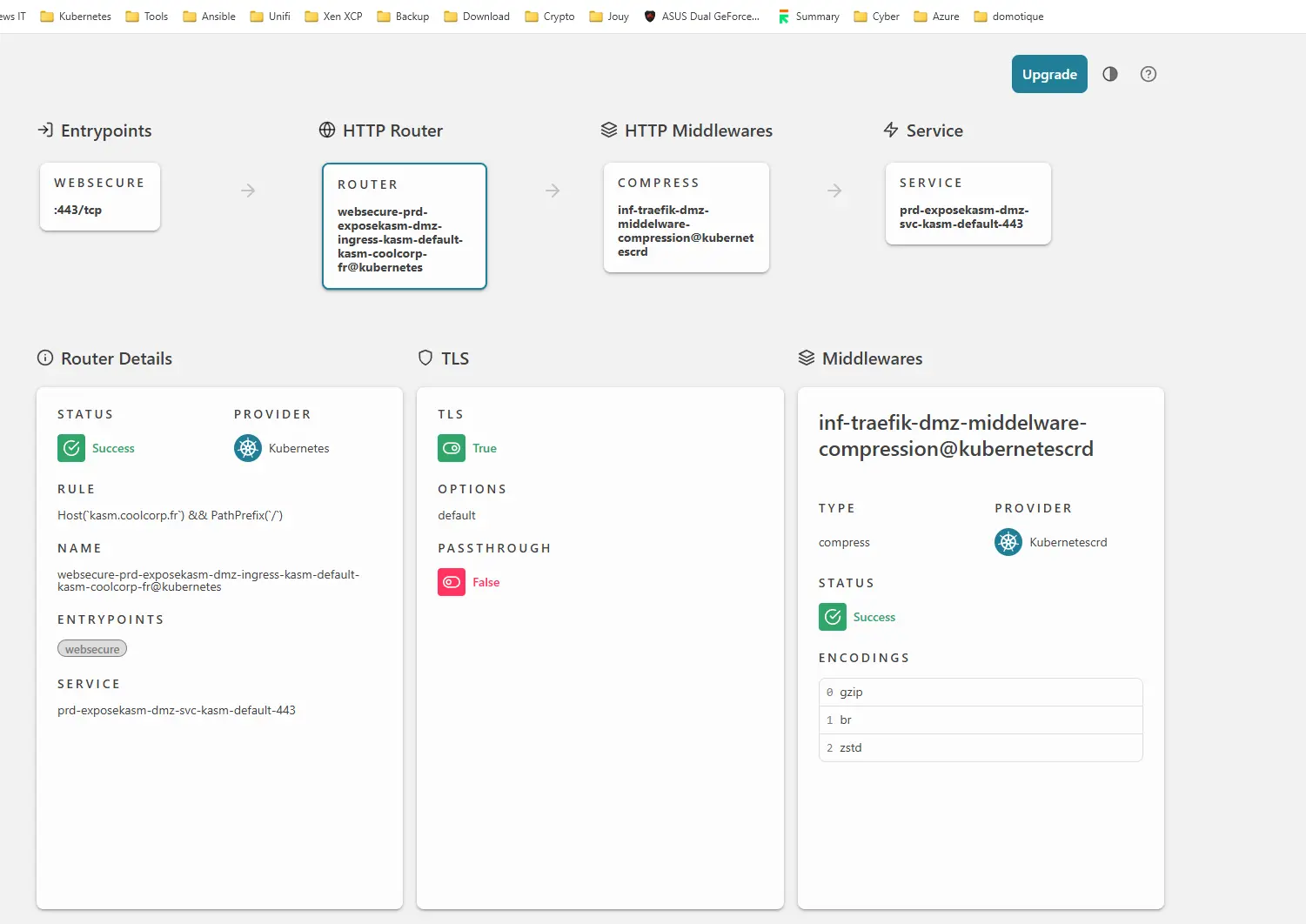
If we connect to the Traefik dashboard (of my instance in the DMZ), we can see that the ingress is supported, and we can trace it back to the service, which correctly points to the IP address of my Kasm server.
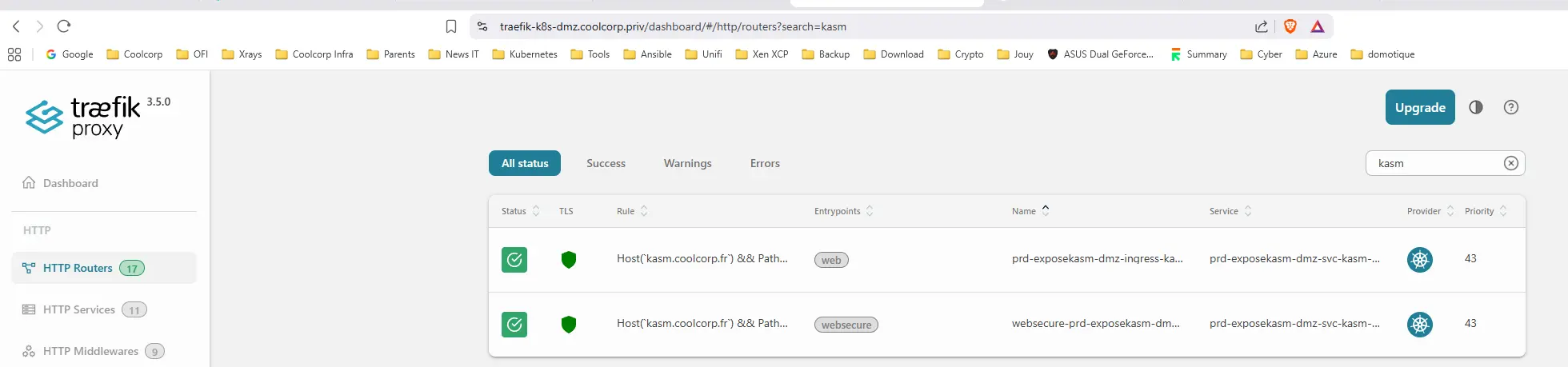
Click the image to enlarge.
Click the image to enlarge.
Click the image to enlarge.
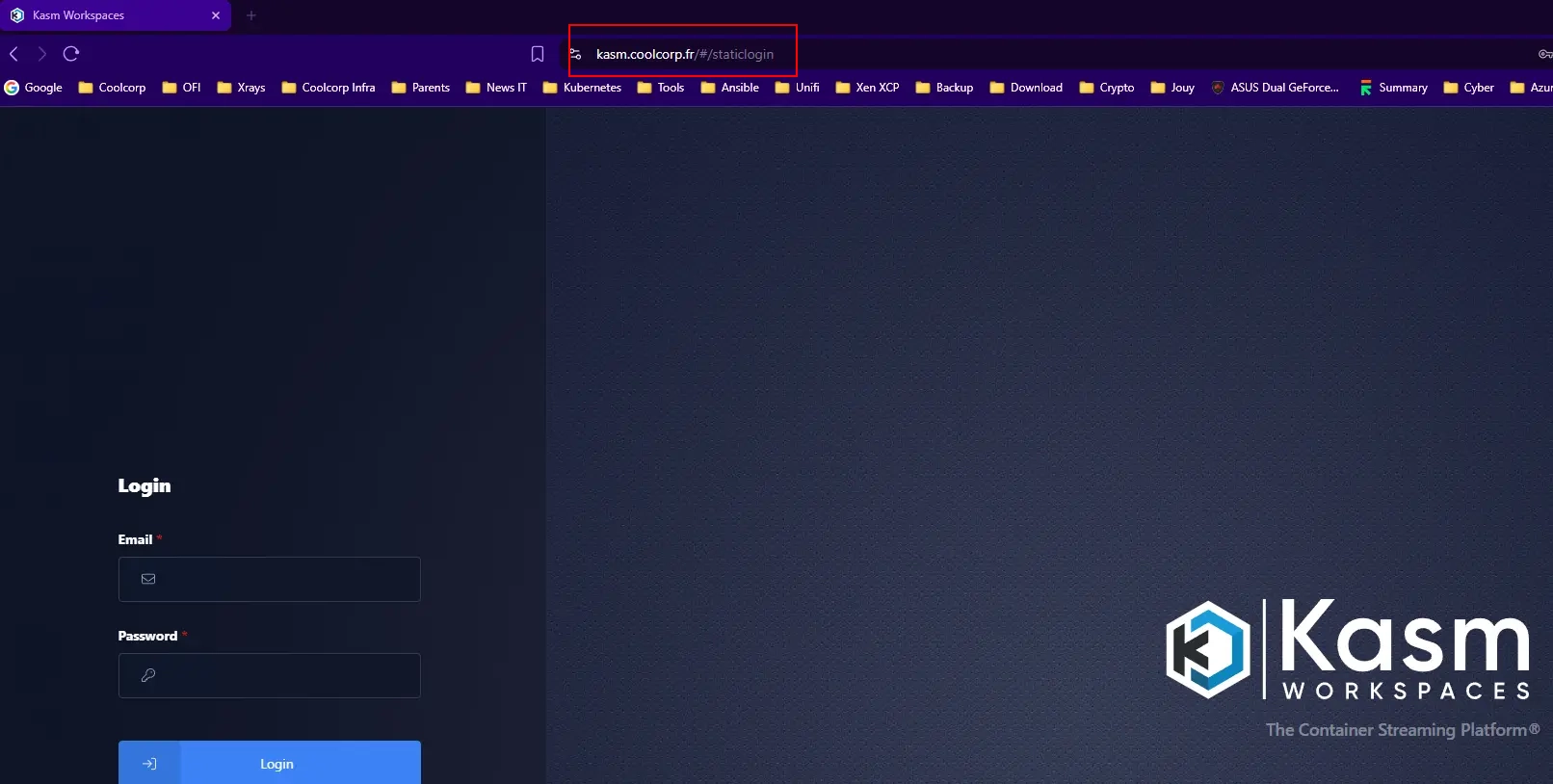
We now have an internal exposure of Kasm via the URL https://kasm.coolcorp.priv with a certificate managed by my internal PKI within my AD domain, and an external exposure on https://kasm.coolcorp.fr with a certificate managed by Let's Encrypt and an entry controlled by Traefik.
Using Traefik for the external exposure will allow me to use advanced features, such as filtering by IP address list, URL rewriting if necessary, using security plugins, or, as is already the case here, implementing HTTP compression via the inf-traefik-dmz-middelware-compression@kubernetescrd middleware.
Click the image to enlarge.
Conclusion
This first part of my exploration of Kasm has allowed me to introduce the product and explain how it could be very useful in the current context of VDI/DaaS. As usual, I wanted to present the target to be achieved by detailing the chosen architecture.
I took the opportunity to demonstrate that an Ingress Controller like Traefik, usually dedicated to Kubernetes, can also be used to expose external services to the cluster on which it is running. We haven't yet delved into the configuration of Kasm itself or the declaration of publications. But don't worry, more information is available here.