XCP-ng: Integration with Xen Orchestra and benchmarks
- Xen Orchestra deployed from the source code to have all functions without a license.
- Configuring the pool and migrating VMs from ESXi to XCP-ng.
- A few words about the API and performance monitoring.
- Benchmark of VMware ESXi against XCP-ng on the same hardware.
Introduction
This article directly follows this one, which deals with the installation of the hypervisor XCP-ng and Xen Orchestra (XO).
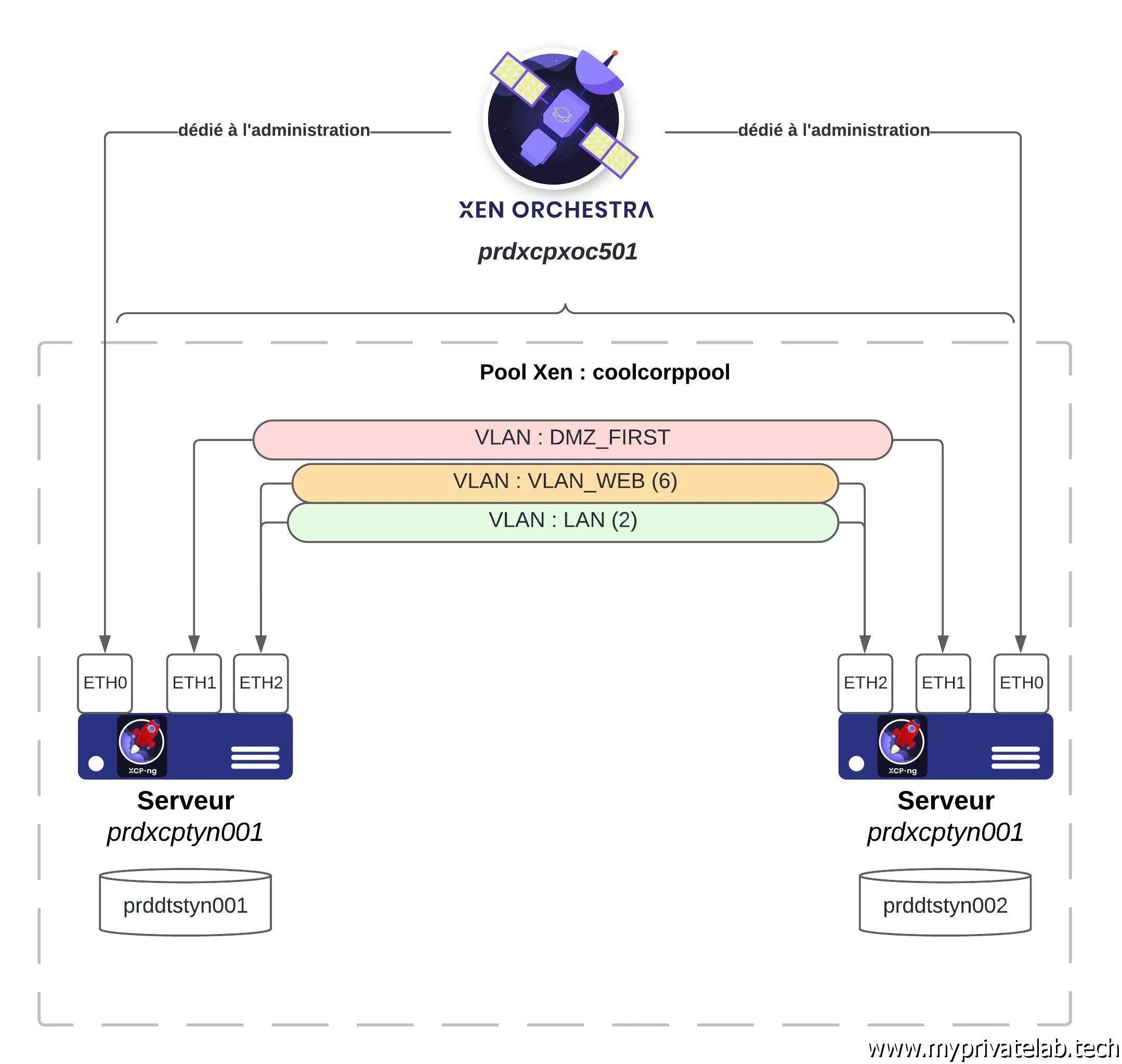
As a reminder, Xen Orchestra (XO) is the web management platform capable of controlling virtualization environments based on XCP-ng (and Xen).
Available as an appliance, it is subject to licensing if you want to take advantage of all its features.
Deploying it from the source code allows you to use all the functions of the tool, namely:
- Virtual machine management
- Backup and restore
- Real-time monitoring
- Snapshot management
- Networking and storage
- Multi-tenancy and security
- Automation
Now it's time to enjoy all of this by registering my two XCP-ng servers on my XO instance.
Click the image to enlarge.
Configuration
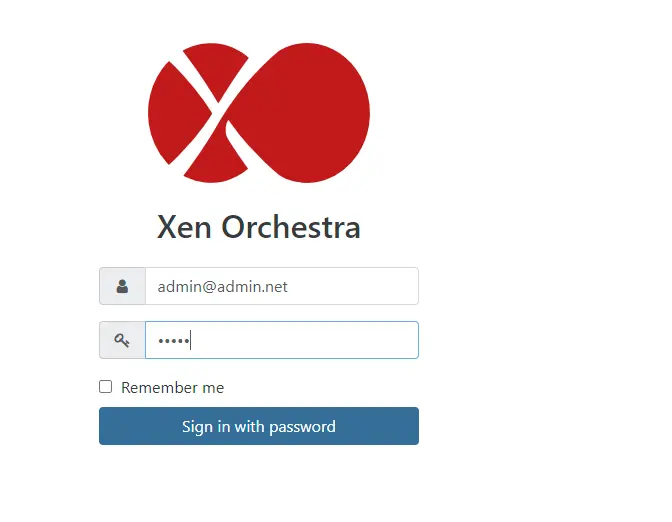
Connect to XO from your web browser. The account is [email protected] with the password admin.
Click the image to enlarge.
Account management
For obvious security reasons, the first thing we are going to change is this default identifier.
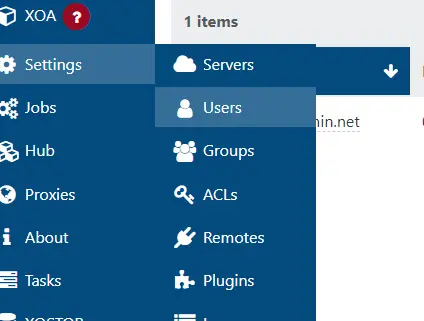
Simply go to the Settings section, then go to Users to modify both the login and password of the admin account.
Click the image to enlarge.
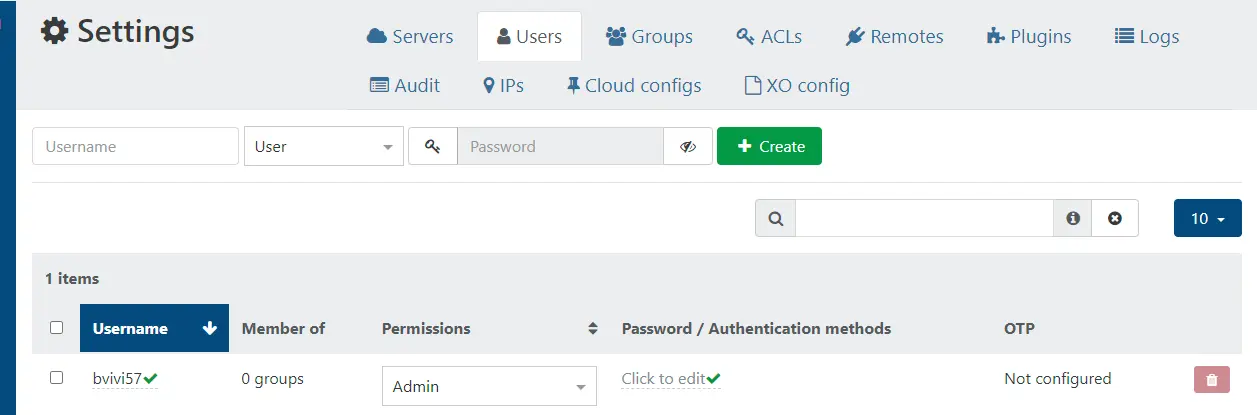
This is where one of the design choices in the XO interface immediately becomes apparent: Click to edit. Many fields can be modified by clicking directly on them, even if it's not the first thing that catches your eye. So don't look for an edit button or a small icon representing a modification.
Similarly, once edited, the parameter is set... no Apply button or anything like that. You either like it or you don't...
Click the image to enlarge.
Once this step is complete, we can focus on registering the servers.
Pool creation
If you haven't configured a hypervisor before, you will be prompted to do so directly from the home page.
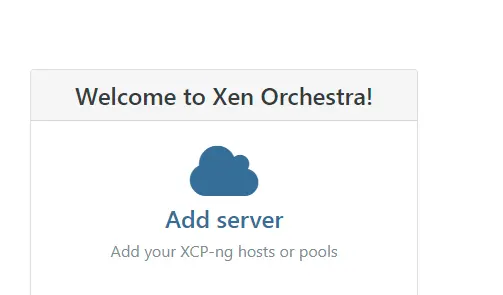
Click the image to enlarge.
Otherwise, this is done in the New section and then Server.
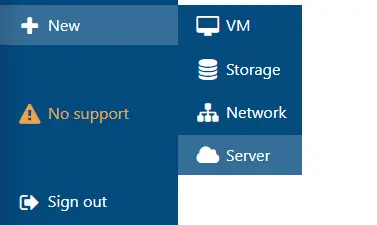
Click the image to enlarge.
You must specify your servers using their IP address in the host field, not their DNS name.
Use the Label field to give the machine a name. Enter the password associated with the root account you chose during the XCP-ng installation.
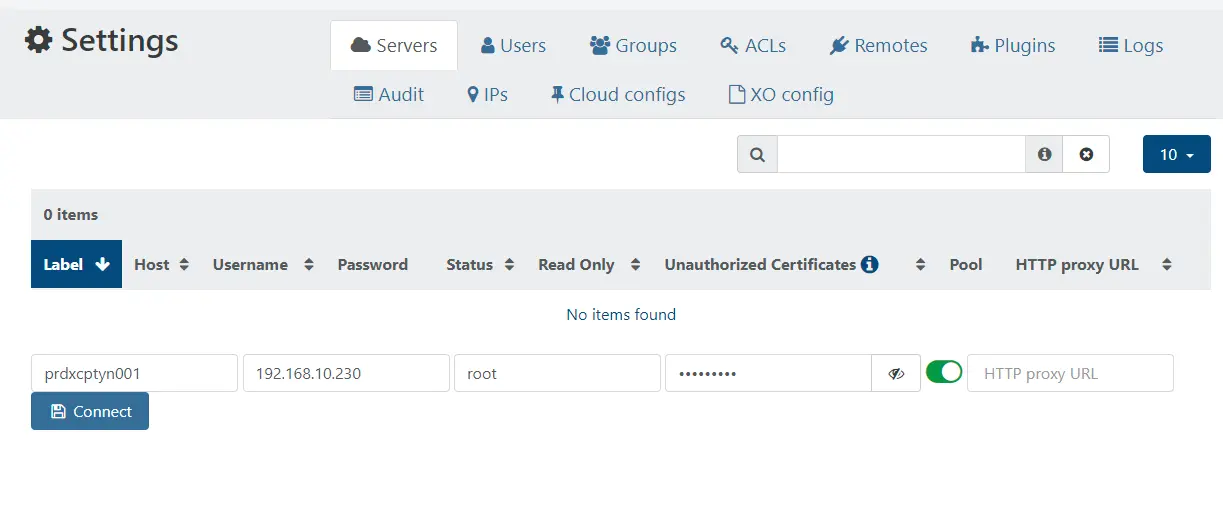
Click the image to enlarge.
Also, consider enabling the Unauthorized Certificates option (unless, of course, you have already generated your certificates).
Once your servers are registered, you will see that each is associated with a different pool, bearing the same name as the server itself.
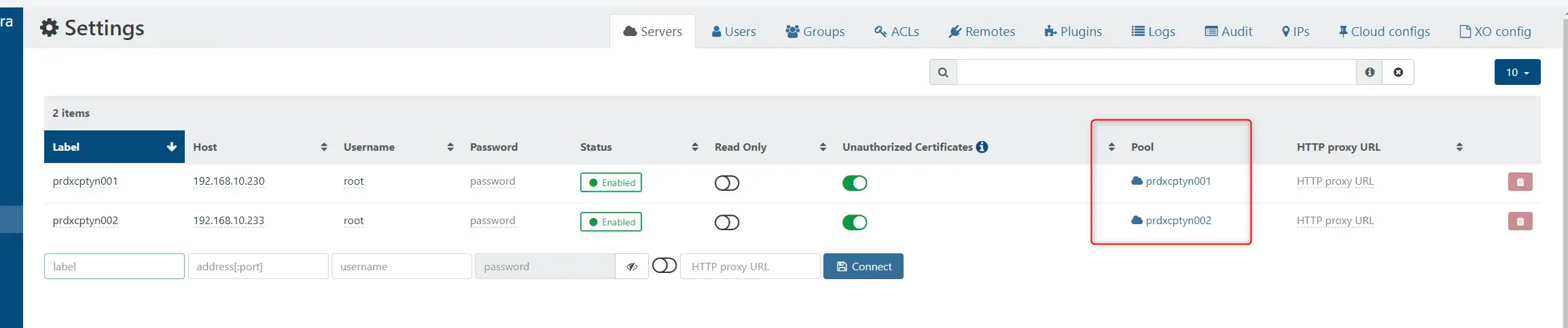
Click the image to enlarge.
However, in my case, I want to associate both of my servers within the same pool. In fact, a pool primarily allows you to:
- Centralize resource management.
- Ensure high availability (HA)
- Share network configuration
- Move VMs from one server to another
This is similar to a VMware cluster.
The first thing to do is rename the first pool, which corresponds to the first server, to give it a more descriptive name.
You can do this through the GUI, but I preferred to do it using the XAPI API and the xe command (to get used to the CLI) by connecting via SSH to the first server (prdxcptyn001).
Using the xe pool-list command, we list the pools.
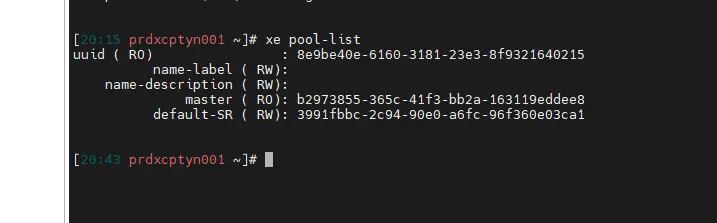
Click the image to enlarge.
We retrieve the ID and rename it using the xe pool-param-set uuid=uuid_du_pool name-label="nouveau_nom" command.

Click the image to enlarge.
When you return to the XO GUI, the server is now associated with a pool bearing the new name.

Click the image to enlarge.
All that remains is to go to the pool configuration and click on Add host to select the second server.
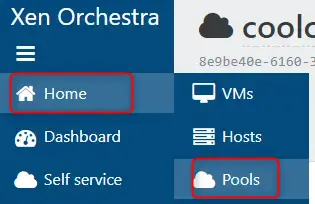
Click the image to enlarge.
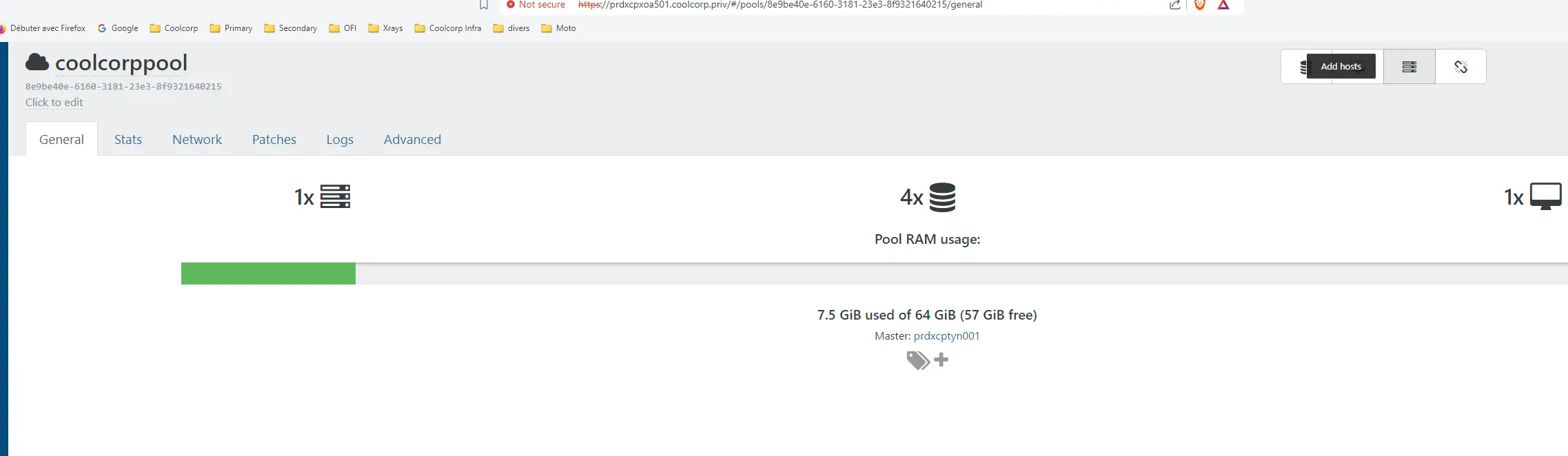
Click the image to enlarge.

Click the image to enlarge.
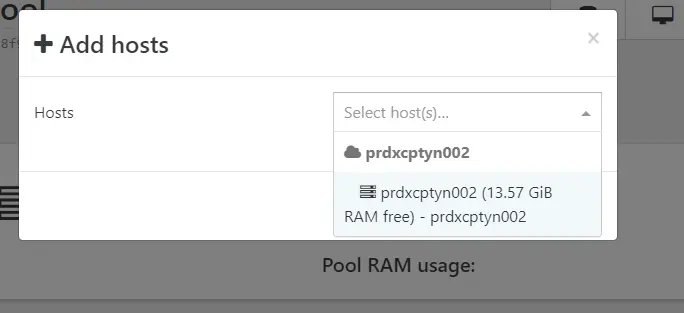
Click the image to enlarge.
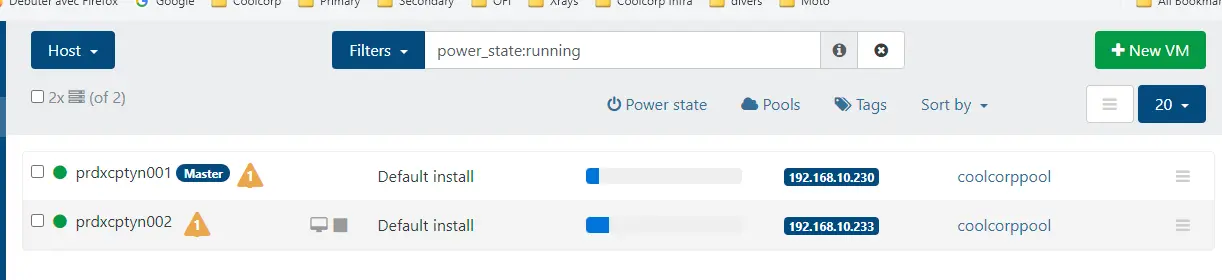
This server will be moved from its default pool to join the first server's pool.
Click the image to enlarge.
You will notice a concept of Master. Its mission is to:
- Coordinate the pool
- Manage resources
Its failure can become problematic, but normally, if the master of a pool becomes unavailable, another surviving server can be promoted.
I must admit that I am a little limited on this subject, as I am new to XCP-ng and lack experience in this area. I hope to learn more over time.
Regardless, we end up with a complete pool.
We can now move on to the network configuration.
Network configuration
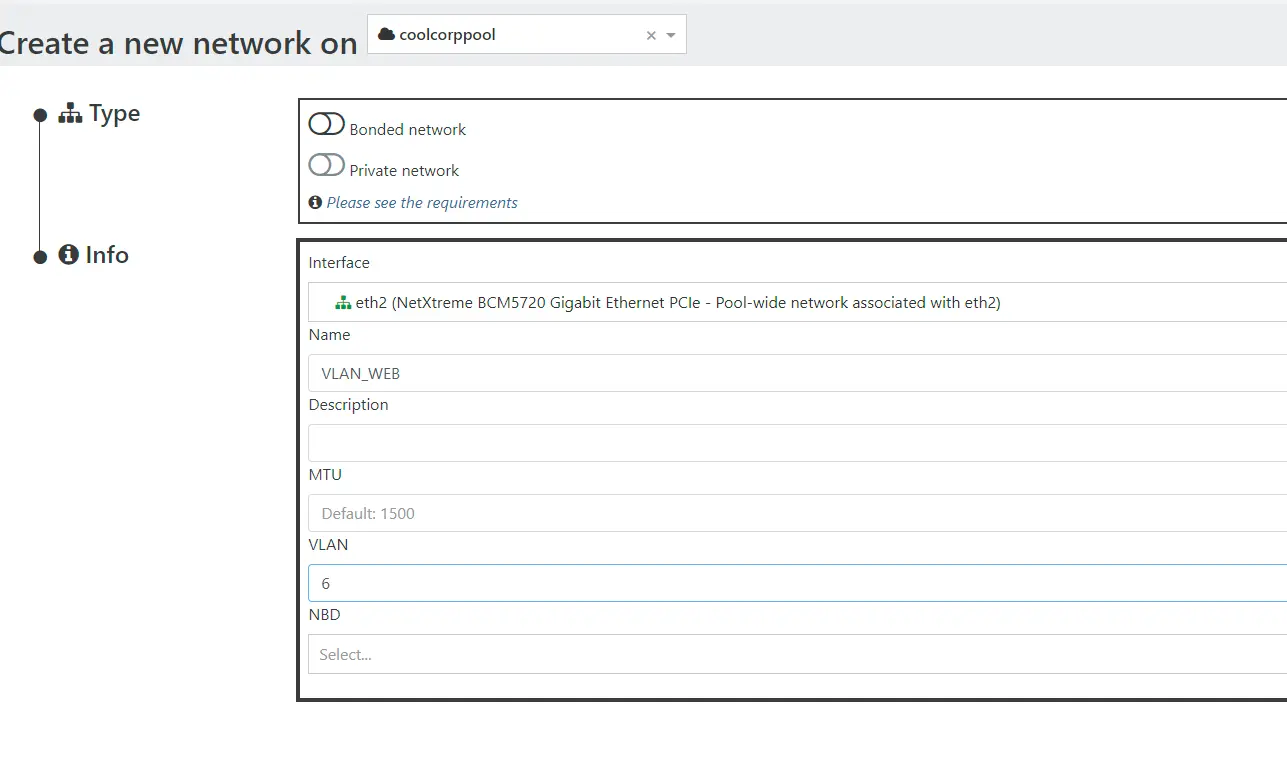
My goal is to reproduce the exact same configuration as for my VMware lab, using three VLANs. Two of them need to be tagged because they are on the same interface.
- DMZ_FIRST: Untagged
- VLAN_WEB: VLAN 6
- LAN: VLAN 1
As with my VMware lab, I dedicate one network card to administration.
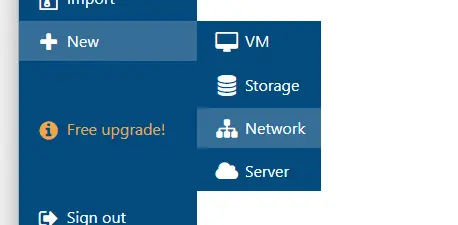
To do this, go to the New section and then Network.
Click the image to enlarge.
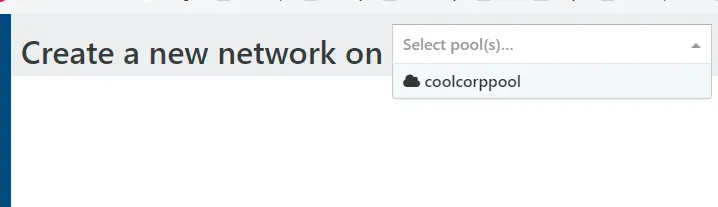
Next, select the pool to which the network configuration will be associated. This is very convenient because it centralizes the settings, and each server in the pool can be configured identically. Of course, this requires that each server is properly connected and that the upstream network configuration is the same.
Click the image to enlarge.
In my case, since these were previously two ESXi hosts, they are already correctly configured.
I just followed the instructions in the GUI to declare all of my networks.
Click the image to enlarge.
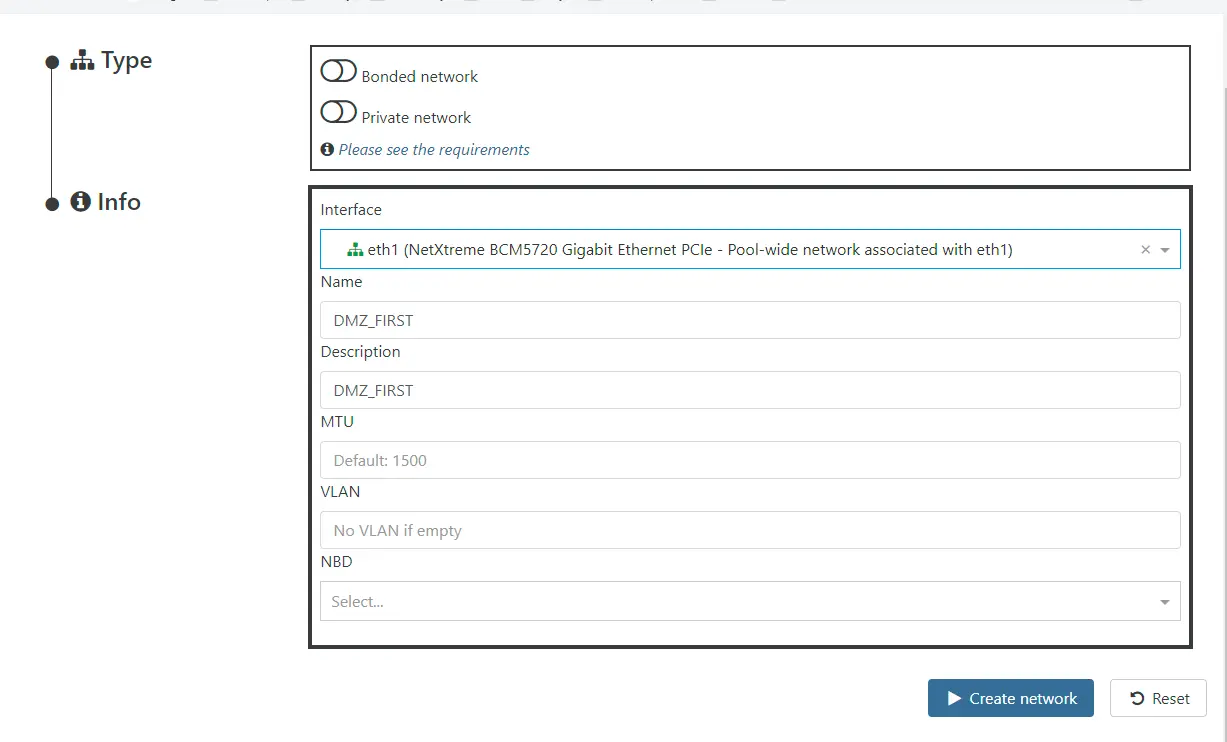
Click the image to enlarge.
I can update their descriptions if necessary.
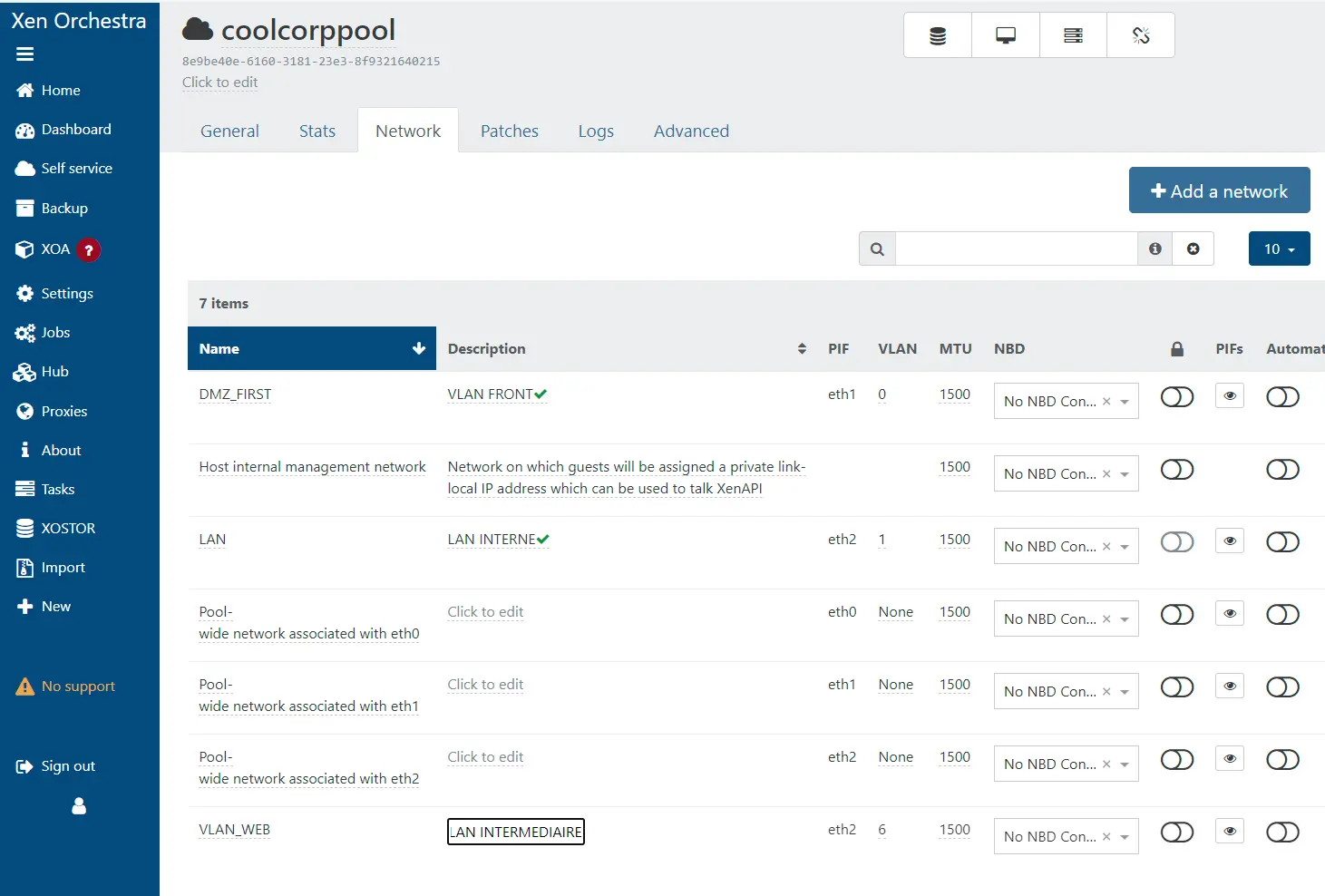
Click the image to enlarge.
Now I am ready to migrate my first VMs from my VMware lab to this XCP-ng lab.
Migrating VMs from ESXi to XCP-ng
I have chosen to copy my two virtual machines that serve as templates:
- prdtpllin501: VM running Ubuntu 24.04. The goal is to have its counterpart prdtpllin502 running on XCP-ng
- prdtplk8s501: VM running PhotonOS 5.0. The goal is to have its counterpart prdtplk8s502 running on XCP-ng
There's nothing complicated, since the import can be done directly from the Import menu.
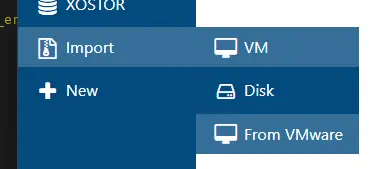
Click the image to enlarge.
Just specify the URL of its vCenter, a login with the necessary permissions, and you can then browse the VMs to choose the one to migrate to the XO pool.
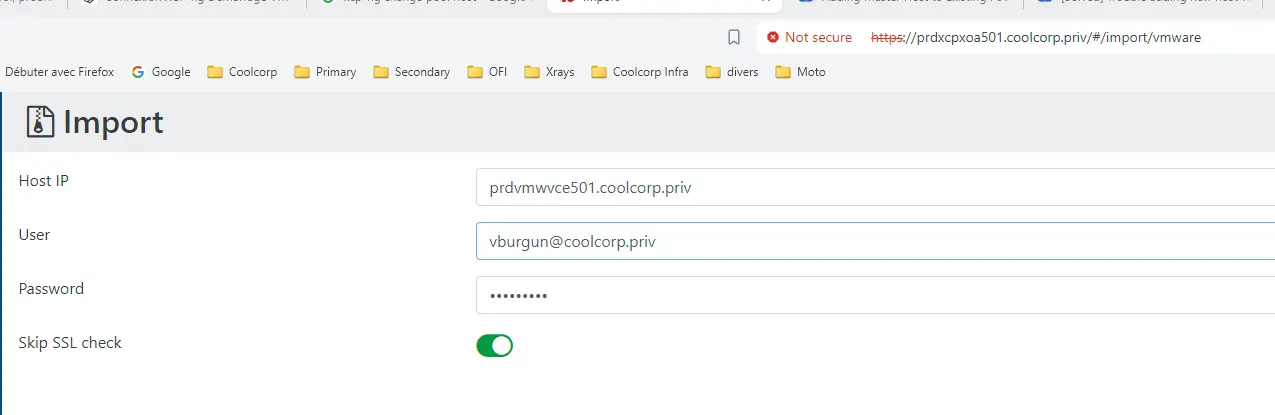
Click the image to enlarge.
For now, I don't have shared storage, so the source VM will be copied to the disk specific to the XCP-ng server that I choose as the target.
It is mandatory to specify an Original Template. If you can't find what you need in the list, you can choose the OS that is closest to your source OS, or choose the Other Install Media option, as I did with my VM running PhotonOS.
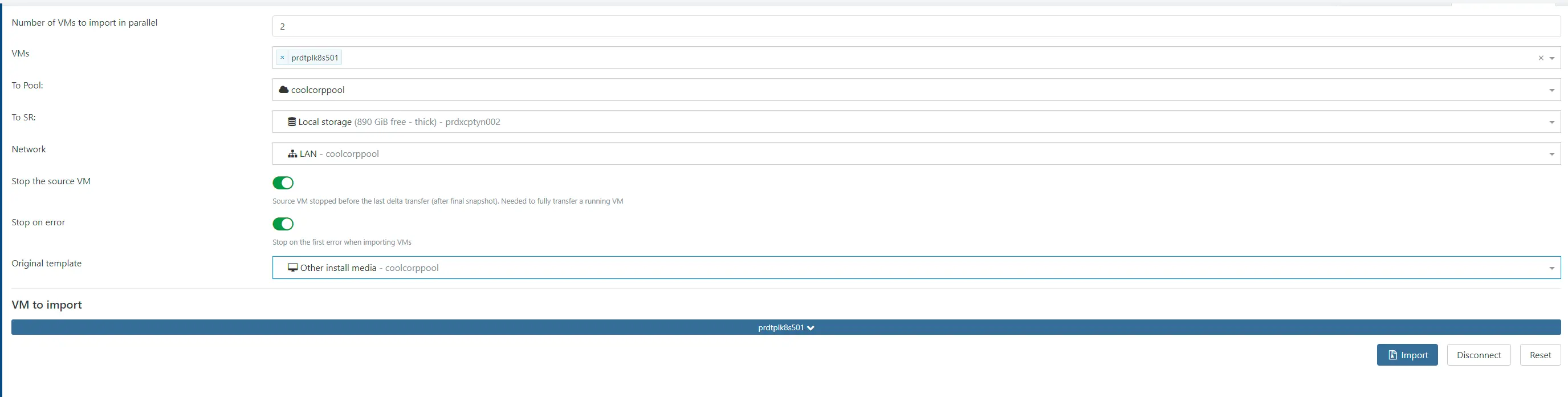
Click the image to enlarge.
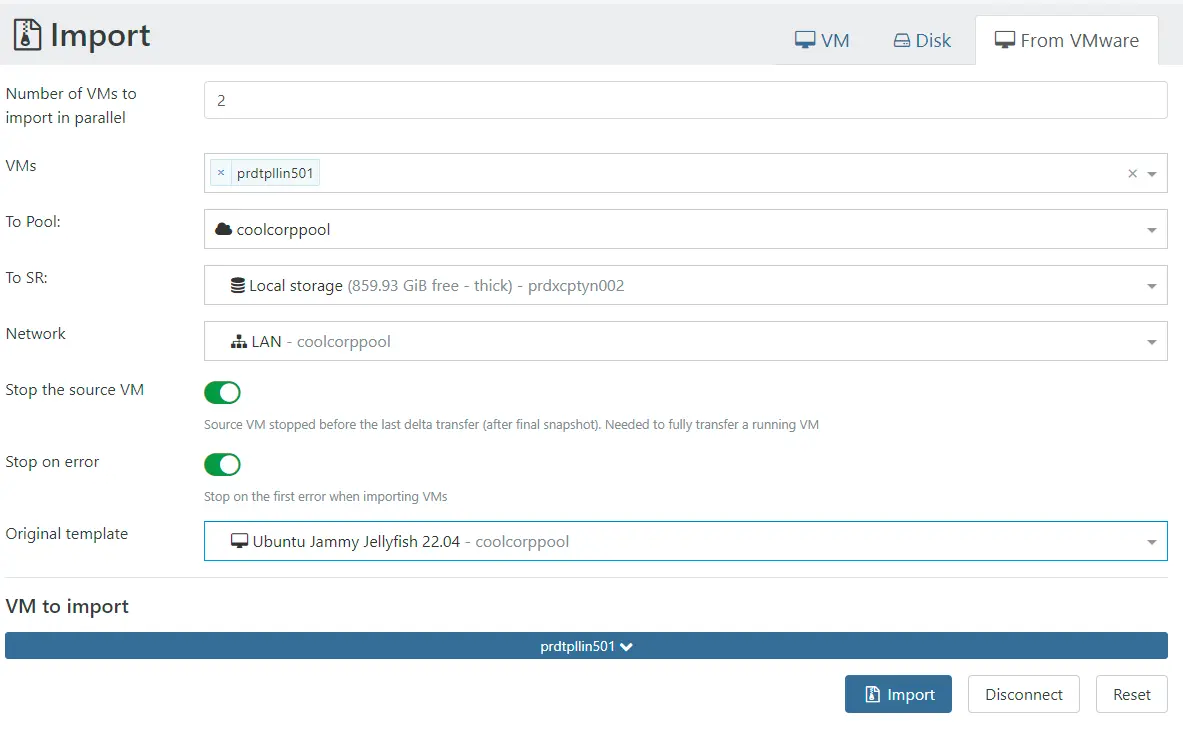
Click the image to enlarge.
Once started, the import can be monitored in the Tasks section.
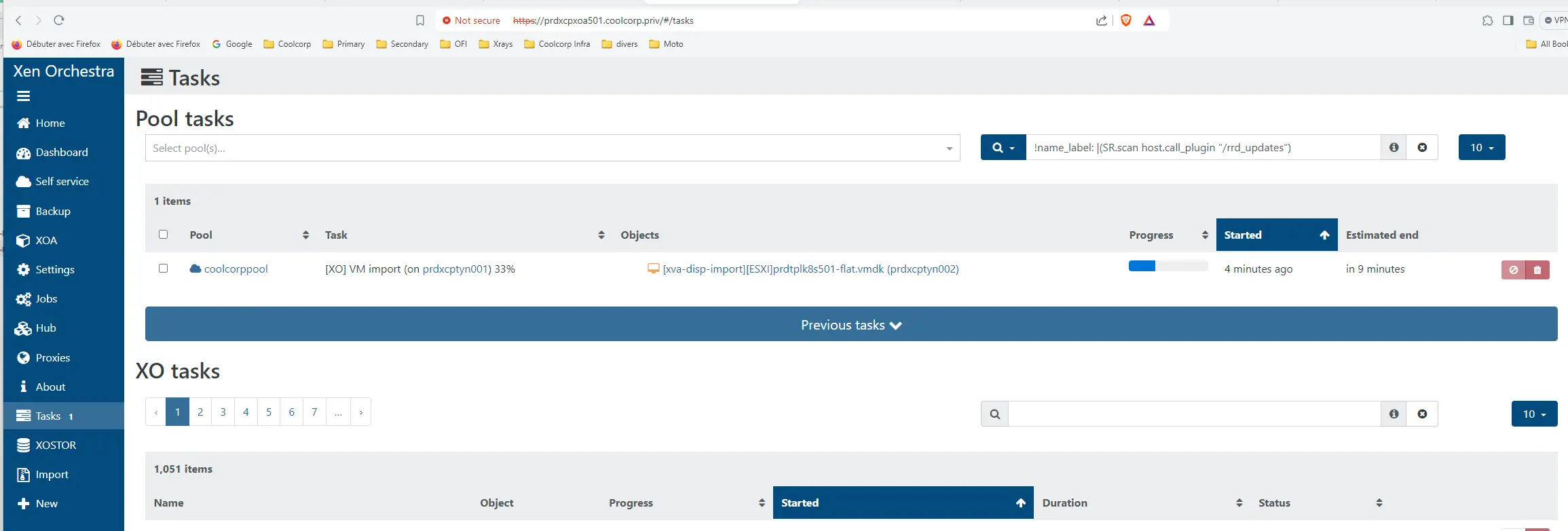
Click the image to enlarge.
Note that for a complete synchronization, you need to shut down the source VM at the end of the copy.
Since my VMs are small, it only took a few minutes to start my first VM on my XCP-ng lab.
You can update the information about the VM by directly editing the title and description
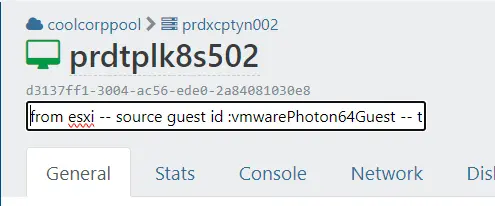
Click the image to enlarge.
Reconfiguring VMs
You can use the Console tab to enter the VM and start modifying the OS configuration.
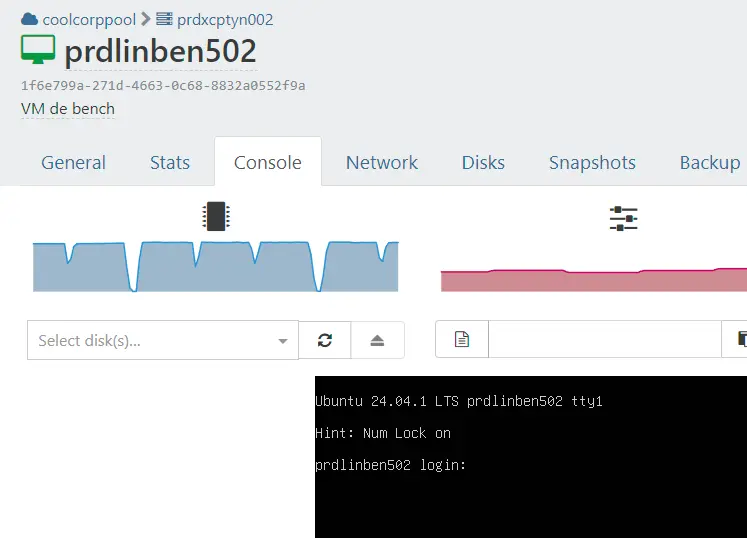
Click the image to enlarge.
In my case, I needed to change the IP address and hostname to avoid conflicts with the original VMs that I want to keep on my VMware lab.
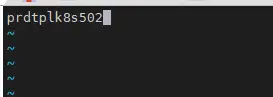
Click the image to enlarge.
Depending on the operating system, there may be a change in the network interface name.
With PhotonOS, I didn't have any issues, but with Ubuntu, the interface changed from ens33 to enX0.
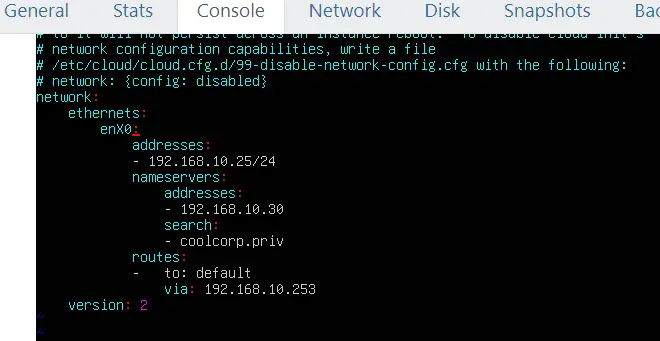
Click the image to enlarge.
Therefore, you need to remember to update your configuration.
Installing guest tools
There is one final step to complete the migration. You need to install the xe-guest tools, similar to how VMware Tools are installed.
These may be available directly in the repositories of your OS, as is the case for my Ubuntu VM. In this case, you just need to use the distribution's package manager:
sudo apt install xe-guest-utilities
Otherwise, you need to retrieve the source code or a package that is available directly on the git repository below.
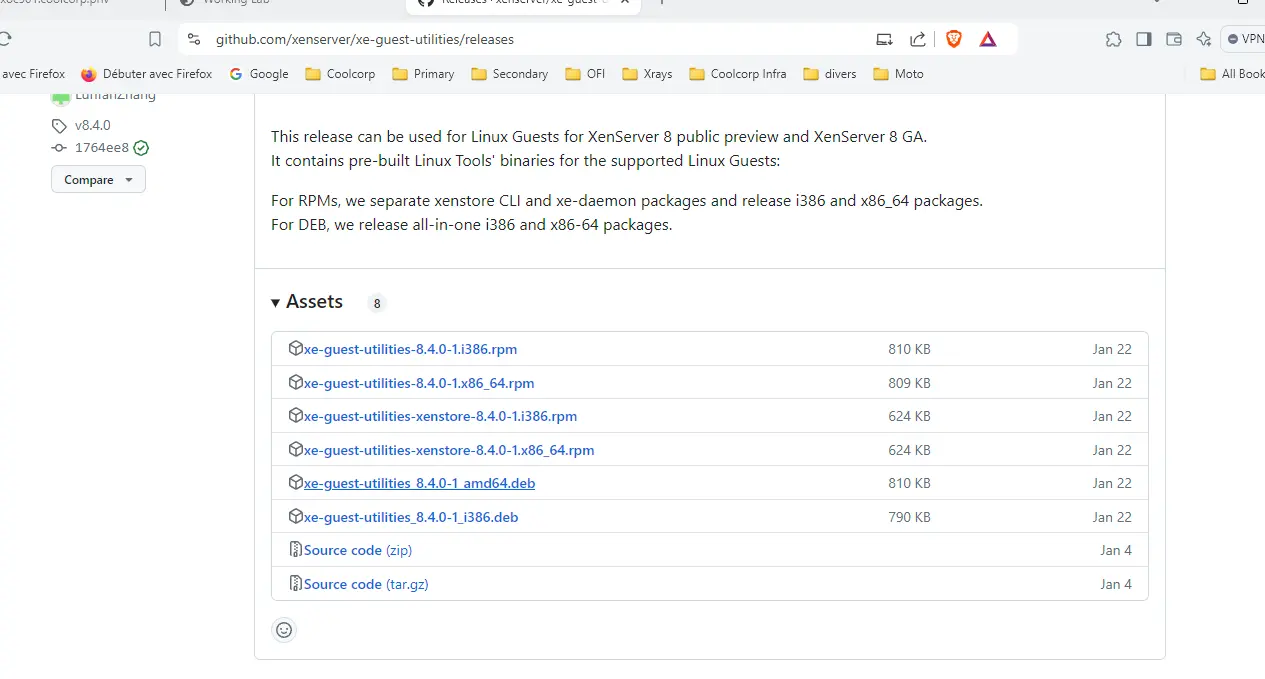
Click the image to enlarge.
This is what I had to do for PhotonOS. Fortunately, it can use the RPM package, and you just need to install the following prerequisites:
tdnf install gcc make libtool autoconf automake wget (adapt this based on your distribution).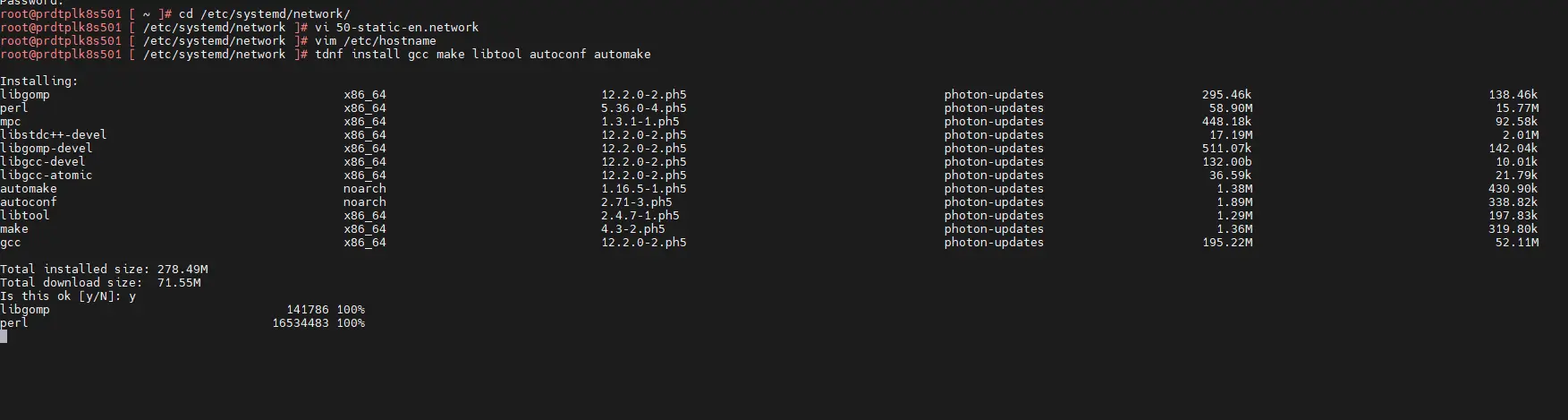
Click the image to enlarge.
Then retrieve the RPM.
wget https://github.com/xenserver/xe-guest-utilities/releases/download/v8.4.0/xe-guest-utilities-8.4.0-1.x86_64.rpm (the version is likely to evolve over time).
Then start the installation.
rpm -ivh xe-guest-utilities-8.4.0-1.x86_64.rpm

Click the image to enlarge.
(You can ignore the error message at the end of the installation).
Once the package is deployed, I had to enable the associated service.
systemctl enable xe-linux-distribution
systemctl start xe-linux-distribution

Click the image to enlarge.
Once the service is started, you can see that additional information is displayed in the XO GUI.
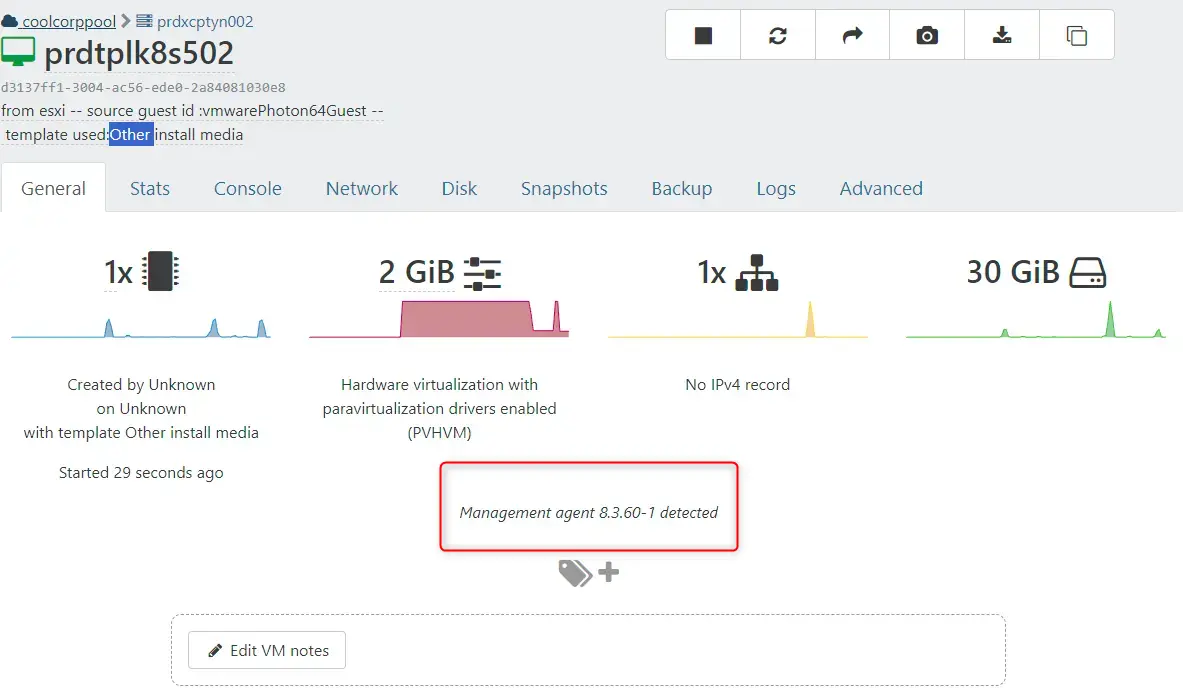
Click the image to enlarge.
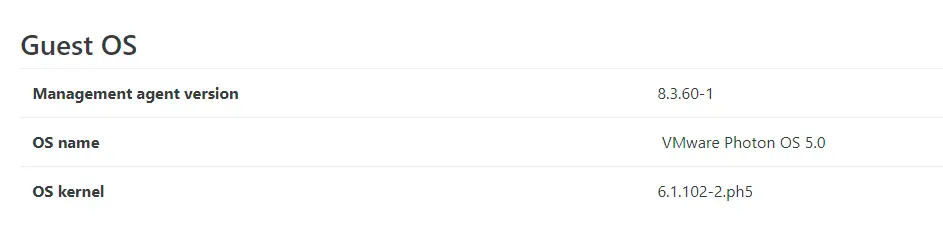
Click the image to enlarge.
Note that for Windows operating systems, an ISO image is available directly from XCP-ng at the following URL.
A few words about the API
Before moving on to performance testing, be aware that it is possible to manipulate VMs directly via the XAPI (Xen Project Management API) and the xe command, as I did in the pool renaming step.
Just connect via SSH to one of the servers, and you will have a whole set of commands to manage the VMs.
For example, list the VMs with xe vm-list or start a VM with xe vm-start.
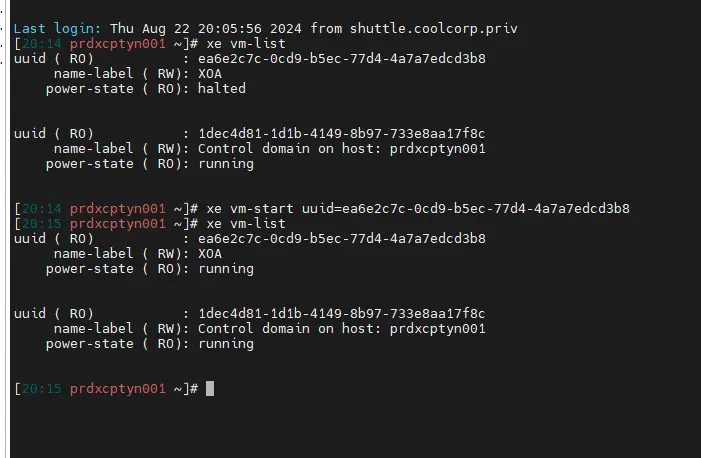
Click the image to enlarge.
Keep this in mind in case XO stops working or for debugging purposes.
Performance monitoring
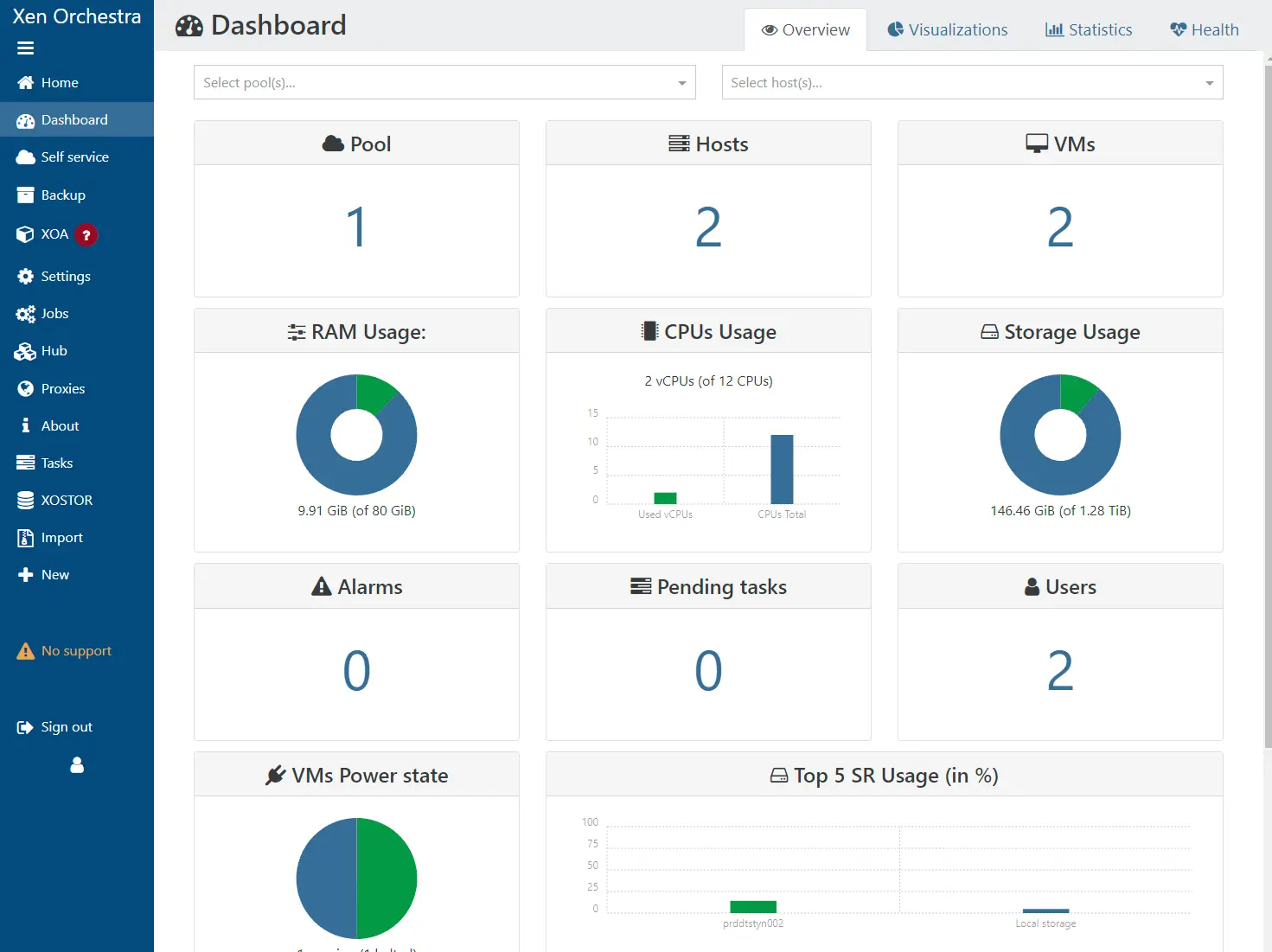
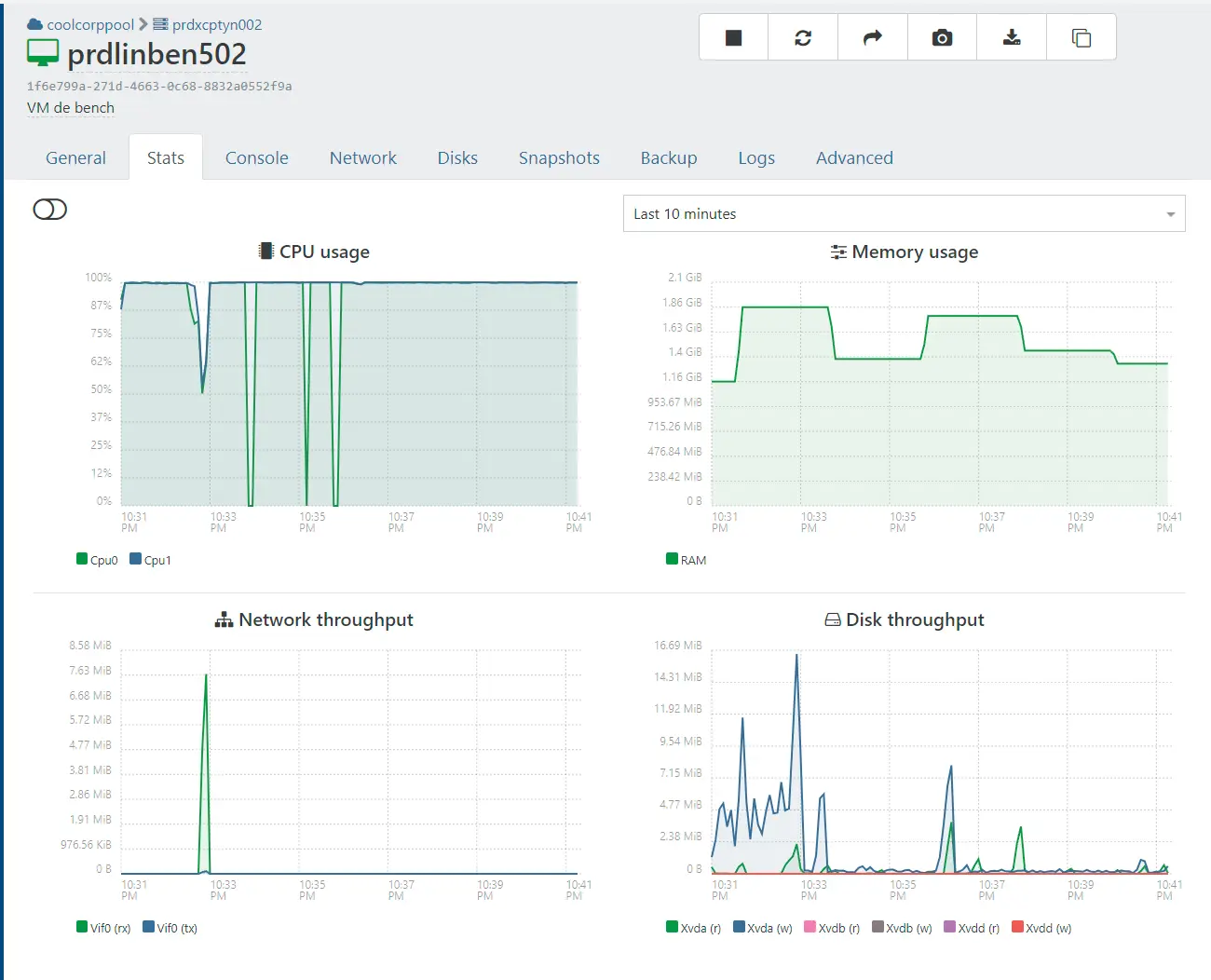
Now that the pool is ready and VMs are running, it is possible to monitor the resource consumption of your infrastructure directly in XO.
Several windows are available to obtain usage statistics.
Click the image to enlarge.
Click the image to enlarge.
Most objects (VMs, Pools, etc.) offer metrics that can be viewed within XO.
Benchmark: VMware ESXi vs XCP-ng
Now is the time to compare VMware and XCP-ng in terms of performance.
Testing protocol
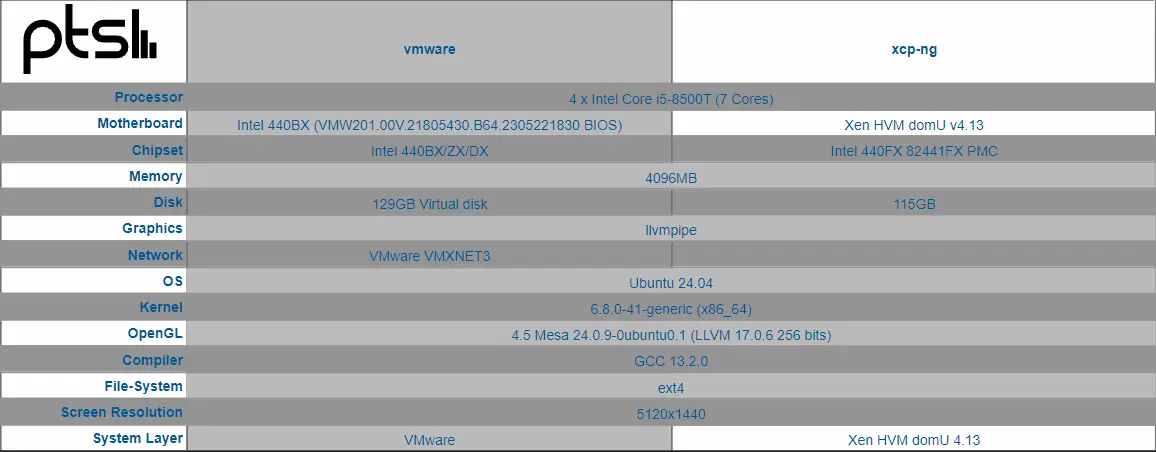
In my case, I have two ESXi servers and two XCP-ng servers running on exactly the same type of machines. Specifically, they are Lenovo mini workstations from 2018, as I described here.
These machines use an i5-8500T CPU @ 2.10GHz, 16 GB of memory, and a NVME M2 Crucial P5 Plus SSD.
Therefore, the ESXi and XCP-ng nodes are identical in terms of hardware. They all have the same version of BIOS.
I deployed an Ubuntu 24.04 VM (prdlinben501) on an ESXi server and an Ubuntu 24.04 VM (prdlinben502) on an XCP-ng server (using Opentofu/Terraform, but I'll save that for later 😊).
Both operating systems are at the same level of patching and have the same preinstalled tools.
The VMs have the same settings:
- 4 vCPUs
- 4 GB of memory
- 120 GB disk
Each VM is isolated on its own hypervisor.
On the VMware side, we are using version ESXi 8.0.2, and on the XCP-ng side, we are using version 8.2.1.
No customizations have been made on either side, and we are using a default VM configuration.
I used the Phoronix Test Suite and selected some application benchmarks to compare the results between each VM.
Click the image to enlarge.
Before presenting the results, it is important to note that the science of benchmarking is complex and often controversial. Many factors can influence the comparison of architectures, including parameters that we may not control.
Slightly worse heat dissipation (dust, dried or poorly positioned thermal paste or pad) limiting CPU frequency, code optimization that favors one system over another, hardware revision differences...
In short, the results that follow should be considered as additional information aimed at providing a trend between identical applications running on VMware and XCP-ng.
MP3 encoding
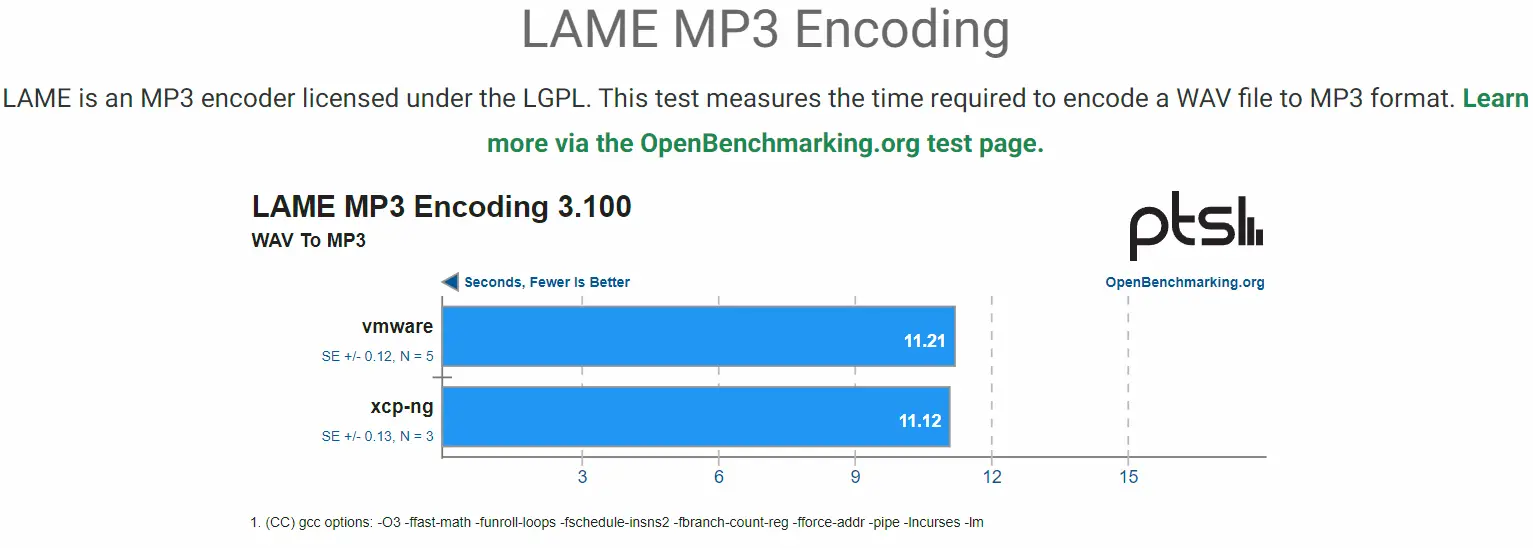
This is a test that primarily involves the CPU. The goal is to encode a WAV file into an MP3 format. The shorter the processing time, the better.
Click the image to enlarge.
In this exercise, it is very difficult to determine a clear winner, as the results are so close, with XCP-ng having a very slight advantage, but which is not significant at this level
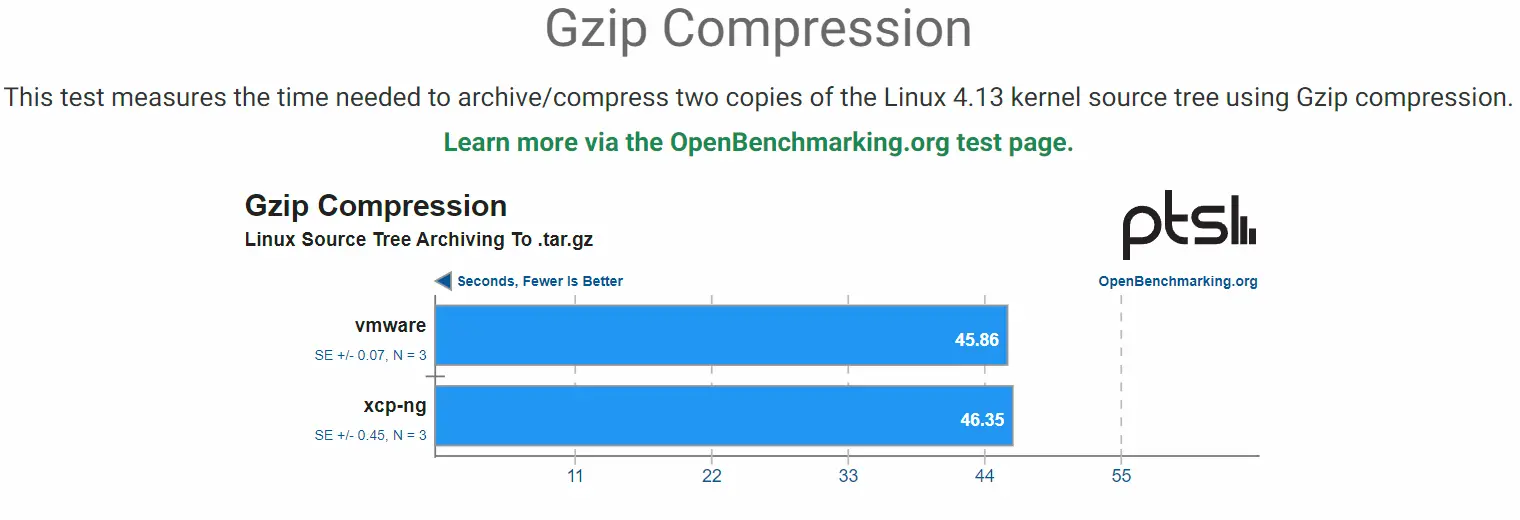
GZIP compression
Again, the CPU and memory performance are highlighted. The test involves compressing data using GZIP. The lowest time wins.
Click the image to enlarge.
Here too, the difference is very small, but this time VMware is slightly ahead, although this is also not significant.
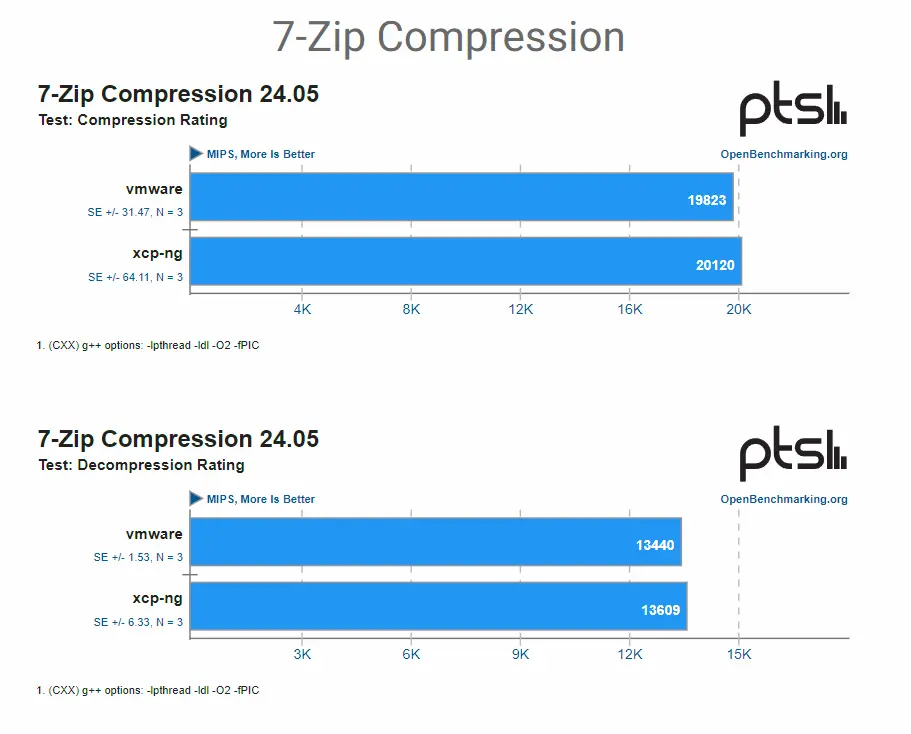
Compression Decompression 7ZIP
This is another compression exercise, but this time the result is given in MIPS (millions of instructions per second). We also evaluate decompression performance.
Click the image to enlarge.
We note a very slight advantage for XCP-ng.
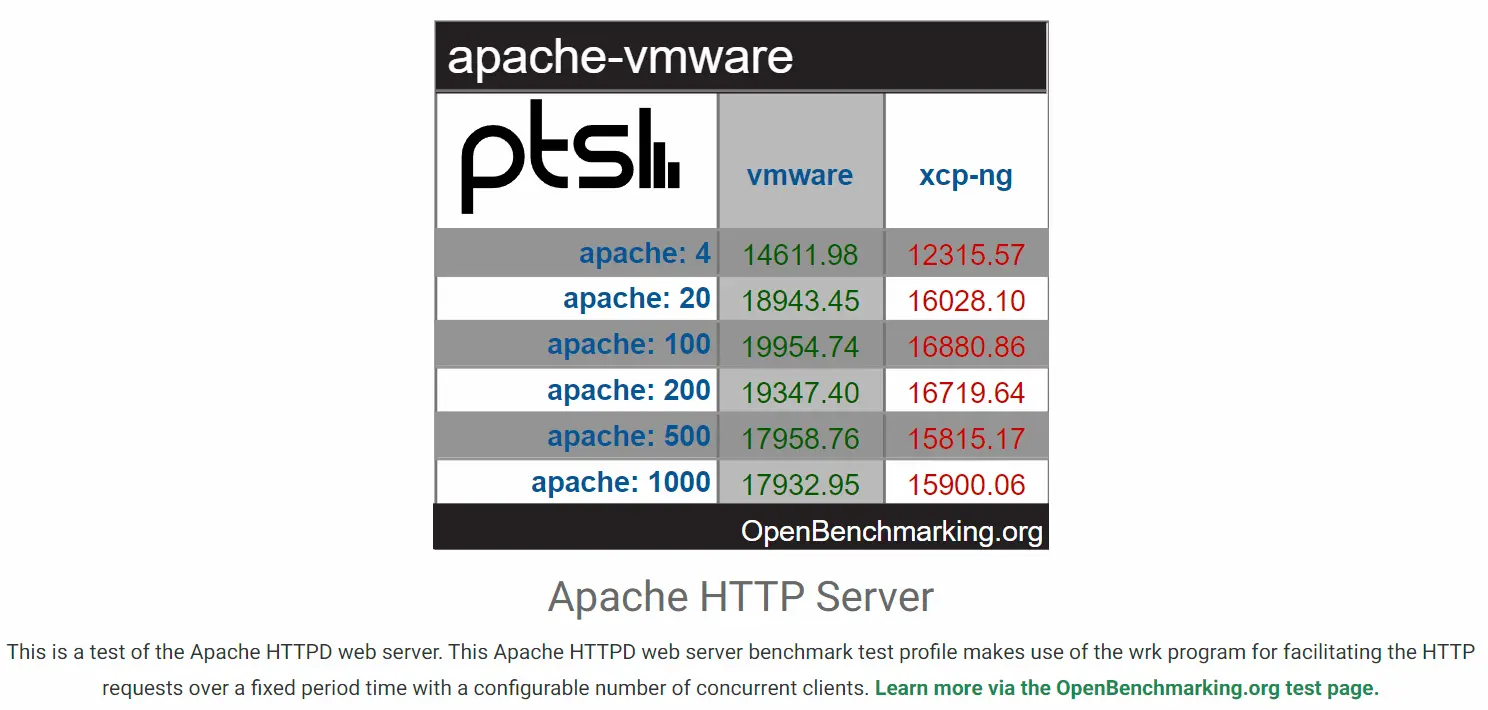
Apache (httpd)
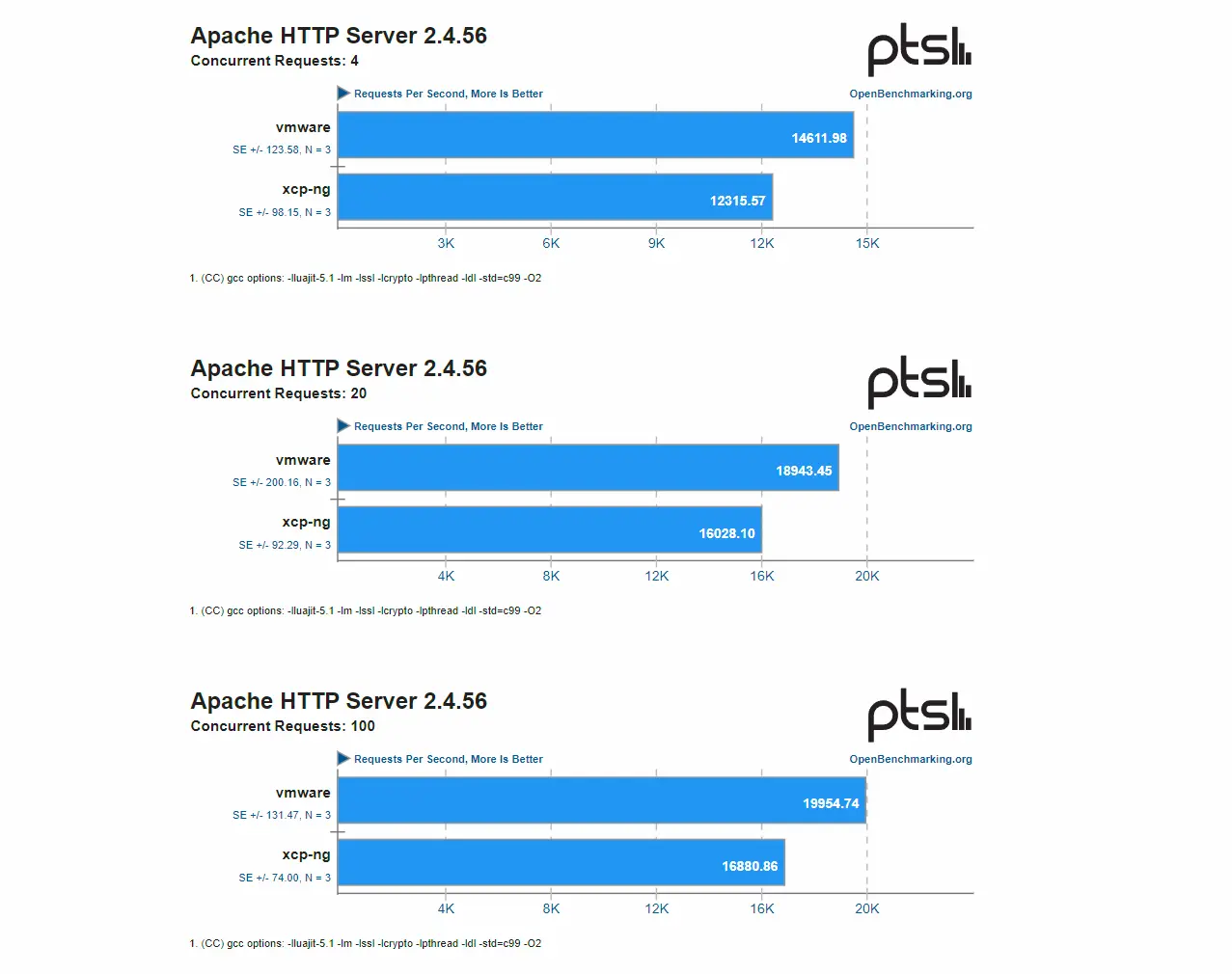
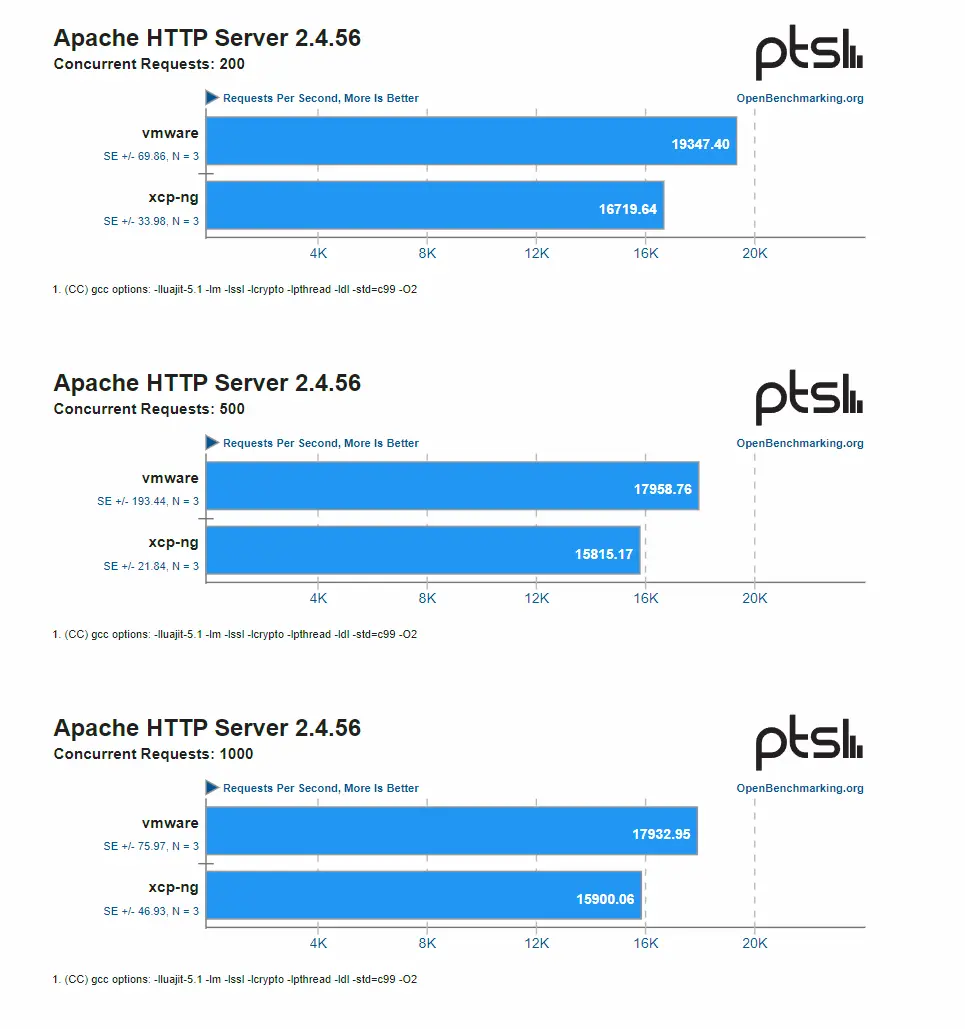
We are now moving into a more complex test, where multiple iterations will be performed. The goal is to simulate simultaneous connections to an Apache server. The more requests that can be processed per second, the better.
Click the image to enlarge.
Click the image to enlarge.
Click the image to enlarge.
In this benchmark, VMware takes the lead. The operating system running on ESXi is approximately 17% faster than the operating system on XCP-ng.
MariaDB
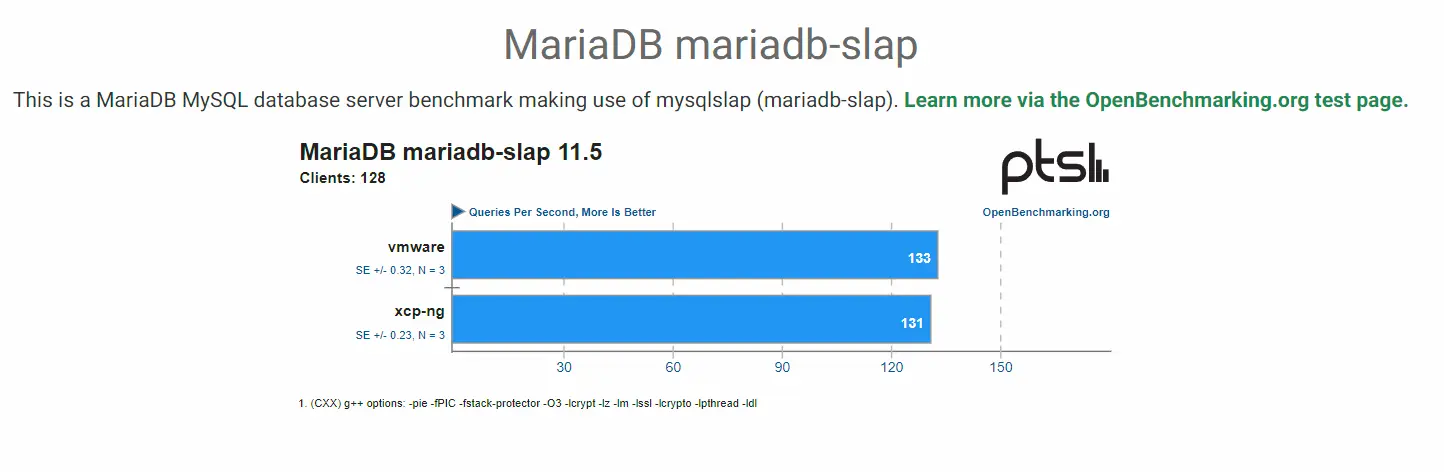
We use the well-known SQL engine to calculate the number of requests per second that can be handled using a test database.
Click the image to enlarge.
VMware performs two requests better, but this is not significant.
Compiling the Linux kernel
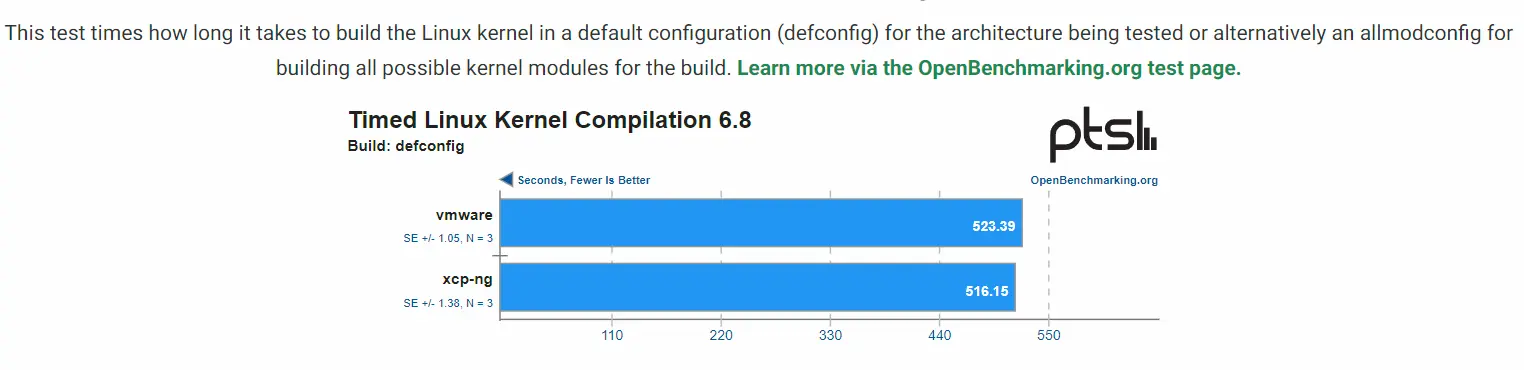
We are returning to tests that are more focused on raw power, with the compilation time of a Linux kernel.
Click the image to enlarge.
XCP-ng takes the lead in this exercise, completing it in a few seconds less than VMware
NGINX
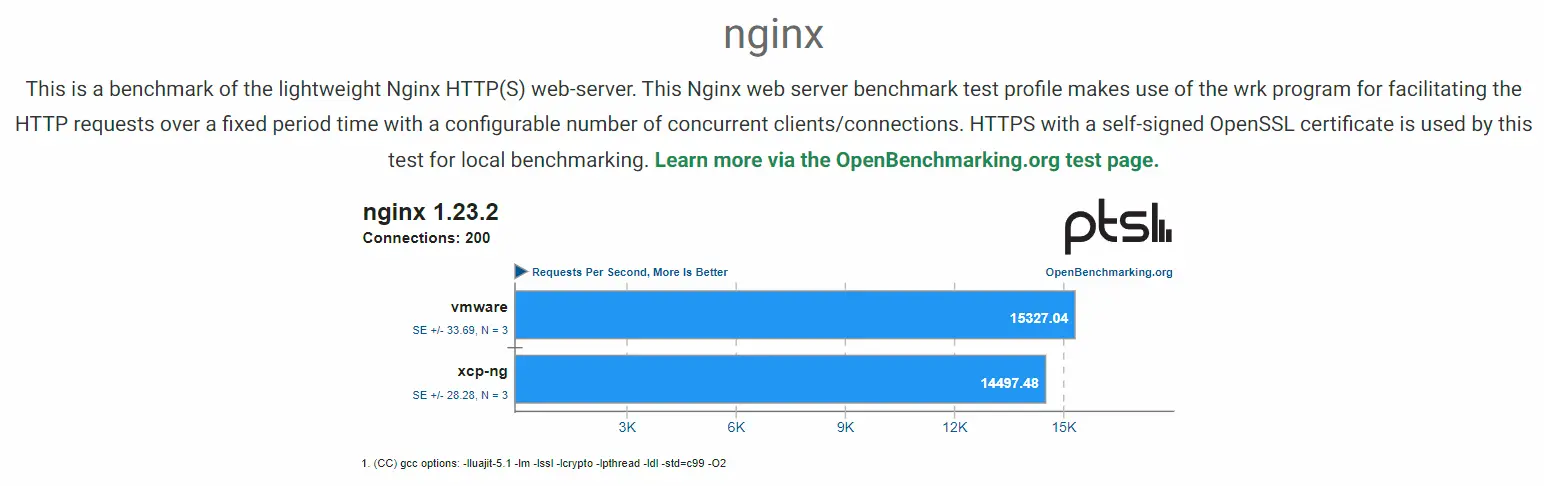
As with the Apache test, we evaluate the number of requests per second to connect to a fictitious website.
Click the image to enlarge.
Even though the difference is less significant than for Apache, there is a performance difference of 5.5% in favor of VMware.
Analysis and observations
Based on these tests, I conclude that the performance difference between a VM running under VMware and a VM running under XCP-ng is often negligible.
The exception comes with the implementation of a web engine, where VMware clearly stands out. It is difficult to understand why, perhaps it is related to the network card driver (Intel I350) or a difference in how the network stack is used between the two systems. However, in a production environment, this is definitely something that needs to be investigated and considered seriously.
It should be noted that other benchmarks may appear later. More situations need to be tested, especially with a Microsoft operating system, to provide more complete conclusions.
Not to mention the cases of contention. It is important to know how a hypervisor handles increased load until it reaches saturation of the physical server's resources.
However, it is very time-consuming, but if I can, I will update the article with new comparisons.
Conclusion
The XCP-ng and Xen Orchestra duo is clearly interesting. This completely open-source solution allows you to build a virtualization architecture with many features.
It is not possible to present everything in this article (I am keeping some things back), but with the integrated backups, authentication plugins, ISO database, and other options, you get a complete package that can be used for many purposes.
To be honest, I don't think it's at the level of VMware. Some advanced features like NSX-T, VSAN, DRS, or SDRS (for those who understand) still have an advantage. Not to mention the ecosystem around VMware.
However, in terms of the core hypervisor and centralized management, I consider XCP-ng/XO a credible alternative to ESXi/vCenter (except for the differences in ergonomics, which seem to favor vCenter, but that is also a matter of habit).
Moreover, given my limited experience with this French XO/XCP-ng duo from Vates, there are probably many things to discover.
I haven't been able to evaluate the update operations yet, but with the arrival of XCP-ng 8.3, that will soon change.
Regarding performance, it is difficult to say. As I have already said, many parameters are involved, but in many tests that I have performed, there is a negligible difference between VMware and XCP-ng.
Only the tests around Apache and NGNIX show a clear advantage for VMware, but we would need to investigate why and see if there is anything that can be done on the XCP-ng configuration side to improve this.
I am also taking this opportunity to mention the problem that switching hypervisors can represent. In theory, many solutions compete with VMware, and yes, it is entirely possible to embark on a process of abandoning the virtualization market leader's solutions.
However, be careful; this is not a project to be minimized or reduced to simple VM migrations. I see too many articles or marketing materials that highlight how it only takes a few clicks to switch from one ecosystem to another. That is simply false.
It's important to take the time to choose the right target, configure it correctly, and most importantly, evaluate its performance and redundancy. Simply moving a VM from one side to the other is not sufficient for a production environment. You need to maximize testing phases and integrate everything that can be related to hypervisors: monitoring/backup/CI/CD.
While solutions like Phoronix Test Suite facilitate comparisons, nothing beats real-world examples represented by applications actually used in the company considering migration.
The management of skills is, of course, paramount. An experienced team around a specific product represents a very significant added value for a company. Restructuring teams can be costly, and sometimes that cost can be greater than a license increase... not to mention the loss of operational expertise, which will need to be accounted for over time.
I was able to try using the Terraform XO provider to deploy a VM. I managed to achieve a result, but even though Terraform and the adoption of Infrastructure as Code (IAC) greatly simplified things for me when switching from a VMware deployment to XCP-ng, I still had to spend time understanding how the XO provider works and adapting my scripts.
What's clear to me is that I don't plan to abandon VMware, and I definitely intend to continue using XCP-ng. In my humble opinion, depending on use cases and companies, there's a benefit to knowing how to use both, or at least having a VMware alternative in your skillset.
I reiterate what I said in the previous article on the subject: I don't understand why the ecosystem of the French company Vates isn't more prominently featured in our country.
On the XCP-ng community forum, there is a lot of activity in the English sections, but nothing in the French section….
Compared to Proxmox VE, the combination of XCP-ng/XO seems more appealing and better integrated. Perhaps the choice of Xen instead of KVM doesn't favor the French solution.
In any case, I will continue my XCP-ng/XO journey and will be sure to share my discoveries over time.