WSL or Linux on Windows!
- WSL brings the Linux ecosystem to Windows without opposing the two systems.
- Deploying Ubuntu from the store and creating the Unix user.
- Interaction between the Windows filesystem and the WSL filesystem.
- WSL 2 removes most limitations, but it remains a virtualization of the Linux kernel.
WSL is a Microsoft project aimed at making the Linux ecosystem accessible on Windows in the most transparent way possible
Some people might ask, "Why?" Wouldn't it be easier to just install Linux directly?... Yes... but no... we need to stop constantly opposing operating systems! In reality, each has its advantages and disadvantages. It's very convenient to be able to mix applications from both worlds.
Personally, I like being able to easily install a few games to relax while my Ansible playbook is doing its work...
Be aware that using WSL requires some prerequisites, starting with enabling the virtualization acceleration instructions in your processor. It's also recommended to use WSL version 2, which only works from Windows 10 2004 or Windows 11. Version 2 is significantly more performant than Version 1. It utilizes features of "Hyper-V", MS's hypervisor, which are deployed on the machine. This is "optimized" virtualization.
Ubuntu Deployment
The installation is becoming increasingly simple, and if you decide to use Ubuntu as your base operating system (which I recommend), you can use the store directly.
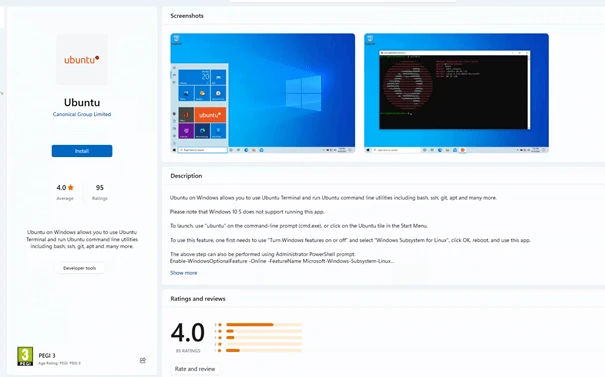
Click the image to enlarge.
On the first launch (for example, via the terminal described in this article), you will be prompted to create your Unix user
Once deployed, it supports tabbed browsing and allows you to have multiple instances of different languages, starting with the good old CMD and especially PowerShell (which I think is really great).
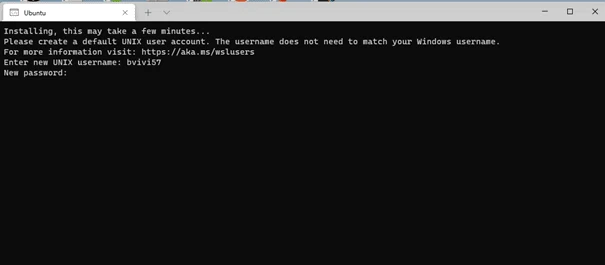
Click the image to enlarge.
After that, you can enjoy Linux commands. You can update your subsystem just like you would with a standard distribution
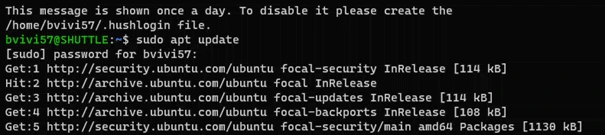
Click the image to enlarge.
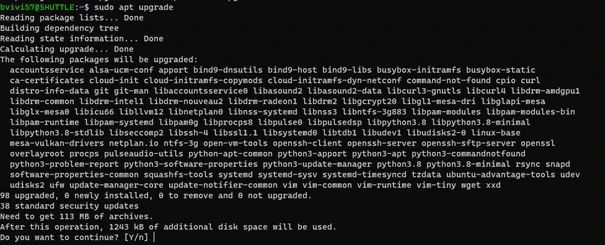
Click the image to enlarge.
Interaction with the filesystem
Nothing prevents you from interacting with your Windows partitions by browsing in /mnt
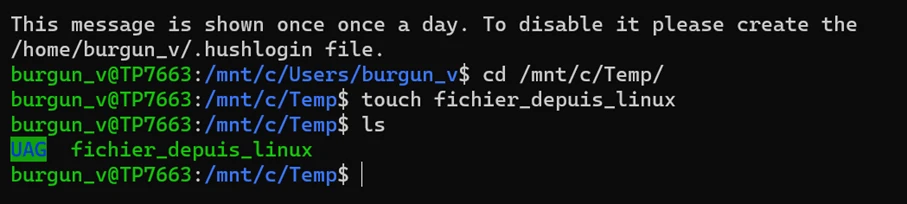
Click the image to enlarge.
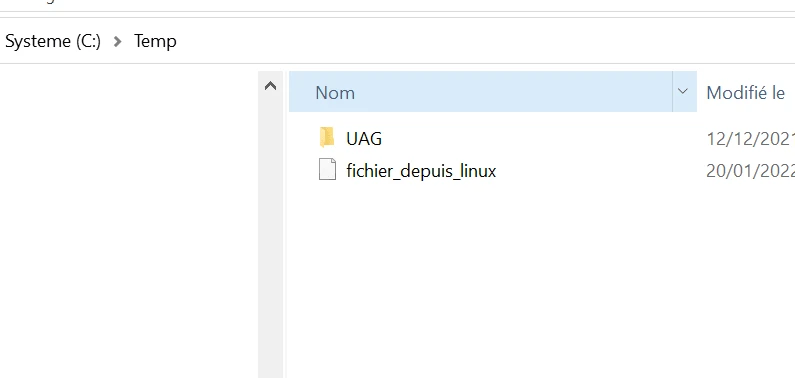
Click the image to enlarge.
Notes
Note that if you wish, you can install multiple Linux subsystems! Some require additional manipulations, but know that you can very well have Debian and CentOS side by side.
Be aware that while WSL is great, it's not magic. It remains a virtualization of the Linux kernel on Windows. It's possible that some specific tools or actions may be impossible... but frankly, since version 2 of WSL, many limitations have been removed, and it's much more efficient than using multiple VMs on your computer, and more comprehensive than using containers.
Windows 11
Windows 11 further enhances the integration of WSL, as your "Linux on Windows" is directly accessible from File Explorer
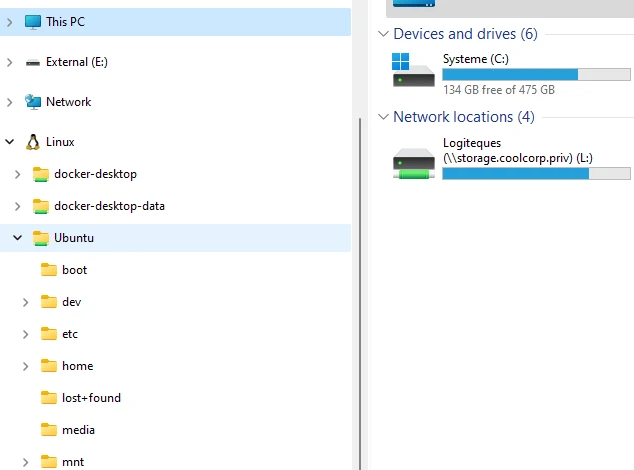
Click the image to enlarge.